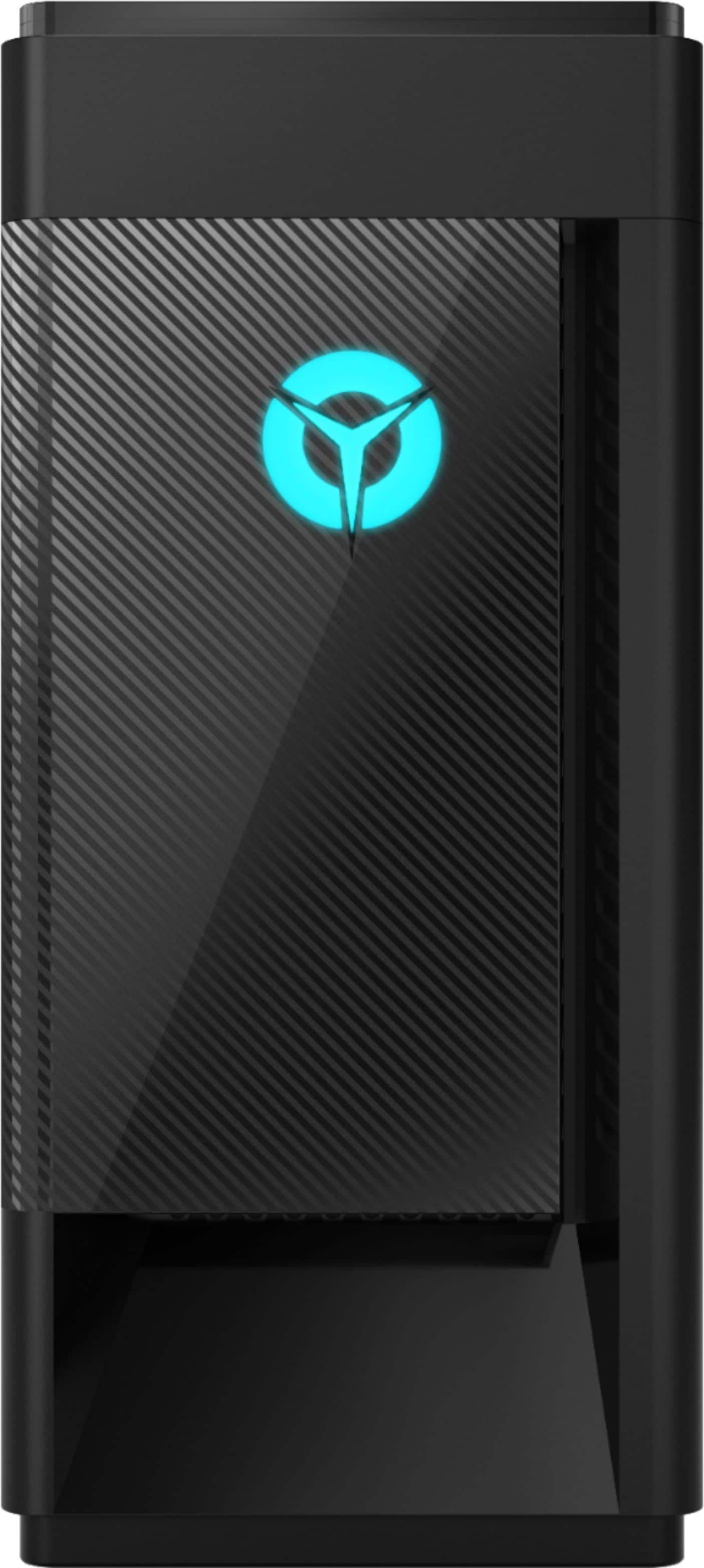
A:AnswerYou can control the internal aRGB lighting within the Legion Vantage Dashboard installed on the Legion Tower 5i Gaming Desktop Computer. If you have additional questions about your Legion Tower 5i, you can call Lenovo Tech Support at: 866-426-0911.
A:AnswerYes. The Lenovo Legion Tower 5i Gaming Desktop Computer, model number 90NC00R5US, ships with 8GB DDR4-2933MHz RAM. There are 4 RAM slots and the maximum RAM capacitiy for this configuration is: 128GB DDR4-2933MHz RAM.
A:AnswerThe Lenovo Legion Tower 5i Gaming Desktop Computer, model number 90NC00R5US, ships with the Nvidia GeForce GTX1650 Super, 4GB GDDR6 RAM GPU. At 1440p, GTX 1650 SUPER can hit 50-60 fps on pretty much everything at ultra, just without antialiasing, less ambient occlusion and turned down shadows. It is clear that the GTX 1650 SUPER is a significantly more capable high-end card that can play AAA titles at 1080p/1440p with 50-60 frames per second. Here is a link to more information about this GPU performance: https://www.gpucheck.com/gpu/nvidia-geforce-gtx-1650-super/intel-core-i7-8700k-3-70ghz/#:~:text=At%201440p%2C%20GTX%201650%20SUPER,50%2D60%20frames%20per%20second.
A:AnswerThe Lenovo Legion Tower 5i Gaming Desktop Computer, model number 90NC00R5US, ships with 8GB DDR4-2933MHz RAM from the factory. The maximum RAM this configuration can support is 128GB DDR4-2933MHz RAM within the 4 RAM memory slots. This would be an after-market upgrade and not available from the factory.
A:AnswerThe Lenovo Legion Tower 5i Gaming Desktop Computer, model number 90NC00R5US, ships with a 65W_COOLER_AIRFLOW (65W cooler w/o BP, Taisol HEAT SINK - Lenovo Part Number - 5H40X63326). Here is a link to the complete parts list for this model configuration: https://pcsupport.lenovo.com/us/en/products/desktops-and-all-in-ones/legion-series/legion-t5-28imb05/90nc/90nc00r5us/parts/display/model
A:AnswerThe Lenovo Legion Tower 5i Gaming Desktop Computer, model number 90NC00R5US, ships with the Nvidia GeForce GTX1650 Super 4GB GGGR6 GPU. The performance of the GeForce GTX 1650 Super 4GB will enable medium to high graphics performance on modern AAA 2019 released games. Although there will be variations on this frame rate we expect this card to deliver around 50+ FPS on High graphics settings at 1080p screen resolution.
A:AnswerBe sure you are connecting the monitor to the proper video out port from the graphics card. The Nvidia GeForce GTX1650 Super GPU within this model ships with 2x DisplayPorts, 1x HDMI port for connecting monitors. Here is a YouTube Video demonstrating the installation of a monitor into a desktop computer with a graphics card: https://www.youtube.com/watch?v=Ad5zmFk80lU. If you continue to have problems, we recommend you contact Lenovo Tech Support for additional help at: 866-426-0911.
A:AnswerBe sure you are connecting the monitor to the proper video out port from the graphics card. The Nvidia GeForce GTX1650 Super GPU within this model ships with 2x DisplayPorts, 1x HDMI port for connecting monitors. Here is a YouTube Video demonstrating the installation of a monitor into a desktop computer with a graphics card: https://www.youtube.com/watch?v=Ad5zmFk80lU. If you continue to have problems, we recommend you contact Lenovo Tech Support for additional help at: 866-426-0911.
A:AnswerYes. The Lenovo Legion Tower 5i Gaming Desktop Computer, model number ships with both an ethernet Gigabit port as well as 5G 802.11ac frequency WiFi capability.
A:AnswerThe Lenovo Legion Tower 5i Gaming Desktop, model number 90NC00R5US, ships with the Nvidia GeForce GTX1650 Super GPU with 4GB GDDR6 RAM on the card. (MSI@GTX1650Super/4G/D6/2DP/H, PCIe Card, Lenovo Part Number: 5V10W62698). Here is a link to the complete parts list for this model: https://pcsupport.lenovo.com/us/en/products/desktops-and-all-in-ones/legion-series/legion-t5-28imb05/90nc/90nc00r5us/parts/display/model
A:AnswerThere is a 30-day trial of Microsoft Office 365 included as part of the Windows 10 operating system. In order to keep the program active after the trial period, you will need to purchase a product key. You will not need to download any additional software. The Legion Tower 5i Gaming Desktop, model number 90NC00R5US, ships with one 8GB DDR4-2933MHz Ram sick. There are 4 RAM slots within this configuration which are Dual Channel capable.
A:AnswerThe Lenovo Legion Tower 5i Gaming Desktop model number 90NC00R5US, ships in a 28 liter case with these dimensions: (W X L X H) - 17.94 x 7.26 x 17.99 inches.
A:AnswerWe are sorry to hear that you are having issues with your Lenovo Legion Tower 5i Gaming Desktop Computer, model number 90NC00R5US. First, be sure any software you installed is compatible with Windows 10 and this computer's specific configuration. There is no need to install Microsoft Office software. The software is already part of the operating system, you just need to activate the software with a purchased product key. If you have installed a copy of Microsoft Office, this is conflicting with the existing copy on the system and this will slow your system down. If you have installed a 3rd party anti-virus program, be sure that Windows Defender is turned off and that the trial version of McAfee Anti-Virus software is uninstalled. There can only be one anti-virus program on the system. You may need to restore your system to original factory default settings if any of the programming errors have occurred. You can do that by typing "restore" in the Cortana search window. Just click on the magnifying glass icon at the bottom left of your Windows 10 Desktop. Click on "Reset This PC" Then click on "Get Started" and follow the on screen directions to restore to factory defaults. If there is no incompatible software installed but the issues persist, check to be sure you have the latest version of Windows 10 on the computer. Then update all BIOS files and drivers up to that latest version of Windows 10. You can easily accomplish this by scanning the computer with the Lenovo Utility software available on this computer. This system has Lenovo utilities installed to help maintain the health of the device and keep the operating system software up to date. Type "Lenovo Vantage" in the Cortana Search window (if Lenovo Vantage is not installed on your device, you can download the APP and install it now). Select Lenovo Vantage from the list. In the window that opens, click on "Health and Support". In the expanded menu, select "Hardware Scan" In the window that opens, select "Run Quick Tests". This will scan your entire system for errors. Follow any directions that may pop up. If the problem continues after this scan, now click on "System Update". First select Windows update from the menu. Scan your system to be sure you have the latest version of Windows 10. Once that scan is complete, select "Additional Updates". This will scan your device to be sure there are no new BIOS/Driver updates needed. Follow any instructions that may pop up. If the issue still continues after these updates, we recommend you call Lenovo Tech Support at: 877-453-6686 for additional help.
A:AnswerThe Lenovo Legion Tower 5i Gaming Desktop, model number 90NC00R5US, ships with both a 256GB M.2 2280 NVMe solid state hard drive and a 1TB 3.5 inch 7200RPM mechanical hard drive. There is one open drive bay and this computer ships with a tray to support an additional 2.5 inch drive, which is sold separately.
A:AnswerSign in to your PC (make sure you’re signed in with the Microsoft account you want to redeem the code with).
Press the Start button , type store, then select Microsoft Store.
Select More … > Redeem a code.
Enter the 25-character code, then follow the prompts. Don’t worry about hyphens, the system takes care of those for you.
A:AnswerThe Lenovo Legion Tower 5i Gaming Desktop Computer, model number 90NC00R5US, ships with the Nvidia GeForce GTX1650 Super, GPU with 4GB VRAM and 2xDisplayPorts and 1xHDMI port for connecting monitors to this system.