Black Friday is hereShop new DoorbustersShop now

Main Content

Questions & Answers

Your price for this item is $349.99
The comparable value price is $499.99
Page Showing 61-80 of 106 questions
  • Questionwill this connect from an xbox series x through sound bar to tcl tv

    Asked by vikes74.

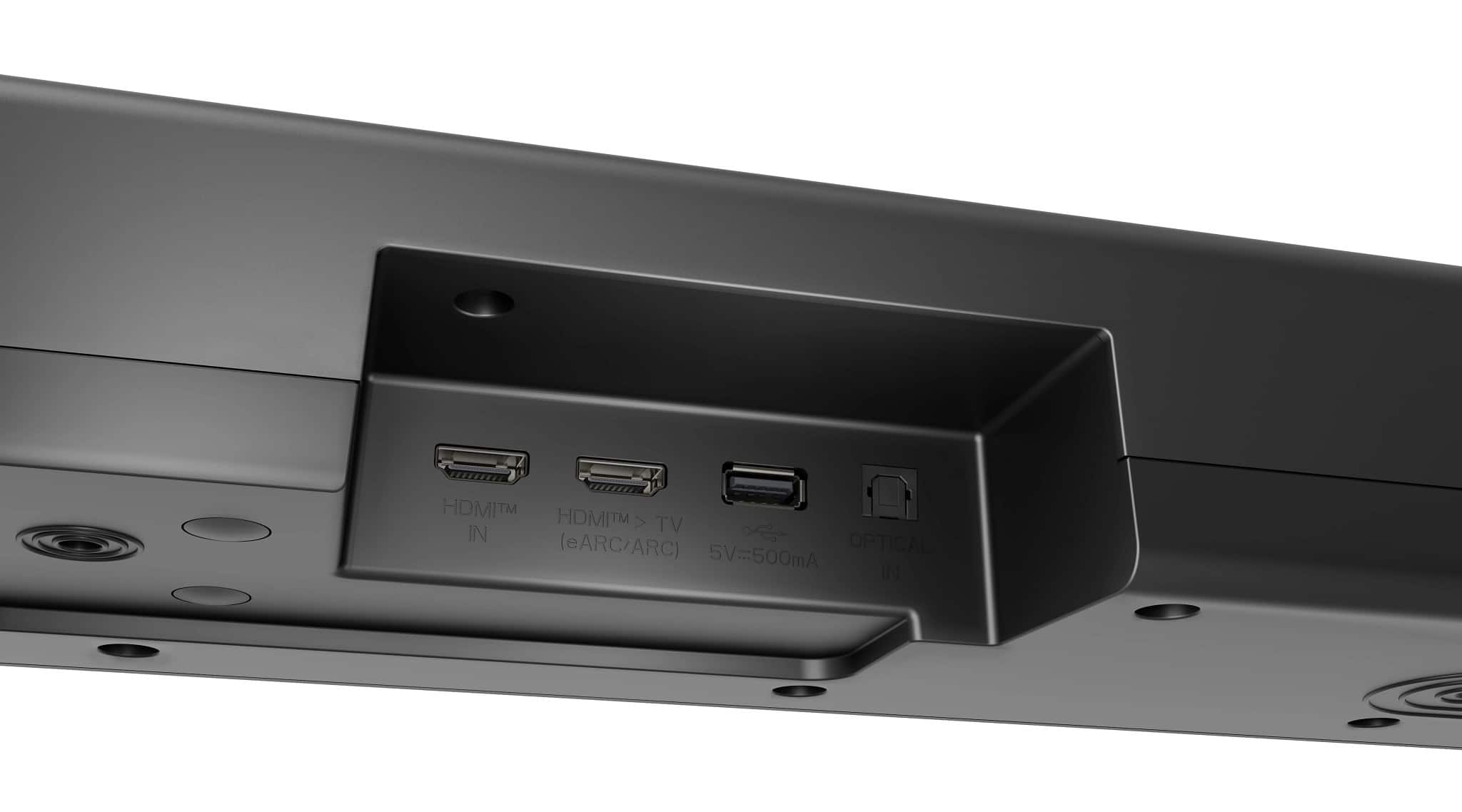
    • Answer Hi there, Vikes74. Thank you for sharing your question with us. We understand your inquiry about connecting your Xbox Series X through the LG S70TR to your TCL TV. The S70TR supports HDMI 2.1 passthrough with eARC, so you can hook up your Xbox Series X directly to the sound bar and still send video on to your TV: Connect the Xbox to the HDMI IN port on the S70TR using a high-speed HDMI cable (HDMI 2.1 / eARC compatible). Connect the S70TR’s HDMI OUT (eARC) port to your TCL TV’s HDMI ARC/eARC input with another high-speed HDMI cable. On your TCL TV, go to Settings > Audio (or Sound) > set TV Sound Output to External Speaker (HDMI ARC) or eARC. On your Xbox Series X, under Settings > General > Volume & audio output, select HDMI audio as Bitstream out and Dolby Atmos for home theater if you have that license, or Windows Sonic otherwise. Troubleshooting Step: If you’re not getting audio, please ensure both HDMI cables are rated for eARC/4K @ 120 Hz, and in your TV’s audio menu, confirm that Digital Output Format is set to Auto or Bitstream rather than PCM. Then power-cycle all devices (turn off, wait 10 seconds, turn on again) to reinitialize the HDMI handshake. https://www.lg.com/us/soundbars/lg-s70tr-home-theater-soundbar#pdp_specs If you’d like any further assistance or want to explore additional settings, please send us a private message on Social Media @LGUSSupport and our team will be more than happy to help you. We appreciate your patience. —Renzo
      Answered by LG Digital Customer Care

  • QuestionWill the LG sound bar connect to Alexa?

    Asked by Tony.

    • Answer Hi there, Tony. Thank you for sharing your inquiry about the S70TR soundbar. We understand your situation and appreciate your interest in exploring voice control options with Alexa. Based on our official resources, the S70TR is designed to offer a range of smart features through the LG Smart Remote App, but it does not support direct connectivity with Alexa at this time. As a troubleshooting step, we recommend ensuring that your soundbar’s firmware is updated to the latest version to take full advantage of the available smart features. https://www.lg.com/us/soundbars/lg-s70tr-home-theater-soundbar#pdp_specs Please send us a private message on Social Media @LGUSSupport so our team can further explore possible solutions tailored to your setup. We’re here to help you get the most out of your LG soundbar. —Renzo

      Answered by LG Digital Customer Care

  • Questionrecently purchased s70tr sound bar. how are speakers wireless if they need to be connected to a power source? what source?

    Asked by dave.

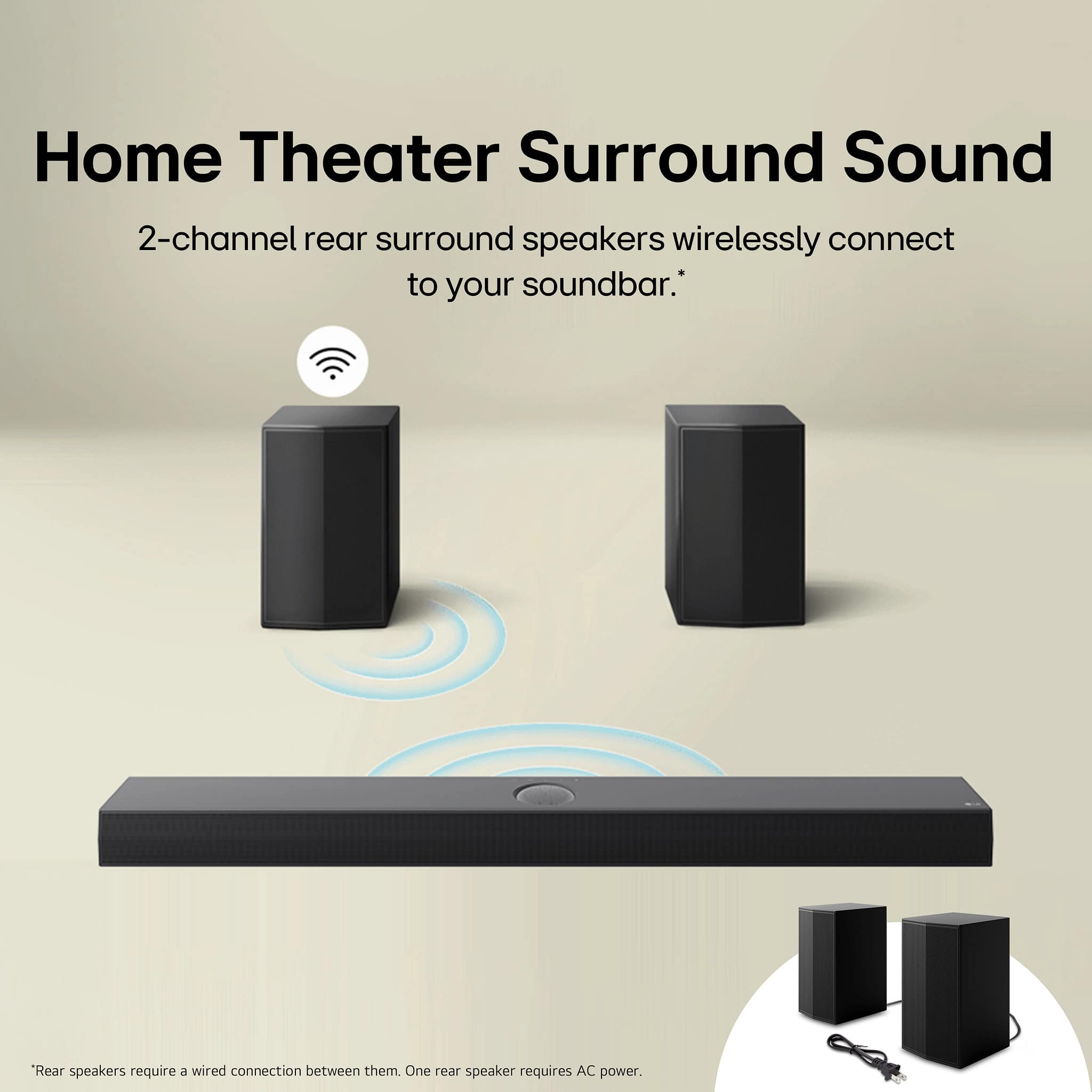
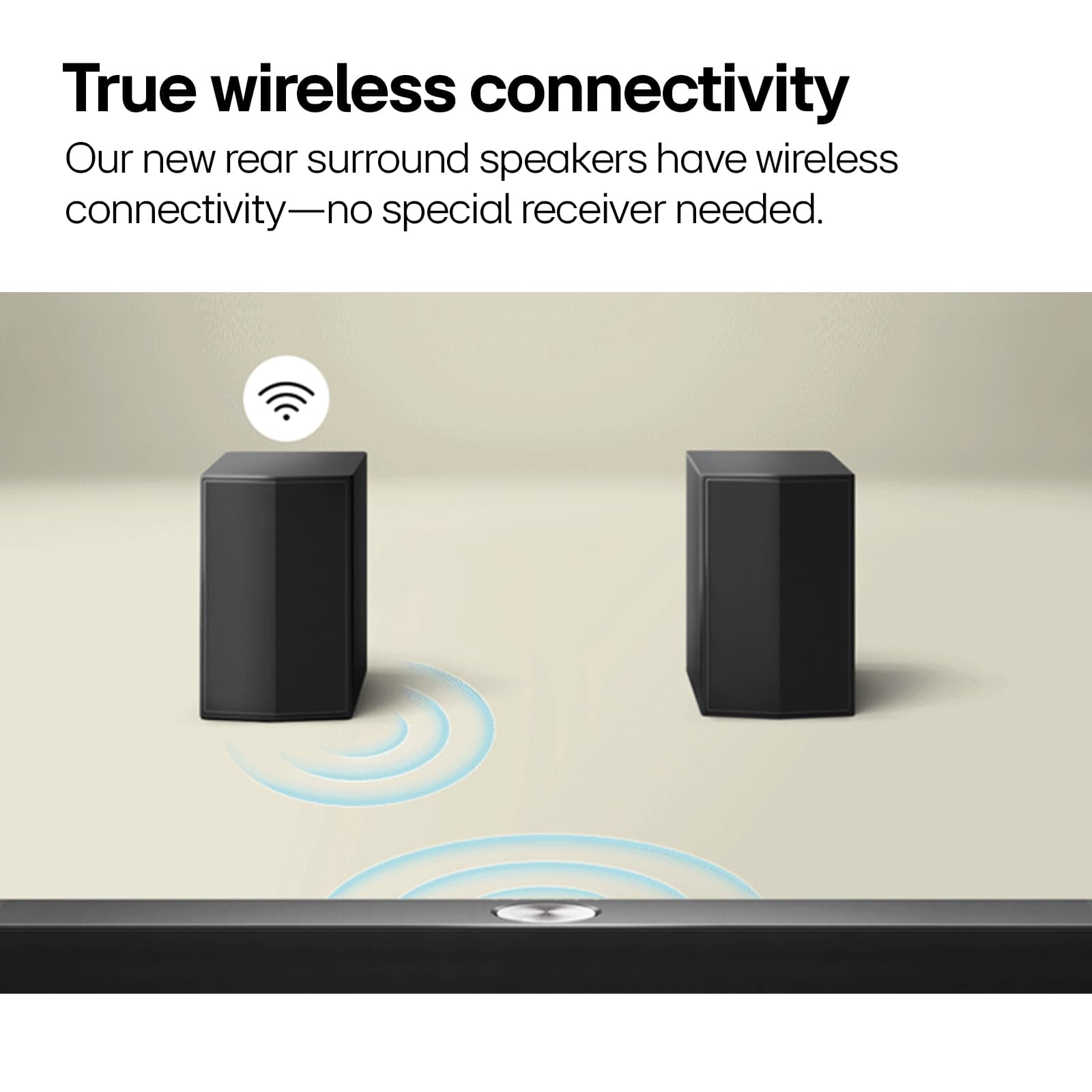
    • Answer Hello, Dave. The speakers for the 5.1.1-Channel S70TR Home Theater Soundbar with Wireless Subwoofer and Rear Speakers, Dolby Atmos, WOW Orchestra - Black are called wireless because they can play music wirelessly, but they still need to be connected to a power source. The term "wireless" refers to the ability to stream audio wirelessly, but it does not mean that the speakers are completely self-contained or do not require any additional power source...^Ivan.

      Answered by LG Digital Customer Care

  • QuestionI'd like to know the size of the woofer driver inside the subwoofer. The diameter of the woofer itself, please... 8"? 10"?

    Asked by Doogie.

    • Answer Hello there. Thank you for reaching out with your inquiry regarding the woofer driver size in your S70TR subwoofer. We understand your situation and appreciate your interest in understanding every detail of your soundbar system. While the official product specifications provide the external subwoofer dimensions, they don’t list the precise diameter of the woofer driver itself. Based on typical design practices for subwoofers in this product line, many of our models often feature a driver around 8 inches in diameter. https://www.lg.com/us/soundbars/lg-s70tr-home-theater-soundbar#pdp_specs If further clarification is needed, please send us a private message on Social Media @LGUSSupport so our team can provide you with the most detailed and updated product information. We appreciate your patience and are here to help every step of the way. —Renzo

      Answered by LG Digital Customer Care

  • QuestionThis LG subwoofer work for a Samsung TV?

    Asked by Ruben.

    • Answer I don't have a samsum=ng TV. I have a projector. It will not work with a projector, even though the moron's at the Geek Squad said it would.

      Answered by JamesW

  • QuestionIs the lg soundbar works with a Samsung smart TV?

    Asked by EnriqueV.

    • Answer Mine is set up with Roku TV, Amizon Fire Stick and antenna

      Answered by JeffreyG

  • QuestionAre you able to set this up not using the rear satellites? I like this particular bar and subwoofer, but have no way to use the rear satellites.

    Asked by Bink.

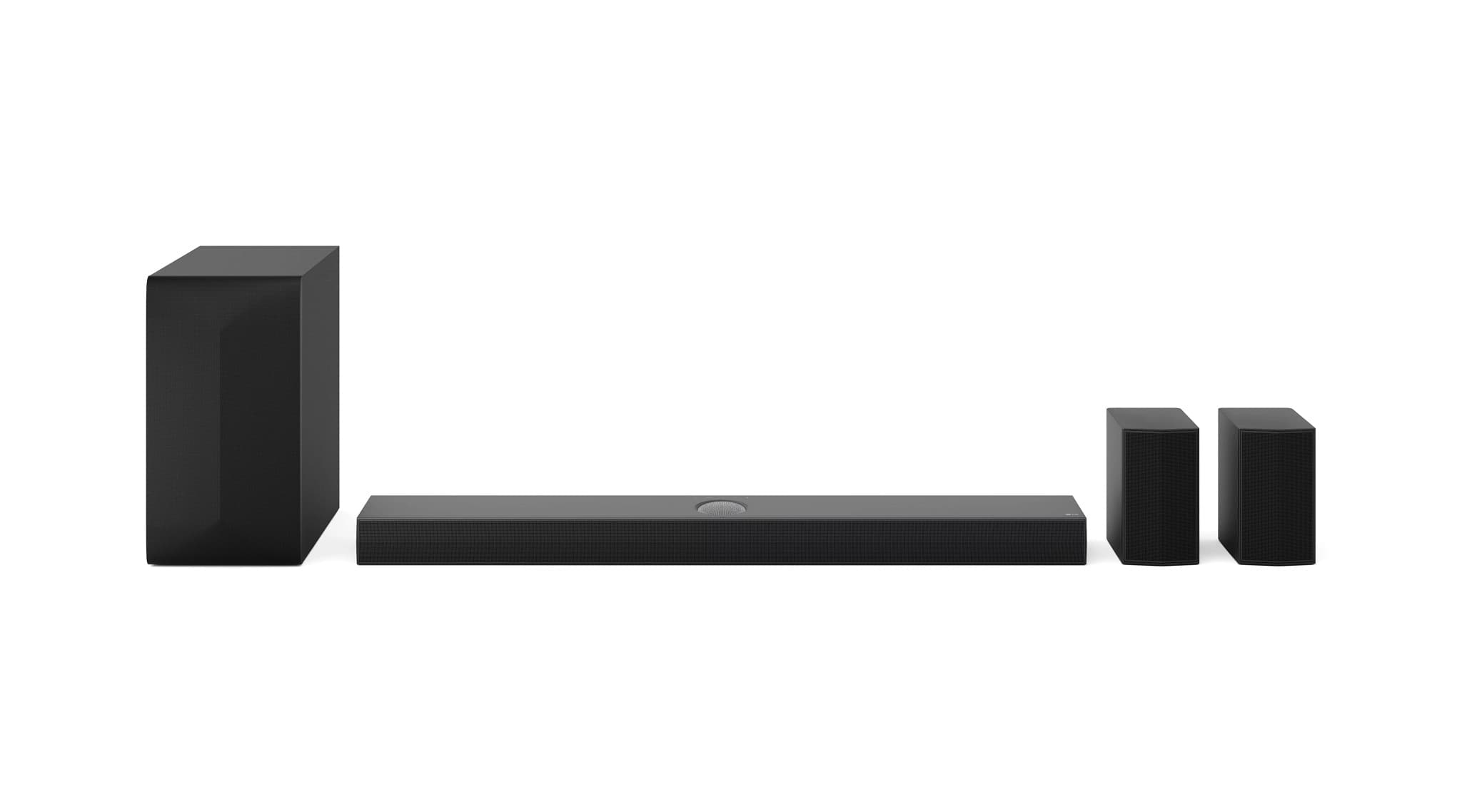
    • Answer Hi there, Bink. Thank you for sharing your experience with us. We understand that you’d like to set up the S70TR sound bar and subwoofer without using the rear satellites. While the S70TR is designed to deliver an immersive 5.1.1 channel experience with rear satellites included, you can still enjoy excellent audio performance by configuring it to operate in a mode that doesn’t require them. A helpful troubleshooting step is to disable the surround or rear satellite feature using the remote or the smartphone remote app. By selecting a standard or sound bar-only mode (often available via the “Surround (On/Off)” setting), you can run the system with just the sound bar and wireless subwoofer. This should allow you to enjoy your favorite audio content without the need to integrate the rear satellites into your setup. https://www.lg.com/us/sound-bars/lg-s70tr-sound-bar#pdp_specs If you need any further assistance or step-by-step guidance on how to adjust these settings, please send us a private message on Social Media @LGUSSupport. Our team is here to help you get the best experience out of your LG S70TR sound bar. We appreciate your inquiry and are happy to help every step of the way. —Renzo

      Answered by LG Digital Customer Care

  • QuestionSeems to work fine when on, but when I turn off the sound bar, no audio and video passes through the unit to the TV. Shouldn't the signal from the cable box simply pass through the sound bar so I can watch TV without the soundbar's sound?

    Asked by Alcohen.

    • Answer Hello there, Alcohen. It sounds like your LG S70TR soundbar is set up in a way that is interrupting the signal pass-through when it’s turned off. The soundbar should pass the signal from your cable box to the TV when it's powered off, but this functionality depends on the connection type you're using (HDMI ARC/eARC or optical). If you're using HDMI ARC or eARC for the connection, it typically supports audio pass-through. However, if the soundbar is off, the audio may not pass through, and you'll have no sound or video output on the TV. To ensure it works properly: Check the HDMI ARC connection: Ensure the HDMI cable is plugged into the HDMI ARC/eARC port on both the TV and soundbar. Enable HDMI CEC (Simplink): This allows the TV to control the soundbar and can enable pass-through when the soundbar is off. Use the TV’s internal speakers: When the soundbar is off, make sure the TV is set to output sound through its built-in speakers if that’s what you intend. Verify the input source on the soundbar: If the soundbar is set to the wrong input (e.g., optical or Bluetooth), audio pass-through may not work correctly. If you're still experiencing issues after checking these, please refer to the LG troubleshooting guide for soundbars for further steps. LG Sound Bar – Troubleshooting No Audio from External Sound System - https://www.lg.com/us/support/help-library/lg-sound-bar-troubleshooting-no-audio-from-external-sound-system--1422464978777 Feel free to reach out through private messages on Social Media @LGUSSupport if you'd like more personalized assistance! —Renzo

      Answered by LG Digital Customer Care

  • QuestionCan I use a military discount on a recent online purchase? I am a retired veteran.

    Asked by Bruce.

    • Answer Hi there, Bruce. Thank you for reaching out and for your service. We understand your inquiry regarding the availability of a military discount for your recent online purchase of the LG 5.1.1 Channel S70TR Soundbar from Best Buy. For more detailed information, we recommend contacting Best Buy directly or visiting your local store to inquire about any available discounts. https://www.bestbuy.com/site/lg-5-1-1-channel-s70tr-soundbar-with-wireless-subwoofer-and-rear-speakers-dolby-atmos-and-wow-orchestra-black/6578017.p?skuId=6578017 If you have any questions or need assistance with your LG S70TR Soundbar, please send us a private message on social media @LGUSSupport, and our team will be more than happy to assist you further. We appreciate your understanding. —Renzo

      Answered by LG Digital Customer Care

  • QuestionIs this unit compatible with a TCL Q7 tv?

    Asked by ScottB.

    • Answer Hi there, Scott. The LG S70TR sound bar is compatible with the TCL Q7 TV. Both devices support HDMI ARC/eARC, ensuring seamless audio integration. For the best experience, connect the sound bar to the TV via the HDMI eARC/ARC port. This setup will allow you to enjoy high-quality sound formats like Dolby Atmos and DTS:X directly from your TV to the sound bar. https://www.lg.com/us/sound-bars/lg-s70tr-sound-bar#pdp_specs For full details or additional support, we recommend sending us a private message on Social Media @LGUSSupport. Our team would be happy to explore more options and provide further assistance. We appreciate your inquiry and look forward to helping you. —Renzo

      Answered by LG Digital Customer Care

  • QuestionI HAVE A 75" LG TV "2022" (75NANO85APA) AND LOOKING FOR THE BEST SURROUND SOUND SYSTEM FOR IT AND WONDERING IF THIS MIGHT BE THE ONE? IF NOT, WHY AND WHAT WOULD BE THE BEST MATCH FOR THIS TV. THANKS

    Asked by SG.

    • Answer Hello there! Thank you for reaching out. We understand that you're considering the LG S70TR Sound Bar for your 75" LG TV (75NANO85APA) and wondering if it's the best match for your setup. The LG S70TR Sound Bar would definitely enhance your audio experience with its 5.1.1 channel system and Dolby Atmos® for a more immersive surround sound experience. However, since your 75" TV is from the NANO85 series, we recommend a sound system that would complement the size and performance of your TV. The S70TR would work well, but for an even more seamless and elevated experience, especially with larger TVs like yours, we suggest looking into the LG SN11RG or LG S95QR soundbars. These models feature more advanced surround sound systems, including rear speakers and higher channel counts, which would provide an even more dynamic and immersive sound experience for your large screen. https://www.lg.com/us/sound-bars/lg-s70tr-sound-bar#pdp_specs Please send us a private message on Social Media @LGUSSupport if you need any further assistance or details. We’re happy to help! We appreciate your patience. —Renzo

      Answered by LG Digital Customer Care

  • QuestionWill this sihndbar system work well with a Samsung 65 inch TV, or should I buy a Samsung Soundbar ststem

    Asked by GSmith.

    • Answer Yes. I have a 75" Samsung TV.

      Answered by WillieB

  • QuestionWhat soundbars should i look at for my OLED65BXPUA TV?

    Asked by Jeff.

    • Answer Hello there, Jeff. Thank you for reaching out with your question about the LG S70TR Sound Bar and its compatibility with the OLED65BXPUA TV. We understand that choosing the right soundbar is essential to elevate your home entertainment experience. The LG S70TR Sound Bar is an excellent match for your OLED65BXPUA TV. This soundbar supports Dolby Atmos®, DTS:X, and offers a 5.1.1 channel configuration, delivering immersive audio that complements the stunning picture quality of your OLED TV. It also features HDMI eARC, which is perfect for seamless audio syncing with your TV. To ensure optimal performance, we recommend connecting the soundbar via HDMI eARC to take full advantage of the high-quality sound formats like Dolby Vision™ and HDR10 pass-through. This will enhance both your viewing and listening experience with enhanced sound clarity and depth. https://www.lg.com/us/sound-bars/lg-s70tr-sound-bar#pdp_specs If you need further guidance on setup or troubleshooting, please send us a private message on Social Media @LGUSSupport, and our team will be happy to assist you. We appreciate your engagement with our products and are here to help! —Renzo

      Answered by LG Digital Customer Care

  • QuestionI have an LG OLED55GXPUA and I'm researching compatible soundbars that would allow concurrent soundbar and bluetooth audio out. I have hearing issues and am looking to use my Apple Airpods while others in the room get audio through the soundbar. Options?

    Asked by Soundbars.

    • Answer Hi there! Thank you for reaching out to us. We understand that you're looking to use both your LG OLED55GXPUA TV with an LG S70TR Soundbar while utilizing Apple AirPods for personal audio. For the best experience, the S70TR Soundbar supports Bluetooth connectivity, but it doesn’t natively allow for simultaneous output through both Bluetooth and the soundbar. However, we recommend trying a workaround using the LG TV's Bluetooth functionality for your AirPods and using the soundbar's connection for room audio. Here’s a possible troubleshooting step: On your OLED55GXPUA, go to Settings > Sound > Sound Out and select Bluetooth for your AirPods. Ensure that the soundbar is connected via HDMI eARC or Bluetooth for the room’s audio. https://www.lg.com/us/tvs/lg-oled55gxpua-oled-4k-tv#pdp_specs If you continue to have issues, we’d love to assist you further. Please send us a private message on Social Media @LGUSSupport, and our team will be happy to explore additional options for you. We appreciate your patience! —Renzo

      Answered by LG Digital Customer Care

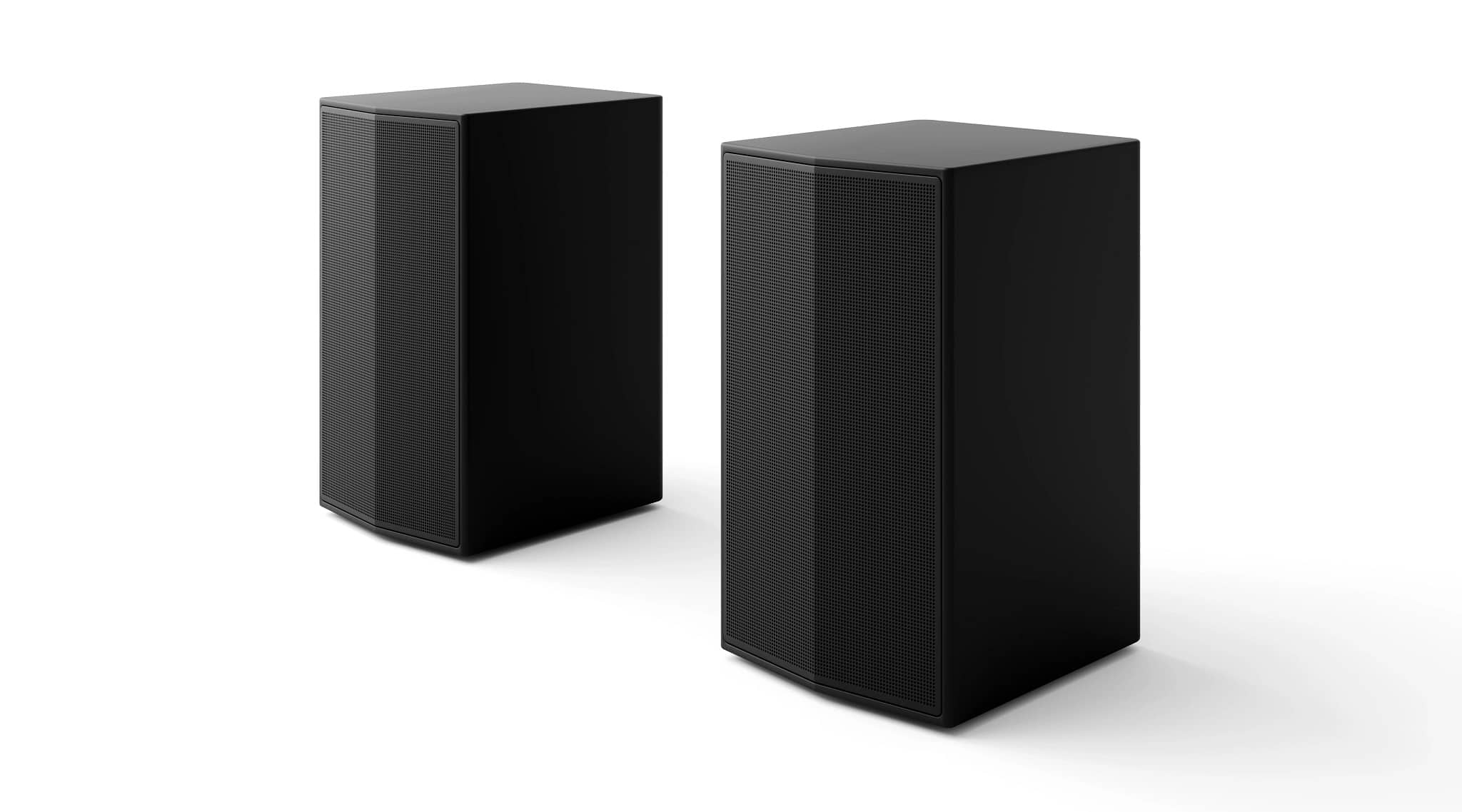
  • QuestionHow do S70TR rear speakers mount to speakers stands? From the back or the bottom

    Asked by Anonymous.

    • Answer The S70TR rear speakers also have an identical threaded screw hole in the back so they can be mounted on the wall as well as with a stand.

      Answered by Anonymous

  • QuestionDO YOU NEED A REIVER WITH A LG SOUNDBAR AND C3 LG TV

    Asked by LU.

    • Answer Nope, just connect the soundbar directly to the TV per the directions. No receiver needed.

      Answered by CB71

  • QuestionAre the S70TR rear speakers compatible with the S80TR soundbar? Already mounted to the fireplace and would like to switch the rear speakers with one another as the S80TR speakers aren't connected by a wire.

    Asked by RearSpeakerNoob.

    • Answer Hi there, thank you for reaching out with your question! We understand that you’d like to swap the rear speakers from the S70TR with those from the S80TR soundbar. However, please note that the rear speakers of the S80TR soundbar are wireless, whereas the rear speakers of the S70TR are wired. Given this difference, the rear speakers from the S70TR would not be directly compatible with the S80TR due to the wired and wireless configuration differences. To ensure optimal performance, we recommend using the rear speakers that came with each respective model. If you still wish to explore other setup options, please send us a private message on social media @LGUSSupport, and our team will be more than happy to assist you further. https://www.lg.com/us/sound-bars/lg-s80tr-sound-bar#pdp_specs We appreciate your patience and look forward to helping you achieve the best audio experience! —Renzo

      Answered by LG Digital Customer Care

  • QuestionI have a Vizio TV and trying to connect the Rear surround sound speakers but not getting any sound from them. The light is green and I have sound from the Soundbar + subwoofer, but nothing from the rear speakers. Any ideas?

    Asked by Pat.

    • Answer Hi there, Pat. Thank you for your question about the LG S70TR Sound Bar and the rear surround sound speakers. We understand that you're experiencing no sound from the rear speakers despite having sound from the soundbar and subwoofer. Here are a few things to check to resolve the issue: Input/Source: Ensure that your TV is set to the correct audio output source (e.g., HDMI ARC or optical) to send audio to the soundbar. Volume Levels: Make sure the volume is properly adjusted on both the soundbar and rear surround speakers. Sometimes the speaker volume may be too low to be heard. Connections: Double-check that all connections are secure, including the wireless connection between the rear speakers and the soundbar. Even though the green light indicates a connection, it’s worth verifying everything is properly synced. If you're still having trouble, you can refer to our troubleshooting guide for further steps: LG Sound Bar Troubleshooting – No Audio from External Sound System. LG Sound Bar – Troubleshooting No Audio from External - https://www.lg.com/us/support/help-library/lg-sound-bar-troubleshooting-no-audio-from-external-sound-system--1422464978777 For additional assistance, feel free to send us a private message on Social Media @LGUSSupport, and we'll be happy to assist you further. —Renzo

      Answered by LG Digital Customer Care

  • QuestionWill this work with onkyo reciever

    Asked by Ricky.

    • Answer Hi there, Ricky. The LG S70TR sound bar is designed to integrate seamlessly with modern home theater setups, and it supports connections via HDMI eARC, ARC, and optical input. If your Onkyo receiver supports HDMI eARC, HDMI ARC, or optical audio output, you can connect the S70TR sound bar to it. These features ensure high-quality audio passthrough for formats like Dolby Atmos and DTS:X, which the S70TR is capable of decoding. To optimize your setup, ensure that: https://www.lg.com/us/sound-bars/lg-s70tr-sound-bar#pdp_specs Your Onkyo receiver’s audio output is correctly configured for passthrough to the sound bar. The receiver supports the desired audio formats (e.g., Dolby Atmos, DTS:X). HDMI cables used are rated for 4K/120Hz and support HDR if using HDMI eARC or ARC. If you need assistance with specific settings or compatibility details, feel free to reach out via private message on social media @LGUSSupport. We’re happy to help ensure everything works seamlessly! —Renzo

      Answered by LG Digital Customer Care

  • QuestionHow do you pair this with a Amazon Alexa echo

    Asked by 419ohio.

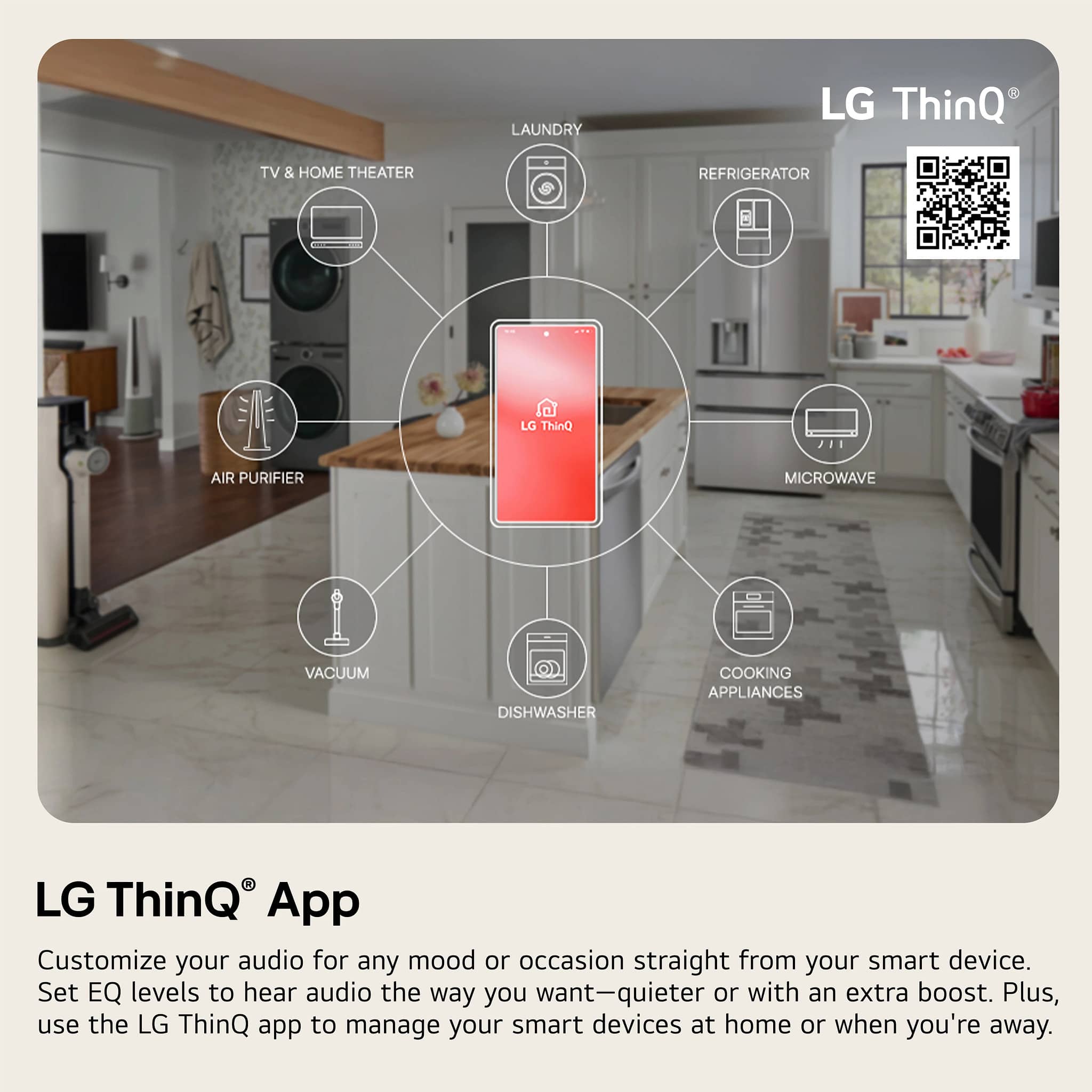
    • Answer Hello there, thank you for reaching out about pairing your S70TR with an Amazon Alexa Echo! Here’s how to pair your device: 1. Ensure both devices are connected to the same Wi-Fi network. 2. Enable the LG ThinQ skill in the Alexa app: Open the Alexa app on your smartphone. Tap the More button (three lines) in the lower-right corner. Select Skills & Games. Search for "LG ThinQ" in the search bar. Select LG ThinQ and then tap Enable to Use. 3. Link your LG ThinQ account to Alexa: After enabling the skill, you will be prompted to sign in to your LG ThinQ account. Follow the prompts to link your account to Alexa. 4. Discover devices: Once your accounts are linked, ask Alexa to "discover devices" or manually tap Devices in the Alexa app and select Add Device. Your S70TR should appear in the list. 5. Control your device: Now you can control your S70TR with voice commands through Alexa, such as “Alexa, turn on the S70TR.” If you encounter any issues or need more assistance, please send us a private message on Social Media @LGUSSupport. We’re here to help! —James

      Answered by LG Digital Customer Care