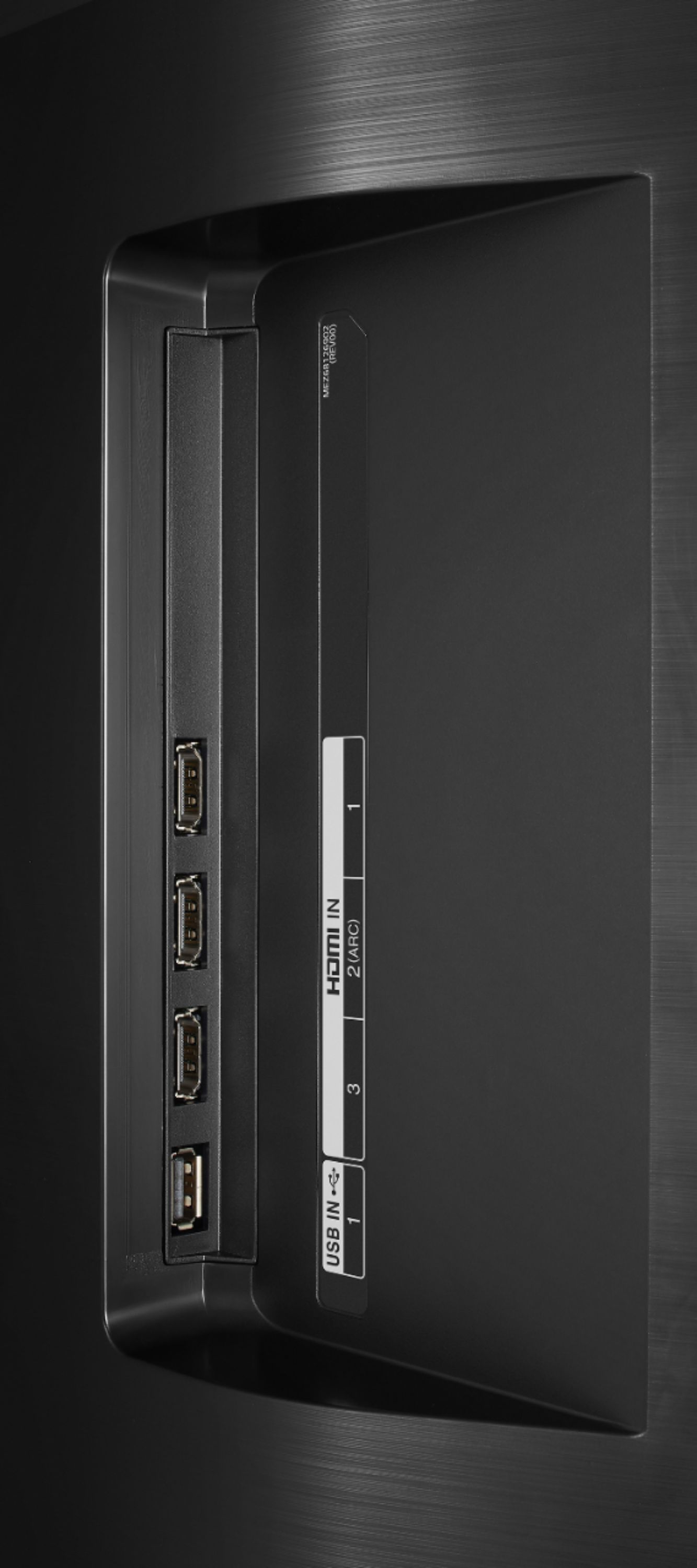
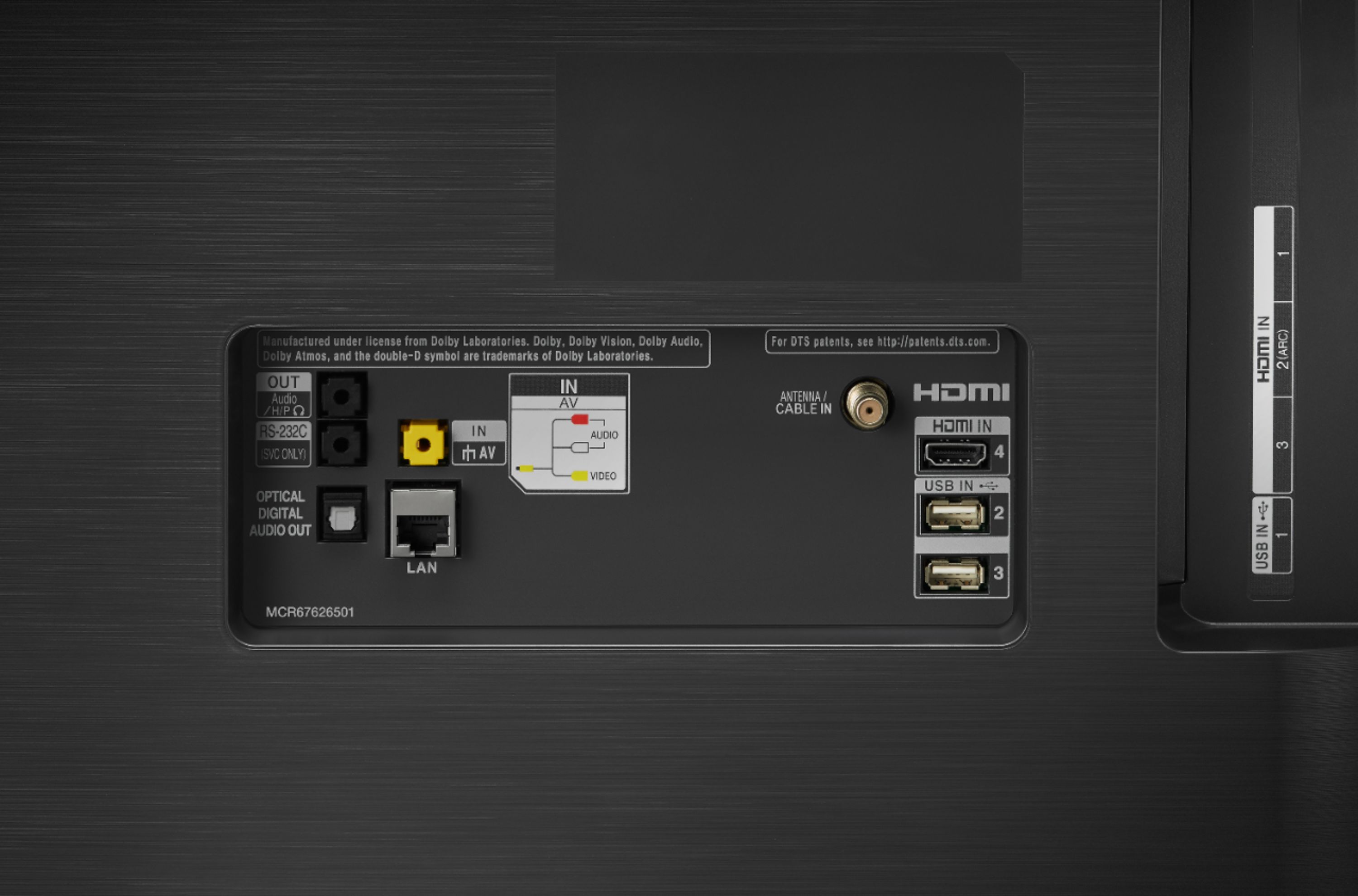
A:AnswerA headphone jack for a mini plug (3.5mm; adapter needed if using a set of headphones with a standard connector), an RS-232C, and an optical output jack for connection to a sound bar or similar system designed to support Dolby Atmos soundtracks. If using with an AV Receiver, the audio is typically fed through the HDMI ports; I recommend getting 8K (48GHz) HDMI cabling to maximize fidelity. The built-in speakers are good for a high-quality LG set, but nothing beats real home theatre (AV receiver setup for 5.1.2 or 7.1.2 or a top-notch Dolby Atmos soundbar are your best bets for high quality audio -- LG does make a good Dolby Atmos soundbar/average cost around $599 USD.)
A:AnswerFIOS should provide a more consistent picture with less visible artifacting (higher bandwidth of Fiber-to-the-home means generally less compression of tv channels), but bear in mind almost all channels are still 1080i/720p anyways, so there will be upscaling no matter which service you have.
If you're going to spring for a $1500 TV though, I would definitely spring for the generally better picture of FIOS.
A:AnswerDont wall mount it. Make sure you have the accidental damage plan. Bb is denying me because i have a small crack because it fell off the stand. Its 21 days old paid and was told thr 2yr plan covers it.
A:AnswerHi Bigen. It is really at your discretion as to which cable service you prefer to use with the LG C9 55 inch Class 4K Smart OLED TV w/ AI ThinQ® (54.6'' Diag), Model # OLED55C9PUA and we don't recommend one service over another. You will need to select the one that best suits your needs and has a TV program package that works best for you...^IFV
A:AnswerHello Ben. When the Energy Saving is set to Auto in the LG C9 55 inch Class 4K Smart OLED TV w/ AI ThinQ® (54.6'' Diag), Model # OLED55C9PUA, the TV sensor detects the ambient lighting and automatically adjusts the screens brightness...^IFV
A:AnswerThe LG C9 55 inch Class 4K Smart OLED TV w/ AI ThinQ® (54.6'' Diag), Model # OLED55C9PUA does not have a headphone (3.5 mm) jack for connecting wired headphones to...^IFV
A:AnswerBurn-in and image retention are possible on virtually any display. However, with an LG OLED TV, any risk of burn-in or image retention have been addressed through the use of technology that not only helps protect against damage to the screen, but features self-healing properties so that any short-term image retention that may occur is quickly rectified. It is rare for an average TV consumer to create an environment that could result in burn-in. Most cases of burn-in in televisions is a result of static images or on-screen elements displaying on the screen uninterrupted for many hours or days at a time – with brightness typically at peak levels. So, it is possible to create image retention in almost any display if one really tries hard enough. And even if image retention does occur from extreme usage, it can usually be mitigated within a short period of time by turning the display off for a while, and watching a few hours of varying content (such as your standard TV watching and channel-surfing). Additionally, the LG C9 55 inch Class 4K Smart OLED TV w/ AI ThinQ® (54.6'' Diag), Model # OLED55C9PUA and all other LG OLEDs come with special features and settings to preserve image quality and prevent burn in and image retention. First, there is a Pixel Refresher feature that calibrates any issues that may arise on the screen when your TV has been turned on for a long time.
Calibration takes more than an hour. There are also two other options (available in Menu setting > Picture settings > OLED panel settings) that can be used to preserve image quality. The first of these is the Screen Shift feature that moves the screen slightly at regular intervals to prevent image sticking on the display panel. A third option is the Logo Luminance Adjustment, which can detect static logos on the screen and reduce brightness to help decrease permanent image retention...^IFV
A:AnswerNot sure, but after a month of owning this TV I am very happy with the sound quality compared to my last TV. My old TV had rear firing speakers that sounded horrible. The speakers in this one sound great
A:AnswerThe LG C9 55 inch Class 4K Smart OLED TV w/ AI ThinQ® (54.6'' Diag), Model # OLED55C9PUA does not support Multi-pairing so you can only pair one Bluetooth Headphone with it at a time...^IFV