Winter SaleEnds 1/19. Limited quantities. No rainchecks.Shop now

Main Content

Questions & Answers

Winter Sale Deal
Your price for this item is $329.99
The comparable value price is $489.99
Page Showing 21-40 of 83 questions
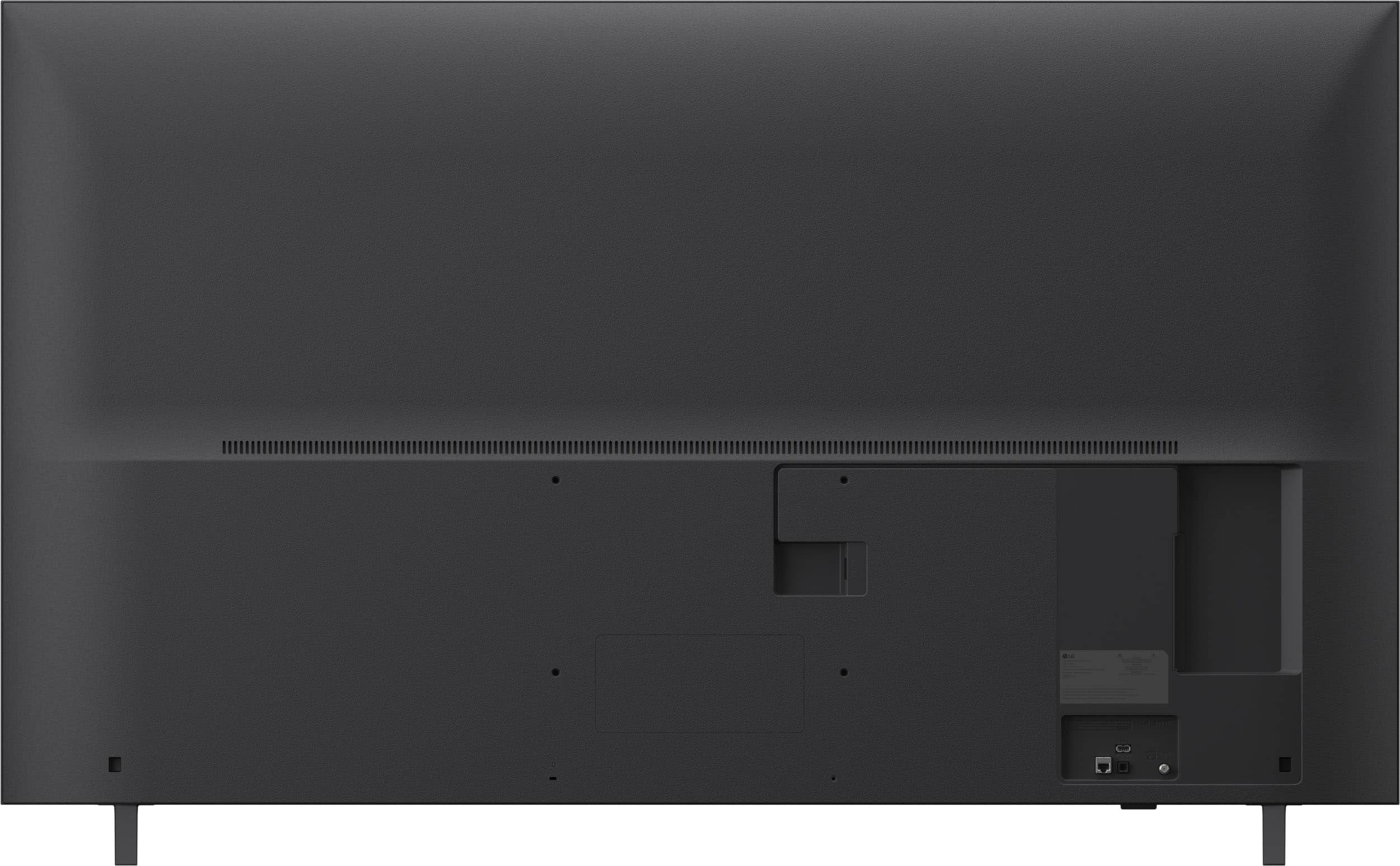
  • QuestionIs the tv mountable?

    Asked by John.

    • Answer If you buy of have the wall base perfect they have some at the store

      Answered by JorgeO

  • QuestionCan I download and watch (esee cloud) security camera app on this LG TV?

    Asked by MarkH.

    • Answer The eSee TV app is listed as an app that is compatible with the webOS 25 TV Platform (Operating System) that the LG 65” Class UA7050 Series LED AI 4K UHD Smart webOS TV (2025), Model # 65UA7050PUB runs on, but the esee cloud security camera app is not listed as a compatible app...^Ivan.

      Answered by LG Digital Customer Care

  • QuestionCan I download a security camera app and be able to watch on this tv

    Asked by MarkH.

    • Answer Yes, you can likely watch security cameras on your LG UA7050 TV by finding compatible apps

      Answered by KaziU

  • QuestionDoes it have guest mode ?

    Asked by Johnsmithers.

    • Answer Hi there, Johnsmithers. Thank you for sharing your experience with us. We understand your inquiry regarding whether the 65UA7050PUB includes a specific guest mode. We understand that the 65UA7050PUB didn't meet your expectations if you were looking for a dedicated guest mode feature for temporary users. Based on the official specifications for this 4K UHD TV running webOS 25, this model does not feature a specific "Guest Mode" toggle. Instead, it utilizes an advanced user profile system through the LG ThinQ Home Hub, allowing different users to maintain their own personalized content recommendations and app layouts. If your goal is to restrict access to certain content or settings for guests or younger viewers, we recommend utilizing the "Family Settings" or "Safety" menu within the general settings, where you can set PIN codes for apps and specific TV functions. We are dedicated to ensuring you have a seamless experience while navigating the smart features of your new television. https://www.bestbuy.com/product/lg-65-class-ua7050-series-led-ai-4k-uhd-smart-webos-tv-2025/JJ8VPZKYT2 If you have any further questions about its features or need assistance setting up user profiles, please contact us on [email protected], and our team will be more than happy to assist you. —Renzo

      Answered by LG Digital Customer Care

  • QuestionIs this tv a good choice for a blu ray player

    Asked by Serg.

    • Answer Yes Blu-ray is an option

      Answered by YvonneC

  • QuestionWe just purchased this tv and logged into our streaming services. Although the wifi is connected and strong, the LG channels and none of the streaming services we have are working. Thankfully, we kept our Roku. Any advice? We don't want to return the TV.

    Asked by Sunday.

    • Answer The TV has unknown defect where it will not stay connected to Wi-Fi the only fix is disassembling and fixing the TV yourself definitely return it while you still can. I had the same issue and just went and bought a roku tv from wapmart instead.

      Answered by DanielM

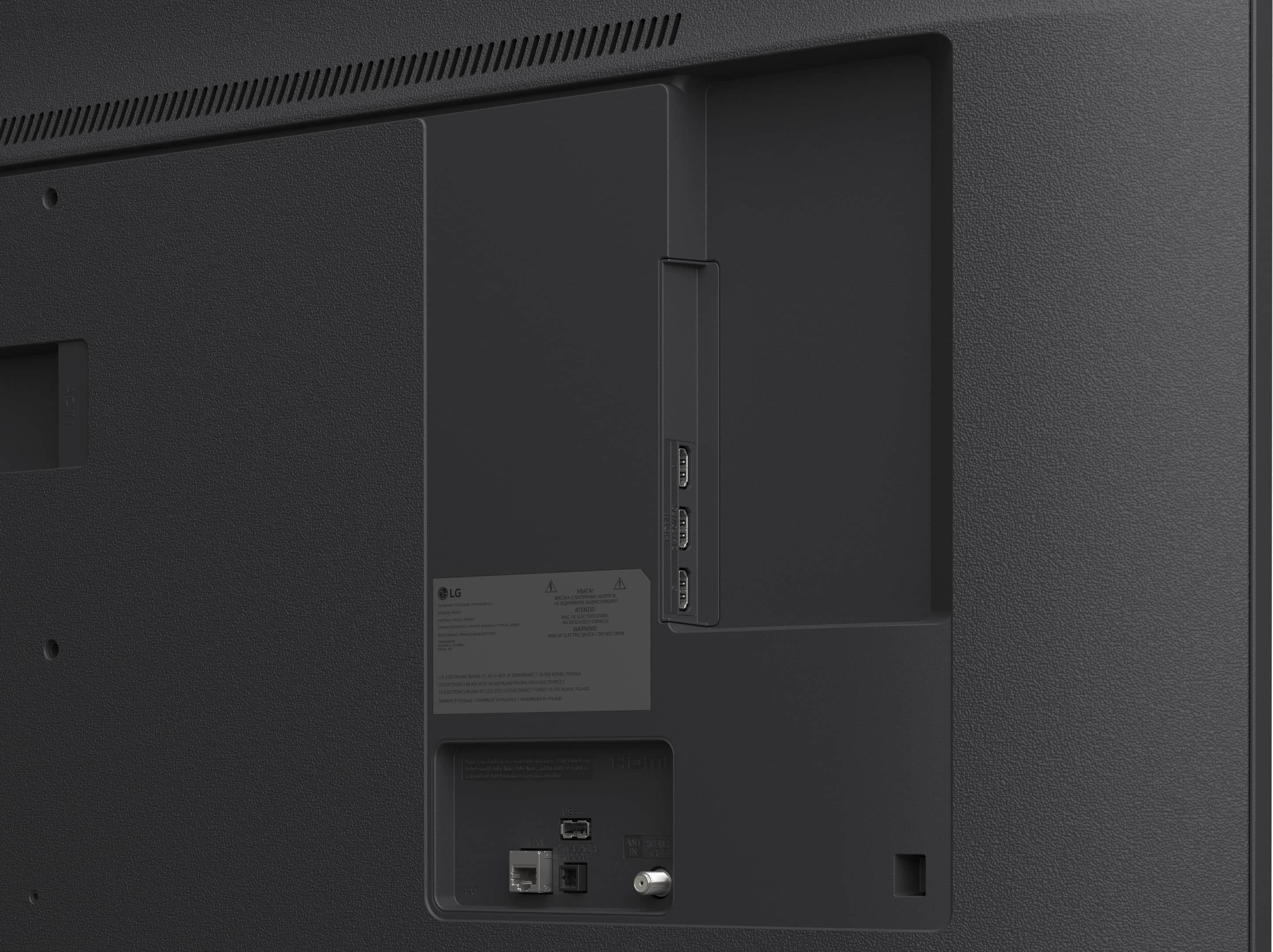
  • QuestionDoes this TV have 1 or 2 USB ports? There seems to be a bit of a discrepancy about this.

    Asked by JJ.

    • Answer Yes it does

      Answered by StevenV

  • Questionhi, does this have an optical port so i can use my sound bar?

    Asked by tim.

    • Answer Yes. It also has audio output through hdmi to soundbar/ home theater.

      Answered by DavidM

  • QuestionWe just bought this TV and haven’t been able to install Netflix or Disney+, I can’t find it every time I try to look for it on the app menu. Also, doesn’t work when I press on the buttons on the remote to get to such apps.

    Asked by Smrln21.

    • Answer Hi there. Thank you for sharing your experience with us. We understand that the 65UA7050PUB didn't meet your expectations regarding the accessibility of your favorite streaming applications. We understand your inquiry and are happy to provide guidance to ensure you can enjoy the full smart features of your new television. We understand your inquiry regarding the visibility of Netflix and Disney+ in your app menu. Since the 65UA7050PUB is designed to support these content partners via webOS, they should typically be available for use. A simple troubleshooting step you can try is to verify that your television’s "Service Country" or "Location" settings are correctly set to your current region in the General settings menu, as app availability is tied to these settings. Additionally, we recommend performing a power cycle by unplugging the TV from the power outlet for 60 seconds and then plugging it back in, which can help the system refresh the App Store and activate the dedicated remote buttons. We want to make sure your setup process is as smooth as possible so you can get back to enjoying your entertainment. https://www.bestbuy.com/product/lg-65-class-ua7050-series-led-ai-4k-uhd-smart-webos-tv-2025/JJ8VPZKYT2 If you have any further questions about its features or need more detailed assistance with the installation, please contact us on [email protected], and our team will be more than happy to assist you. —Renzo

      Answered by LG Digital Customer Care

  • QuestionWhat's the difference between model UA7050 and UA7000?

    Asked by BBMN.

    • Answer Hello there. Thank you for sharing your experience with us. We understand that the 65UA7050PUB didn't meet your expectations. We understand your inquiry regarding the technical differences between the UA7050 and the UA7000 models. We understand your inquiry and are happy to clarify the specifications for you. The primary distinction between these two models lies in the processing power and the resulting picture and sound enhancements. The 65UA7050PUB is equipped with the advanced α7 AI Processor 4K Gen8, which enables high-tier features such as 4K Super Upscaling and α7 AI Sound Pro with a virtual 9.1.2 up-mix for a more immersive audio experience. In contrast, the UA7000 series typically features the α5 AI Processor, which provides standard 4K upscaling and a different level of AI sound processing. Furthermore, the 65UA7050PUB runs on the latest webOS 25 operating system, ensuring you have the most current smart interface and features available. Both models provide a stunning 4K UHD display, but the 7050 series is designed to offer a more refined performance through its upgraded internal hardware. We want to ensure you have all the details necessary to enjoy your LG television to the fullest. https://www.bestbuy.com/product/lg-65-class-ua7050-series-led-ai-4k-uhd-smart-webos-tv-2025/JJ8VPZKYT2 If you have any further questions about its features, please contact us on [email protected], and our team will be more than happy to assist you. —Renzo

      Answered by LG Digital Customer Care

  • Questiontv work with 220 v , or just 110 v ?

    Asked by Anonymous.

    • Answer Hello there. Thank you for sharing your experience with us. We understand your inquiry regarding the electrical voltage requirements for your LG 65" UA7050 Series 4K UHD TV, model 65UA7050PUB. We are happy to provide you with the technical specifications regarding the power supply for this unit. Based on the official product details, this television is designed to operate on a power supply of AC 120V at 50/60Hz. This means the unit is specifically engineered for use with standard North American electrical outlets. We recommend using the provided power cable and ensuring the TV is connected to a properly grounded outlet to maintain consistent performance and protect the internal components of your display. We want to ensure you have all the necessary information to set up your new TV safely and effectively so you can begin enjoying the 4K UHD resolution and the webOS 25 smart features. We are here to support you in making sure your home entertainment setup is optimized for the best possible viewing experience. https://www.bestbuy.com/product/lg-65-class-ua7050-series-led-ai-4k-uhd-smart-webos-tv-2025/JJ8VPZKYT2 If you have any further questions about its features, please contact us on [email protected], and our team will be more than happy to assist you. —Renzo

      Answered by LG Digital Customer Care

  • Questiondoes remote have lights to use in dark

    Asked by mason.

    • Answer Hello there, Mason. Thank you for your inquiry regarding the 65UA7050PUB model. We understand your question about the features of the included remote control. We can confirm that the Standard Remote included with this TV does not feature backlit buttons for use in the dark. https://www.bestbuy.com/product/lg-65-class-ua7050-series-led-ai-4k-uhd-smart-webos-tv-2025/JJ8VPZKYT2 If you have any further questions about its features, please contact us on [email protected], and our team will be more than happy to assist you. —Renzo

      Answered by LG Digital Customer Care

  • QuestionIs the lg sound bar SL4Y compatible

    Asked by sr.

    • Answer Hi there. Thank you for sharing your inquiry with us. We understand your inquiry regarding the compatibility between the LG 65UA7050PUB and the LG SL4Y Sound Bar. We are pleased to inform you that these two units are fully compatible with one another. To ensure you have the best audio experience, we recommend connecting the sound bar to your TV using either a Digital Optical cable or by utilizing the LG Sound Sync feature via Bluetooth for a seamless wireless connection. We understand that setting up new equipment can sometimes lead to questions, and we want to ensure you are getting the most out of your LG home entertainment system. Our goal is to provide you with the best support possible for your 65UA7050PUB. https://www.bestbuy.com/product/lg-65-class-ua7050-series-led-ai-4k-uhd-smart-webos-tv-2025/JJ8VPZKYT2 If you have any further questions about its features or need additional guidance on the setup, please contact us on [email protected], and our team will be more than happy to assist you. —Renzo

      Answered by LG Digital Customer Care

  • Questionis it a smart tv

    Asked by Anonymous.

    • Answer Technically, yes, I would call it semi smart

      Answered by Anonymous

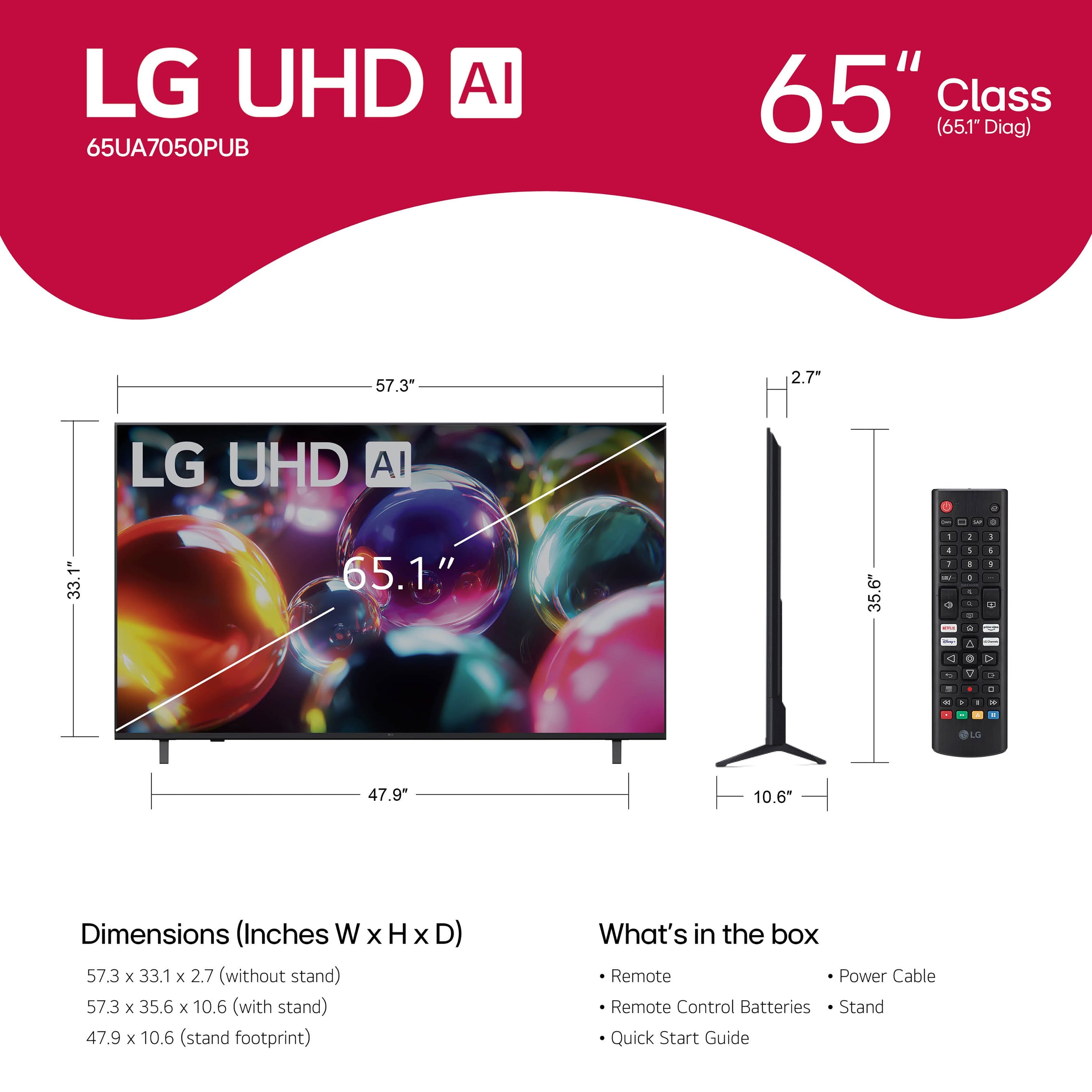
  • QuestionWhat is the thread count and diameter of the 4 bolts that fasten the wall mount bracket to the TV?

    Asked by Anonymous.

    • Answer Hello there. Thank you for sharing your inquiry with us. We understand your inquiry regarding the mounting hardware for your LG 4K UHD TV, model 65UA7050PUB. It is important to use the correct bolt size to ensure your unit is securely fastened to your wall mount bracket. Based on the official specifications for this 65-inch model, the VESA wall mount interface requires M6 bolts. The "M" stands for metric, and the "6" indicates a 6mm diameter. While the thread pitch is standard for M6 bolts, the required length can vary depending on the thickness of your specific wall mount bracket. We generally recommend using bolts that are long enough to provide a secure fit without bottoming out inside the television's mounting holes. https://www.bestbuy.com/product/lg-65-class-ua7050-series-led-ai-4k-uhd-smart-webos-tv-2025/JJ8VPZKYT2 We understand that getting the right fit is essential for a safe installation. If you have any further questions about the bolt length or other features of your unit, please contact us on [email protected]. Our team is monitoring that channel and will be more than happy to assist you directly with your setup. We look forward to hearing from you and helping you get the best experience from your LG TV. —Renzo

      Answered by LG Digital Customer Care

  • QuestionHow do i activate the apple tv offer for free 2 months, i tried to do it but only see offer for free 7 days

    Asked by Johnalexie.

    • Answer Hello there, Johnalexie. Thank you for reaching out to us. We understand your inquiry regarding the Apple TV promotion on your 65UA7050PUB. For assistance with this specific offer, please contact Best Buy directly, as they can better assist you with the activation details. https://www.bestbuy.com/product/lg-65-class-ua7050-series-led-ai-4k-uhd-smart-webos-tv-2025/JJ8VPZKYT2 If you have any further questions about the TV's features, please contact us on [email protected], and our team will be more than happy to assist you. —Renzo

      Answered by LG Digital Customer Care

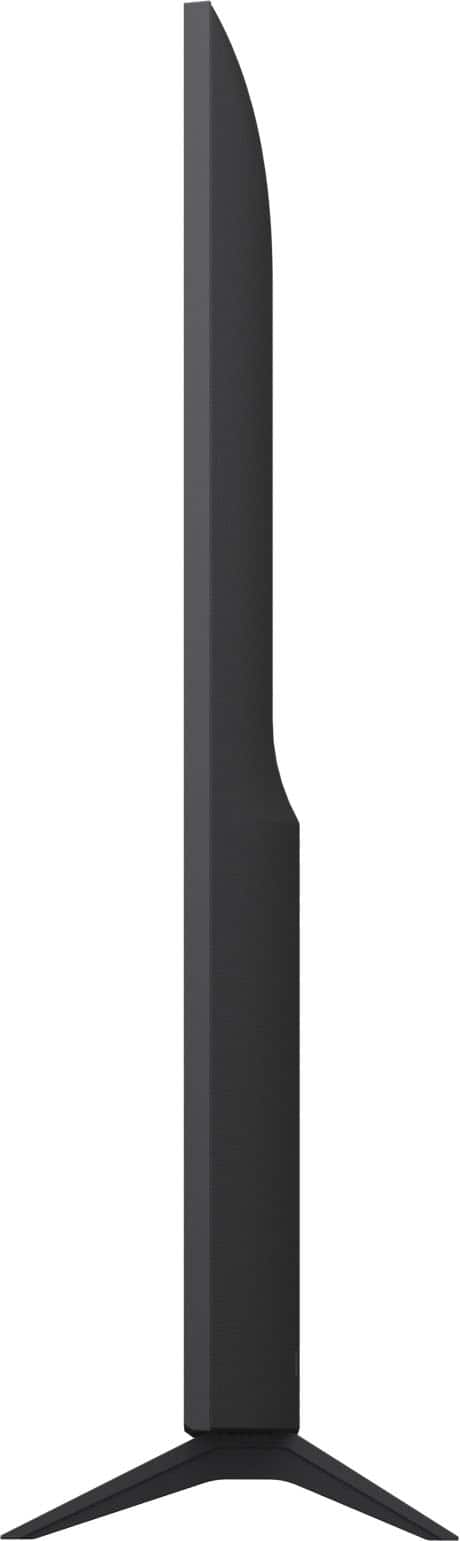
  • QuestionDoes this TV have Adjustable legs?

    Asked by Brian.

    • Answer No

      Answered by MikeP

  • QuestionIs there a warranty

    Asked by JOJOFROMKOKOMO.

    • Answer Hi, Jojo. Thank you for reaching out about your LG TV (65UA7050PUB) model. We appreciate your interest in learning more about coverage for your unit. Yes, LG TVs like this model typically come with a limited manufacturer’s warranty that covers parts and labor for one year from the date of purchase. This warranty applies to defects in materials or workmanship under normal use. For added protection, some retailers also offer extended warranty plans at checkout. For complete details, including the terms, conditions, and what is covered, you can refer to the detailed warranty information on your product support page: https://www.lg.com/us/support/product/lg-65UA7050PUB.AUS. If you need further assistance with your warranty details or registration, please send us an email at [email protected]. ^Juvy

      Answered by LG Digital Customer Care

  • QuestionHow good are the speakers and is a sound bar necessary for good quality sound?

    Asked by Bubbles.

    • Answer Great sound

      Answered by deedee

  • QuestionIt doesn't let me stream Netflix or HBO

    Asked by Anonymous.

    • Answer Hello there. Thank you for sharing your experience with us. We understand your inquiry regarding streaming services not functioning on your 65UA7050PUB model. We appreciate you bringing this matter to our attention so we can assist you promptly. We understand that the 65UA7050PUB didn't let you stream Netflix or HBO. To resolve this matter immediately, we highly recommend performing a simple Power Reset on the unit. This basic step is often effective in clearing up temporary software or network glitches that prevent streaming applications from loading correctly. You can do this by unplugging the television from the power outlet for a full 60 seconds, and then plugging it back into the outlet. We trust that this initial troubleshooting step will restore the streaming functionality. https://www.bestbuy.com/product/lg-65-class-ua7050-series-led-ai-4k-uhd-smart-webos-tv-2025/JJ8VPZKYT2 Your feedback is important, and we want to ensure we assist you with accessing all the features of your unit. Should the power reset not restore the streaming functionality, or if you have any further questions about the features of the unit, please contact us on [email protected], and our team will be more than happy to assist you in troubleshooting the unit further. —Renzo

      Answered by LG Digital Customer Care