A:AnswerHello there. Thank you for sharing your inquiry with us. We understand your inquiry regarding the playback capabilities of the SP80NB80.
Based on the specifications for this model, it is a Slim DVD Writer designed to read and write CD and DVD formats. It does not support Blu-ray disc playback.
https://www.bestbuy.com/product/lg-8x-external-usb-2-0-double-layer-dvdrw-r-ram-cd-rw-drive-black/JXTZZLCVWV
If you have any further questions about its features, please send us a private message on Social Media @LGUSSupport, and our team will be more than happy to assist you. —Renzo
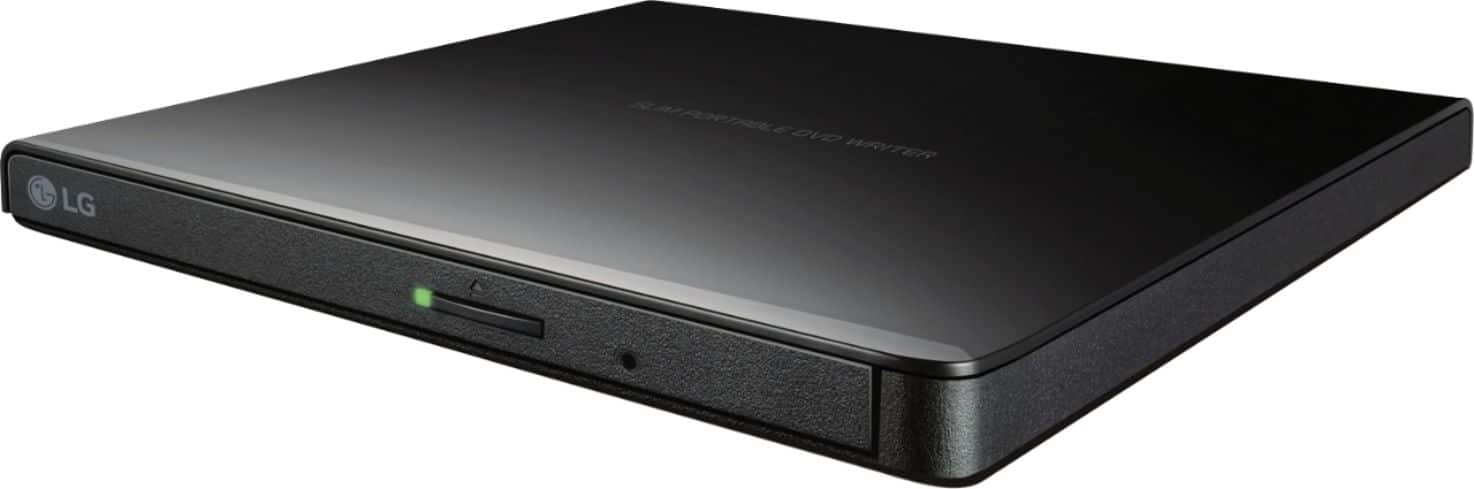
A:AnswerThe 8x External USB 2.0 Double-Layer DVD±RW/±R/-RAM/CD-RW Drive - Black, Model # GP65NB60, is a plug-and-play drive, which uses a USB 2.0 interface, allowing it to connect directly to USB ports on your computer without requiring additional drivers or software installation. This makes it easy to use with various devices, including laptops and other USB-compatible systems.
It was released a while ago and at the time of release, it was advertised as being compatible with Mac OS X v.10.7.5 or Higher Operating Systems. If the OS on your MacBook supports Plug and Play, it should automatically detect the drive when you connect it to your MacBook...^Ivan.
A:AnswerHi there, Gloria. Thank you for reaching out to us. We understand your inquiry about the GP65NB60 model. This external DVD writer can be used with a computer that doesn't have a built-in drive. Please send us a private message on Social Media @LGUSSupport with more details, and our team will be more than happy to explore possible solutions.
https://www.bestbuy.com/product/lg-8x-external-usb-2-0-double-layer-dvdrw-r-ram-cd-rw-drive-black/JXTZZLCVWV
We appreciate your patience. —Renzo
A:AnswerThe LG - 8x External USB 2.0 Double-Layer DVD±RW/±R/-RAM/CD-RW Drive - Black, Model # Model # GP65NB60, cannot play 4K Blu-ray or 4K Ultra UHD Blu-ray discs...^Ivan.
A:AnswerHello there, Carol. We understand your inquiry about the compatibility of the LG - 8x External USB 2.0 Double-Layer DVD±RW/±R/-RAM/CD-RW Drive (model GP65NB60) with a Microsoft Surface. This external drive is designed to be compatible with a wide range of Windows operating systems, which includes those found on Microsoft Surface devices.
The drive connects via a USB 2.0 interface. As long as your Microsoft Surface has a compatible USB port, it should work. Please keep in mind that the drive draws power from the USB port, so it's essential that the port provides sufficient power.
https://www.bestbuy.com/product/lg-8x-external-usb-2-0-double-layer-dvdrw-r-ram-cd-rw-drive-black/JXTZZLCVWV
If you have any further questions or encounter any issues, we're here to help. Please send us a private message on Social Media @LGUSSupport and our team will be more than happy to explore possible solutions. We appreciate your patience. —Renzo
A:AnswerThe LG 8x External USB 2.0 Double-Layer DVD±RW/±R/-RAM/CD-RW Drive - Black, Model # GP65NB60, has a USB 2.0 interface (up to 480Mbits/s, USB 3.0 Compatible), and it can read (playback) DVD-ROM ( SL/DL ), DVD-RAM, DVD+RW, DVD+R ( SL/DL ), DVD-Video(CSS Compliant Disk), CD-DA, CD-R/RW/ROM discs, and write (burn) to DVD+R (DL), DVD-RAM, DVD+R (SL), CD-RW, CD-R, and DVD+RW discs.
The drive gets it power from the USB port it is connected to...^Ivan.
A:AnswerThe LG 8x External USB 2.0 Double-Layer DVD±RW/±R/-RAM/CD-RW Drive - Black
Model # GP65NB60, supports both Windows and Mac®. It comes with a Software CD that includes DVD software for usage for Windows only...^Ivan.
A:AnswerThe LG 8x External USB 2.0 Double-Layer DVD±RW/±R/-RAM/CD-RW Drive - Black, Model # GP65NB60 can write (burn) to CD-RW, and CD-R discs from a connected PC/Laptop...^Ivan.
A:AnswerHi there, Chuck. We understand your inquiry about using the GP65NB60 with an iMac desktop. The LG 8× External USB 2.0 Double-Layer DVD±RW Drive (Model GP65NB60) is designed for broad compatibility, including Apple macOS systems—so you can expect it to work seamlessly with your iMac.
Compatibility & Setup
• Plug-and-Play: Simply connect the drive to an available USB 2.0 or USB 3.0 port on your iMac. macOS should recognize it automatically as “LG DVD Writer” without needing additional drivers, starting with macOS 10.5 (Leopard) up through the latest versions.
• Media Support: You can read and write CD-DA, CD-R/RW, DVD±R/RW, DVD+R DL, and DVD-RAM discs just as you would on a built-in SuperDrive.
Troubleshooting Tip:
If your iMac doesn’t list the drive in System Information > USB or you can’t burn or read discs, try these steps:
Check USB Cable & Port: Ensure the included mini-USB cable is fully seated and try a different USB port on your iMac.
Firmware & Updates: Open Apple menu > About This Mac > Software Update to install any pending macOS patches that include USB or optical-drive enhancements.
Disk Utility Check: Launch Disk Utility to verify that the drive appears; if so, select the drive and click Mount or use First Aid to refresh its connection.
https://www.bestbuy.com/site/lg-8x-external-usb-2-0-double-layer-dvdrw-r-ram-cd-rw-drive-black/5581020.p?skuId=5581020
If you’d like personalized assistance—such as walking through these steps over chat or exploring advanced settings—please send us a private message on social media @LGUSSupport and our team will be more than happy to help. We appreciate your patience.
—Renzo
A:AnswerHello there, Norm. Thank you for your inquiry. We understand you're asking whether the LG GP65NB60 Ultra Slim External DVD Drive can play Blu-ray DVDs.
The GP65NB60 is designed primarily for DVD and CD media. It does not support Blu-ray discs. It can read and write various types of DVDs and CDs, including DVD-R, DVD+RW, and CD-RW, but for Blu-ray disc playback, you would need a Blu-ray drive.
If you need further assistance or have additional questions, please feel free to send us a private message on Social Media @LGUSSupport, and our team will be happy to assist you.
https://www.lg.com/us/burners-drives/lg-gp65nb60-ultra-slim-external-dvd-drive#pdp_specs
We appreciate your patience and look forward to assisting you!
—Renzo
A:AnswerHi there! Thank you for reaching out to us. We understand that you're looking to connect the LG GP65NB60 CD player/recorder to a receiver for recording albums. Yes, this model can be connected to a receiver via the appropriate audio cables. To get started, make sure to use an RCA cable to connect the CD player's audio output to the receiver's audio input.
For further assistance and specific instructions tailored to your setup, please send us a private message on Social Media @LGUSSupport, and our team will be more than happy to help you. We appreciate your patience! —Renzo
A:AnswerThis doesn't attach to a dvd player, it attaches to a computer, which you can then use to copy a disc (even if this is the only disc drive, you would just copy it to the computer first).
A:AnswerThank you for reaching us regarding LG Portable DVD. Yes, you can use the LG GP65NB60 as a DVD burner to upload text and photos. This device lets you easily burn files, like documents and images, onto DVDs. It works with different operating systems, including Windows 11, so it's great for transferring and storing files. You can download its owner's manual through this link for more information: https://www.lg.com/us/support/product/lg-GP65NB60.AVAR10B. For additional assistance, please reach out to us on social media @LGUSSupport so we can help you further. ^Cris
A:AnswerHello there.
Thank you for your question about the GP65NB60. This is an external DVD writer that can read and write CDs and DVDs. However, to load MS Publisher or any software onto a computer without a disc drive, you'll need to ensure that the software you want to install is compatible with your operating system and that you have the necessary installation files.
If you have the MS Publisher installation files on a DVD, the GP65NB60 can read them and allow you to install the software onto your computer. Ensure you have the proper software and drivers installed on your computer to use the external drive effectively.
If you need further assistance or have additional questions, please send us a private message on Social Media @LGUSSupport.
We appreciate your inquiry!
—Avril
A:AnswerHello there, thank you for your question about the LG GP65NB60 external DVD drive! Yes, this device is perfect for watching movies on your laptop that doesn’t have a built-in DVD drive. Simply connect the GP65NB60 to your laptop via USB, insert your DVD, and you’ll be able to watch your movies without any issues.
If you have any more questions or need further assistance, please send us a private message on Social Media @LGUSSupport. We’re here to help!
—Avril
A:AnswerSometimes--Microsoft has made it so that CDs older than ten years will not play. I was, however, able to use it to install a printer program via CD.