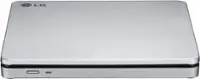
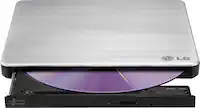
A:AnswerHello there, Tony. Thank you for reaching out. We understand you're asking whether the LG SP80NB80 Slim External DVD Drive can read JPEG files on a CD.
Yes, the LG SP80NB80 can read JPEG files on a CD, as long as the CD is formatted in a way that the drive can recognize (like a standard CD-ROM or CD-R). Since this drive supports various CD and DVD formats, it should be able to read image files like JPEGs on compatible discs.
https://www.lg.com/us/burners-drives/lg-sp80nb80-slim-external-dvd-drive#pdp_specs
If you have any more questions or need further assistance, feel free to reach out to @LGUSSupport on Social Media, and we'll be happy to assist you further!
We appreciate your inquiry! —Renzo
A:AnswerHello there, Couch. Yes, you should be able to use the LG SP80NB80 Slim External DVD Drive with your Microsoft Surface Pro as it is compatible with Windows 10 and earlier versions of Windows (7, 8, 8.1, Vista, XP), which includes your Surface Pro. The device connects via USB, but please note that the specific model comes with USB 2.0 connectivity, so if your Surface Pro has a USB-C port, you may need an adapter for compatibility.
https://www.lg.com/us/burners-drives/lg-sp80nb80-slim-external-dvd-drive#pdp_specs
If you need additional support setting up, feel free to contact us via @LGUSSupport on social media.
We appreciate your inquiry!
—Renzo
A:AnswerHello there. Thank you for sharing your experience with us. We understand your inquiry regarding the compatibility of your LG 8x External USB Double-Layer DVDRW/CD-RW Drive (GP65NB60) with your HP laptop.
We can confirm that this external drive is designed to be plug-and-play with Windows 10 and Windows 11 systems, allowing you to read and load software from your existing discs. To ensure a stable connection during the installation process, we recommend connecting the USB cable directly to a high-power USB port on your laptop rather than using an unpowered USB hub.
https://www.bestbuy.com/product/lg-8x-external-usb-double-layer-dvdrw-cd-rw-drive-black/JXTZZLCVZK
For further assistance and any specific concerns you may have, please contact us on lgdigitalcare@lg.sprinklrsupport.com. —Renzo
A:AnswerOP here. I'm not sure why the LG response states the included software does not come with PowerDVD, this attached screenshot shows that it is installed on my laptop (from the software included).
Nevertheless, I called LG's support # (it's listed numerous times in these answers) and they recommended the same freeware in the response here from LG (VLC media player). I was up and running in about a minute.
She explained that sometimes the DVD drive is plug & play but sometimes it isn't, and that can sometimes happen with Windows 11. Seeing as how the reviews and questions go back several years with many people having both good and bad experiences playing DVDs, it suggests this isn't just a Win11 issue. Perhaps machines that already have a DVD player are plug & play but I would not count on the software that comes with this product to do the job any reasonable person would expect.
A:AnswerHi there, RJ. Thank you for reaching out! We understand you're looking to confirm compatibility between the LG SP80NB80 Slim External DVD Drive and the Lenovo IdeaPad 3 Chrome 151JL6.
Based on the system requirements for the LG SP80NB80, it supports Windows and Mac OS X operating systems, but there isn't specific mention of Chrome OS compatibility. While it's possible that the drive could work with your Lenovo Chromebook, it may require additional steps such as installing appropriate drivers or software for functionality. Please note that Chrome OS is typically more limited in terms of external device support, so it’s recommended to test the drive directly or consult Lenovo’s support for compatibility specifics.
For a smoother experience, we suggest using the device with a Windows or Mac OS X system, but feel free to try it and let us know if you need any further assistance.
https://www.lg.com/us/burners-drives/lg-sp80nb80-slim-external-dvd-drive#pdp_specs
Please send us a private message on Social Media @LGUSSupport if you'd like further guidance or have any other questions. We appreciate your patience!
—Renzo
A:AnswerHi there! Thank you for your question. The LG SP80NB80 Slim External DVD Drive is compatible with most devices that support USB connections and operate on Windows 10, 7, 8, 8.1, Vista, and XP. Since your Lenovo Flex 5 (model number 82HS00QRUS) runs on Windows 10, this external DVD drive should work seamlessly with your laptop, provided that it has a USB port available.
https://www.lg.com/us/burners-drives/lg-sp80nb80-slim-external-dvd-drive#pdp_specs
If you have any other questions or need further assistance, feel free to send us a private message on Social Media @LGUSSupport. We're happy to help!
—Renzo
A:AnswerHi there, Traceyfo. Thanks for reaching out about creating a DVD home movie from your SD card.
To create a DVD movie from your SD card on your HP computer with Windows Media Player, follow these steps:
Insert your SD card into your computer's card reader.
Transfer the video files from the SD card to your computer, ensuring they are in a compatible video format (like .mp4 or .avi).
Insert a blank DVD into your external DVD burner (SP80NB80).
Use DVD creation software:
Windows Media Player doesn't have a built-in feature for burning video to DVD directly, so you can use third-party software like Nero, ImgBurn, or BurnAware. Some of these programs allow you to create a "DVD-Video" format, which is compatible with standard DVD players.
If you have Power2Go software (which might come with your burner or be available for download), you can use it to burn your home movie to the DVD.
Select "Create DVD" or "Burn DVD" in the software and choose the video files you transferred from your SD card.
Start the burning process, and once done, the DVD will be ready to play in a DVD player.
Regarding the warning about installing the disc that came with the burner, it may be a caution from your computer's security software about installing new drivers or software. If you're confident that the software is from a trusted source (the DVD burner manufacturer), you can proceed, but ensure you have updated security software to avoid risks.
https://www.lg.com/us/burners-drives/lg-sp80nb80-slim-external-dvd-drive#pdp_specs
Let us know if you need more details on any of these steps!
—Renzo
A:AnswerHi there, thank you for your question about the LG SP80NB80 Slim External DVD Drive. We understand that you're wondering if it can be used on a computer with Windows 11.
The LG SP80NB80 is a plug-and-play device, which means that it doesn't require additional drivers for most operating systems, including Windows. While this model was released before Windows 11, it should still work with Windows 11, just as it does with Windows 10 and earlier versions, thanks to the plug-and-play feature that Windows has supported since Windows 95.
If you encounter any issues, it's a good idea to check for the latest updates from Microsoft or LG to ensure the drive works smoothly with your system.
https://www.lg.com/us/burners-drives/lg-sp80nb80-slim-external-dvd-drive#pdp_specs
For any further assistance, feel free to send us a private message on Social Media @LGUSSupport, and we’ll be happy to help!
We appreciate your patience. —Renzo
A:AnswerHello there! Thank you for your question. We understand that you're looking to use the SP80NB80 Slim External DVD Drive with a Chromebook.
Based on the specifications, this unit is compatible with Mac OS® X, Windows 10, Windows 7, and earlier versions of Windows, but it does not list compatibility with Chrome OS. However, you may still be able to use it with your Chromebook depending on the specific model and available software support. We recommend checking if your Chromebook has any built-in support for external DVD drives or if you need to install any additional software to enable its functionality.
https://www.lg.com/us/burners-drives/lg-sp80nb80-slim-external-dvd-drive#pdp_specs
We’d love to assist you further! Please send us a private message on Social Media @LGUSSupport, and our team will be more than happy to guide you through any compatibility steps or offer additional support.
We appreciate your patience!
—Renzo
A:AnswerHi there! Thank you for your question about the LG SP80NB80 Slim External DVD Drive. Based on the specifications provided, the LG SP80NB80 is compatible with various operating systems, including Mac OS X and Windows (Windows 10, 7, 8, 8.1, Vista, and XP). However, regarding Leveo, there is no mention of specific compatibility with Leveo software in the product details. It's always a good idea to check the software's system requirements or test the drive directly to see if it works with the Leveo platform.
https://www.lg.com/us/burners-drives/lg-sp80nb80-slim-external-dvd-drive#pdp_specs
For further support, feel free to reach out to us @LGUSSupport on Social Media.
Thank you for choosing LG! —Renzo