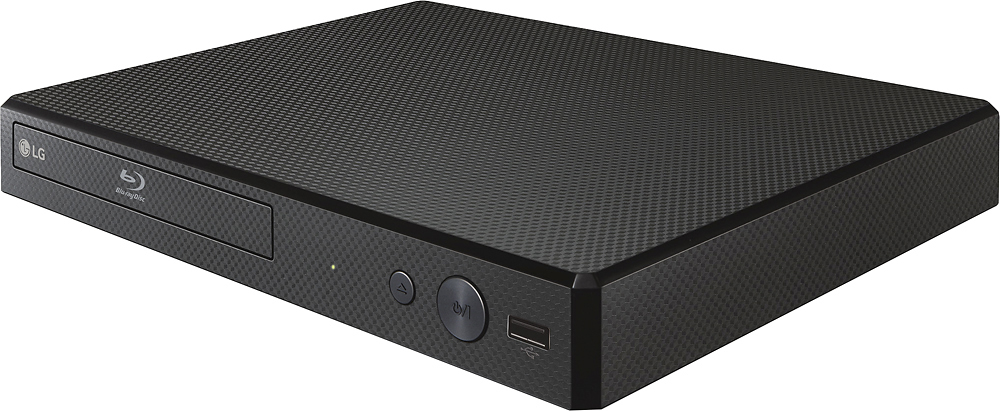
A:AnswerYes I have never had any problems playing my DVD's with this Blu_ray player so not sure what people are talking about . My daughter and my son each have this blu-ray player as well and never have any problems playing their DVDs either
A:AnswerThe LG - BP165 Blu-Ray Player - Black, Model # BP165 does not have the capability to edit files on a USB device. If the USB device has various types of files on it, a menu for the file type selection will appear...^IFV
A:AnswerThe LG - BP165 Blu-Ray Player - Black, Model # BP165 does not support H.265 MP4 files. The File Extensions for supported video files on this unit are: “.avi”, “.mpg”, “.mpeg”, “.mkv”, “.mp4”, “.asf”, “.wmv”, “.m4v” (DRM free), ".vob”, “.3gp”, “.mov”, “.trp”, “.m2t”, “.mpe”, “.m1v”, “.m2v”, “.wm”, ”.flv”, “.ts”, “.dat” and the file extensions for the supported Audio Files are: “mp3”, “.wma”, “.wav”, “.m4a” (DRM free), “.flac”, “.ogg”, “.aiff”...^IFV
A:AnswerThank you for your interest in the LG - BP165 Blu-Ray Player - Black, Model # BP165. EIA-608 captions are transmitted on either the odd or even fields of line 21 in the non-visible active video data area in NTSC standards and are sometimes present in the picture user data in ATSC transmissions, but became less prevalent when digital television (ATSC DTV) replaced the analog NTSC broadcasts. ATSC broadcasts instead use the EIA-708 caption protocol to encapsulate both the EIA-608 caption pairs as well as a native EIA-708 stream. The full version of EIA-708 has support for more character sets and better caption positioning options. Blue ray does not support closed captions;, however, it does, support subtitles. Subtitles for the deaf and hard-of-hearing (SDH) are subtitle files in the source language of the video that also include important non-dialogue audio sound effects and speaker identification which makes closed captions and SDH identical in many ways. The main difference is that they are encoded differently, and most HD disc media, including Blu-ray, cannot hold closed caption files, and any disc playing through an HDMI connection will not support closed captions, either. Subtitles can be turned on and off through the disc’s menu (just like an SD DVD), therefore there is no need to add the closed captioning option. Consequently, BD does not carry Line 21 due to its High-Definition Multimedia Interface specs (HDMI). These specs were designed to displace the older digital and analog standards. Both subtitles and closed captions are synchronized with the media so the text can be viewed at the same time the words are spoken. Closed captions and usually subtitles can be turned on or off by the user. Subtitles are intended for viewers who can hear the audio, but cannot understand the language. They communicate the spoken content but not the sound effects. They are usually used to refer to translations, such as subtitles on a foreign film. Closed captions, on the other hand, communicate all audio information, including sound effects, speaker IDs, and non-speech elements. They are written in the source language of the video. They originated in the 1980s and are required by law for most video programming in the United States. While normal subtitles assume the viewer can hear the audio but doesn’t know the spoken language, SDH assume that the viewer cannot hear the audio (like with captions). They are intended to emulate closed captions on media that does not support closed captions, such as Blu-ray. The LG - BP165 Blu-Ray Player - Black, Model # BP165 is backward compatible so it can play DVDs and Cds. If you want to use closed caption, you can go to [Settings] > [OTHERS] > [Closed Caption]. On the disc jacket or description page, a CC logo will appear if closed captioning is supported. If online contents include closed caption of its own, this setting may not work. The CC mode can be turned off, you can select the CC type (Analog or Digital). Analog CC can be used when you play a disc or some video files that support analog CC type and Digital CC Type can be selected when you play online content or some video files that support digital CC type. Analog CC displays the audio portion of a movie as text on the screen. CC1 is the most common mode in use. Digital CC allows you to select the language option of online content but the language option will be supported fully or partially according to the content. You can also adjust detail settings of closed captioning if the Custom setting in CC mode is selected where you can change the font size, the type of font, text color, text opacity, edge type, edge color, background opacity, window color and window opacity...^IFV