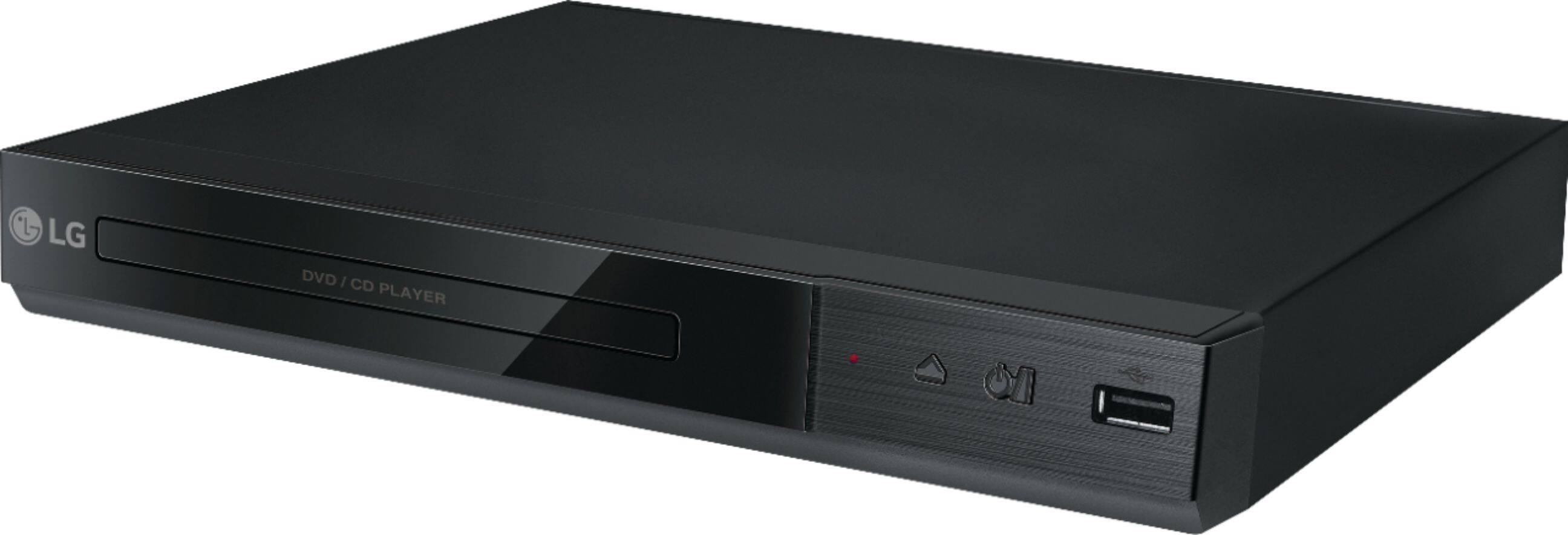
A:AnswerThe dimensions for the LG - DVD Player with MP3 Playback/JPEG Viewer, Model # DP132H can be found listed under 'Specifications' on its product page on the Best Buy site. They are listed as Product Height - 1.5 inches, Product Depth - 8 inches, Product Width - 10.6 inches...^IFV
A:AnswerThis machine will play VOB, Mpeg1, MPEG2 and early MPEG4 (more commonly known as AVI or Divx) videos. Also make sure your TV will accept the resolution. For HDMI output, you can play 720p. For old style TV's you can play up to 480p (and possibly 576p). I know it will play audio files but I dont recall the format.
A:AnswerYou can display and adjust various information and settings about the content.
1. While playback, press DISPLAY to show various playback information.
2. Select an option using up or down arrows.
3. Use left or right arrow to adjust the selected option value.
4. Press DISPLAY to exit the On-Screen display ^CP
A:AnswerWhile playback, press DISPLAY to show various playback information. If you have additional questions, you can contact our Customer Support by any of the below options:
Phone: 1-800-243-0000
LiveChat: https://www.lg.com/us/support/chatbot
Email: https://www.lg.com/us/support/email-appointment
Facebook Messenger: https://www.facebook.com/LGUSA/
Twitter: @LGUSSupport
The LG Community Forum is also a great resource for getting help from other LG customers: https://lgcommunity.us.com/
A:AnswerThe remote control for the LG - DVD Player with MP3 Playback/JPEG Viewer - Black, Model # DP132H has a 'Repeat' button that allows you to repeat a chapter, track, tile or all, and it has an A-B button that when pressed, allows you to repeat a section. You have to press A-B at the beginning of the portion you want to repeat and again at the end of the portion. ^CP

A:AnswerThe LG DVD Player with MP3 Playback/JPEG Viewer, Model # DP132H that is marketed and sold in the U.S. is region coded for region 1. In the U.S., manufacturers of DVD and Blu-ray players and player software are required by their license to include region coding functionality. What ^CP meant by ""This unit can play only DVD discs labeled the same as the rear of the unit or “ALL” ^CP" is that some DVD movies are not region coded and will play on any player, regardless of the region in which it was sold. These discs may be labeled Region 0 or All. Many discs created with home-video capture software are coded as Region 0 and should play in your DVD player. That does not mean that the player itself doesn't have region coding...^IFV
A:AnswerYou can do direct recording from the CD player to the USB drive on the LG - DVD Player with USB Direct Recording - Black, Model # DP132. The recording format is MP3 Files and the Encoding Bit rates are: 128 Kbps / 160 Kbps / 192 Kbps / 256 Kbps / 320 Kbps. The recording feature cannot record live TV shows. ^CP