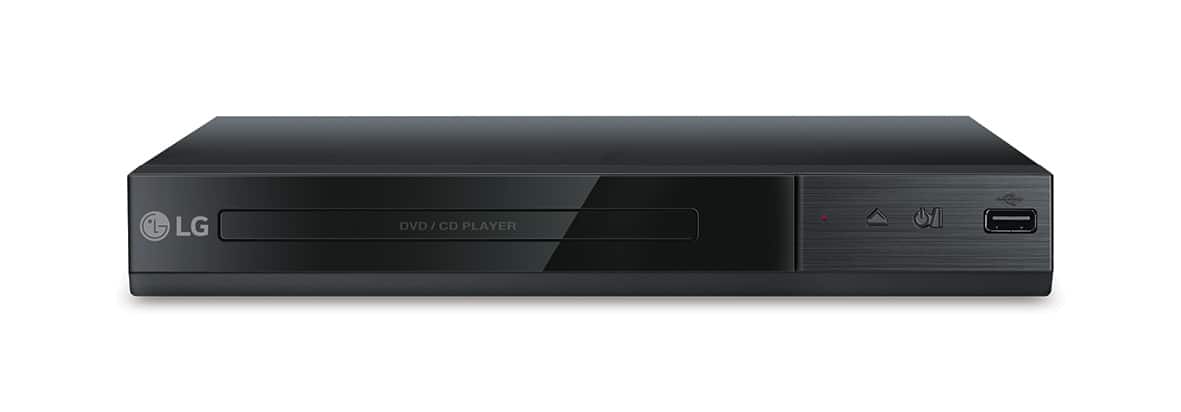
A:AnswerIf you're in need of some guidance with using your DVD player, please head to our support page at @LGUSSupport on Twitter so a specialist can help out. ^CP
A:AnswerWe hate to hear that, but would love to be able to help. We would be happy to see what's going on. Drop us a line on Twitter at @LGUSSupport or on Facebook www.facebook.com/lgusa so we can get more info and see what we can do. ^CP
A:AnswerYou can play audio files from a USB storage device connected to the USB port on the LG DVD Player with USB Direct Recording, Model # DP132...^IFV
A:AnswerYou can play audio files from a USB storage device connected to the USB port on the LG DVD Player with USB Direct Recording, Model # DP132. ^Daphane
A:AnswerThe DP132 has a regional code printed on the rear of the unit. This unit can play only DVD discs labeled the same as the rear of the unit or “ALL” ^CP
A:AnswerYou can do direct recording from the CD player to the USB drive on the LG - DVD Player with USB Direct Recording - Black, Model # DP132. The recording format is MP3 Files and the Encoding Bit rates are: 128 Kbps / 160 Kbps / 192 Kbps / 256 Kbps / 320 Kbps. Your only inputs for this unit are the RCA stereo ports (Red/White) and the Video (Yellow). You cannot convert VHS to MP3 Files or DVD, nor are you able to record TV Programs to the Flash drive. ^CP
A:AnswerNo, it does not. It has the A/V connection that matches the cables it has and it has the USB in front. NO HDMI. To use HDMI you would need to buy an A/V to HDMI converter.
A:AnswerThis unit has a regional code printed on the rear of the unit. This unit can play only DVD discs labeled same as the rear of the unit or “ALL” ^CP
A:AnswerWe apologize for the confusion regarding the region codes for the DP132. This unit has a regional code printed on the rear of the unit. This unit can play only DVD discs labeled same as the rear of the unit or “ALL” ^CP