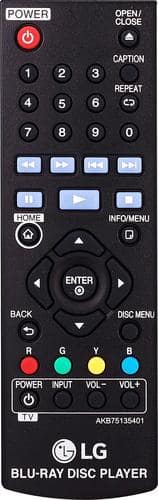
A:AnswerYes, you can set video files for continuous playback on the BP175. If you have additional concerns or questions, you can contact our Customer Support by any of the below options: Phone: 1-800-243-0000 LiveChat: https://www.lg.com/us/support/chatbot Email: https://www.lg.com/us/support/email-appointment Facebook Messenger: https://www.facebook.com/LGUSA/ Twitter: @LGUSSupport The LG Community Forum is also a great resource for getting help from other LG customers: https://lgcommunity.us.com/
A:AnswerNot sure you can try unplugging it from the TV and the wall So that I can reset itself then plug it backup and try your DVD if It does not Play then return it
A:AnswerManufacturers of DVD and Blu-ray players and player software are required by their license to include regional coding functionality, so the LG Blu-ray Disc™ Player with Streaming Services, Model # BP175 that is marketed and sold in the U.S. will be coded for region A for Blu-ray DVDs. The regional codes will be on the shipping carton for the unit and will also be on the back of the unit...^IFV
A:AnswerIf your laptop has an HDMI input, the Blu-ray player may be able to display on it. We would recommend reaching out to the manufacturer of your laptop to ensure compatibility. ^CP