A:AnswerSo you can use that dollar to by yourself a pack of gum because you're breath is gonna smell like dooky after you binge a game for 4 days straight with this bad boy
A:AnswerYou can go to ( http://support.logitech.com/en_us/product/g502-proteus-spectrum-rgb-gaming-mouse ) copy this link into your web browser. Download the Logitech Gaming software. Once downloaded run the setup file or install. launch program then click on your mouse type G502. in there you will find how to change the color schemes. Hope this helps.
A:AnswerI use this mouse for CS GO and I love the sensitivity. You can set hard or light sensitivity to it through the setting so if you like a loose or a tight draw on your weapon it is really amazing.
A:AnswerThis mouse should be compatible with the PS4, as far as all the buttons working with it, I would assume so, but the DPI adjustment may not, hope this helps!
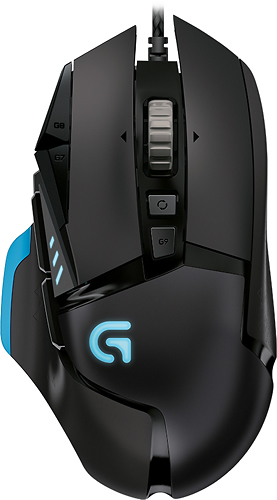
A:AnswerThe blue circle/ graphic of the first picture is depicting the adjustable weight positions. The second picture is more accurate to the mouse. The "G" logo and the 3 spots above it are the only areas that light up but it still looks amazing!