“DPI buttons? so does this have a precision aim button? this would be a button that does not change the dpi between settings but while held down would change the dpi. so you can either use it while aiming so that it slows down when you aim. or use it for when looking around so that its fast when looking. also does this allow the dpi to change while you press the right mouse button? I play fps games and I toggle for aim. so when I press and release the right mouse it aims then I press and release again to get out of the sites. thank you.”
Answer This Question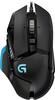
1-8 of 8 Answers
Yes. There is a button that changes the dpi only while being held down.
Sorry, there was a problem. Please try again later.Doesn't have that exact functionality out of the box, but almost anything you can think of can be done through the Logitech software ... Macro 1: Triggers on right mouse button down. - Right mouse button down. - DPI shift. Macro 2: Triggers on right mouse button release. - Right mouse button up. - DPI shift revert. Similarly you could change the way the DPI functionality works from the default (two buttons, one each for shift up and shift down) to what you described.
Sorry, there was a problem. Please try again later.Yes it is a large button in the side if the mouse. You can edit the sensetivity change in the Logitech software
Sorry, there was a problem. Please try again later.1st question, yes it does. 2nd question, not sure yet. I will have to try,
Sorry, there was a problem. Please try again later.Yes it has a "Sniper/Aim Button" which reduces DPI, and it's got a button to flip through profiles that you can have set at whichever DPI you see fit.
Sorry, there was a problem. Please try again later.Yes I do believe it has what your looking for.
Sorry, there was a problem. Please try again later.Yes it has a precision button. I use it all the time when sniping. It's on the side where the button is at.
Sorry, there was a problem. Please try again later.yes, it comes out of the box with that, or you can program that button for other keys
Sorry, there was a problem. Please try again later.