“I want to use my BOSE Bluetooth speaker AND my TV speaker simultaneously. Is that possible? My husband is losing his hearing and so the TV is too loud for me. I thought if I can convert the TV signal to bluetooth and put the speaker near his chair he would hear it better. However, I still want the TV speaker to work for me! Is that possible? I wasn't sure if connecting a bluetooth device only lets sound come to the bluetooth speaker and disables the TV speaker. Thanks”
Answer This Question
1-5 of 5 Answers
That is entirely up to your TV, ask there. If it doesn't, you may be able to use a splitter, although you'd need an external speaker for your TV. Just split the audio going to your amplified external TV speaker and send the other line to a bluetooth transmitter.
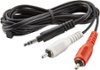
Sorry, there was a problem. Please try again later.If your TV has an audio out connection (most likely), like for headphones or your RCA cables (white and red cables) it will work. Will probably need to deactivate TV speakers when your husband is listening via speaker to keep the noise down for you.
I would recommend:
Sorry, there was a problem. Please try again later.You must have a device that can transmit a bluetooth audio signal to this device that would be connected to the speakers. Logitech Bluetooth Adapter needs to to be connected to your speakers most likely through an input audio or auxiliary port on the powered speakers.
Sorry, there was a problem. Please try again later.Sound will come from both sources. Use volume on device connected to Bluetooth, and tv remote to control volume of tv. Very simple solution, just have to adjust each volume separately
Sorry, there was a problem. Please try again later.You can usually use both simultaneously. The TV sound just adds a little. Once you hear the soundbar or Bose you might not want to do this anyway but it is possible. The TV sound never really is all the way off.
Sorry, there was a problem. Please try again later.