Questions & Answers
- Model:
- MCA950800V023
- |
- SKU:
- 6628936
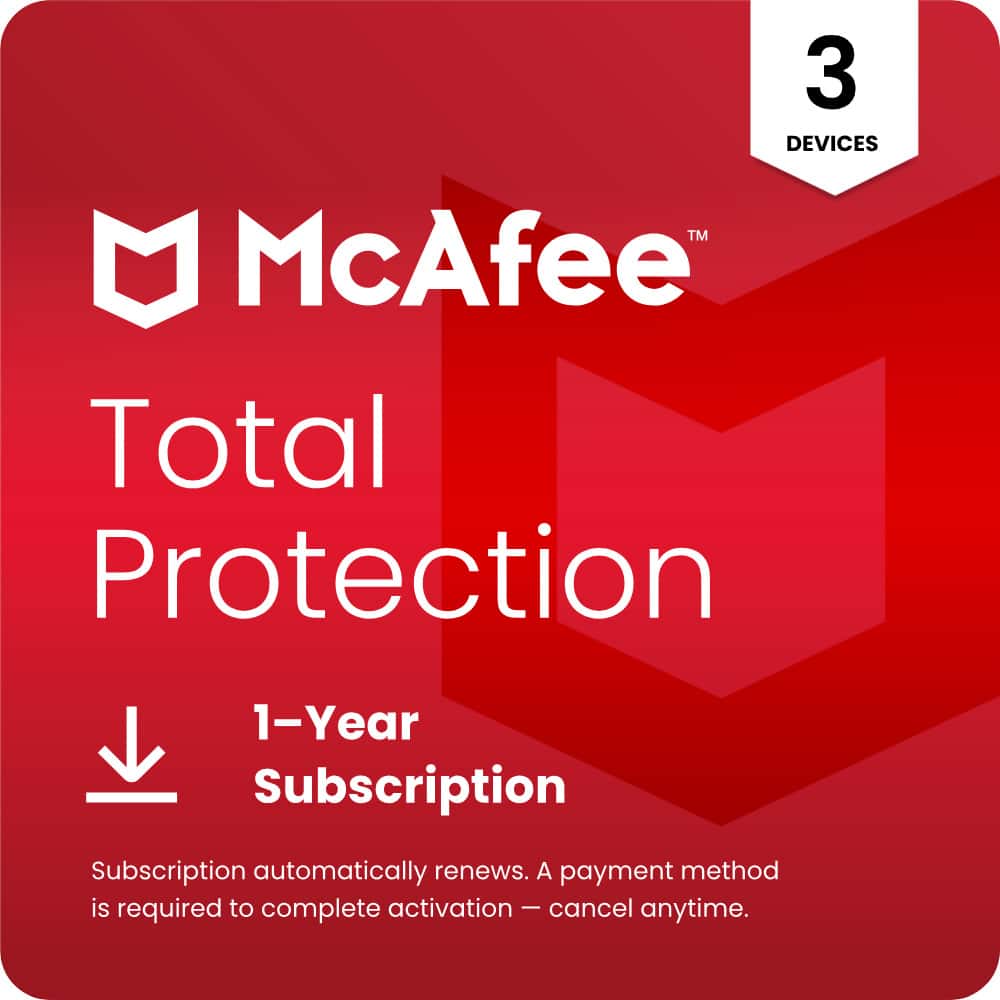
Q: QuestionIf I buy Mcafee 1yr 3 devices and start on March 1, 2026 and cancel the auto-Renewal more than 30 days before the end of 1 year will my contract continue to provide Total Protection to the end of the 1 year, which would be March 1, 2027?
Asked by Niceguy.
- A:Answer yes, you will have the total protection for the year you paid for.
Answered by Peony1
Q: QuestionIs Amazon fire tablet 10 compatible with McAfee?
Asked by Anonymous.
- A:Answer Yes u would think so , plz check before purchase
Answered by SteveW
Q: QuestionI don’t want the automatic renewal! Can I cancel it
Asked by Anonymous.
- A:Answer Yes u can days after u renew
Answered by SteveW
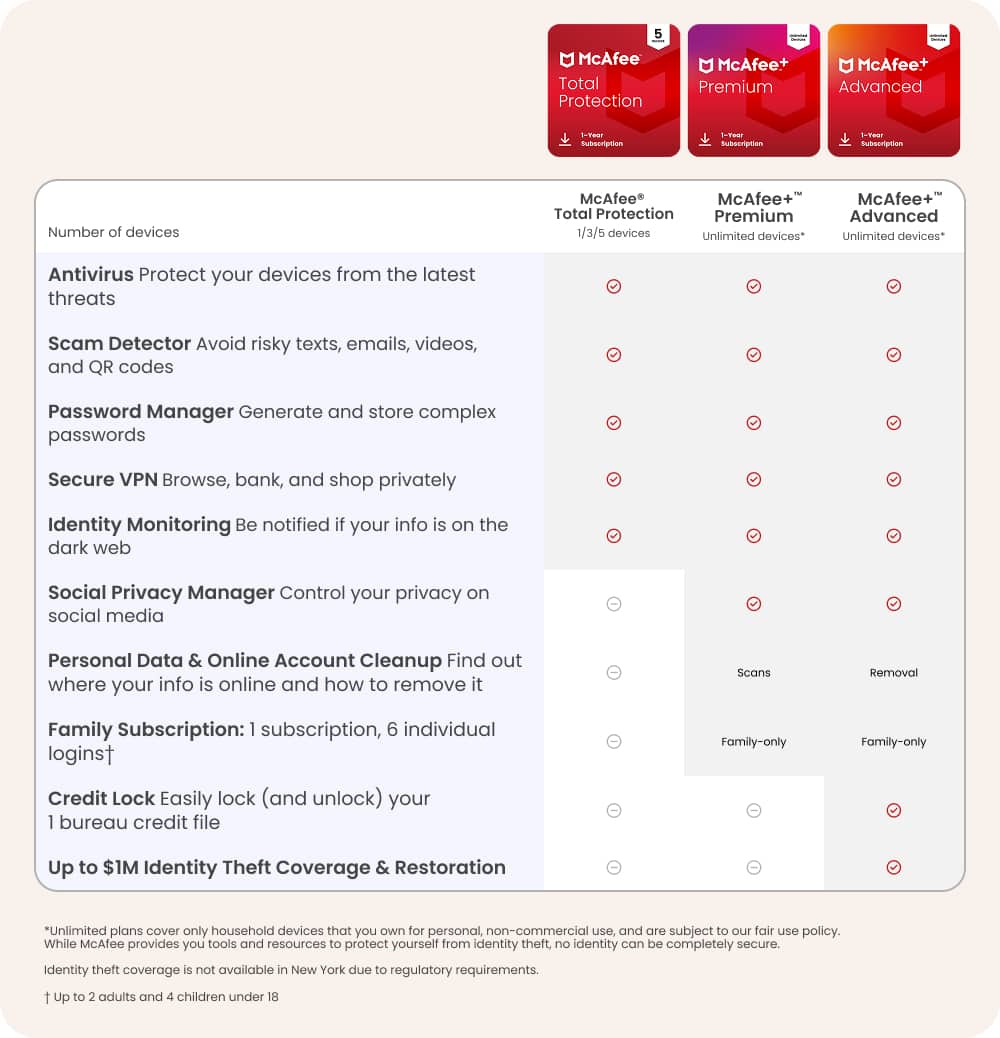
Q: QuestionDoes this product have Tracker removal?
Asked by Norm.
- A:Answer Yes, this product have Tracker removal!
Answered by JamesP
Q: QuestionCan I use this on my laptop and smartphones
Asked by Mary.
This question was asked about the related product: McAfee - Total Protection (5-Device) Antivirus Software with Scam Protection (1-Year Subscription with Auto-Renewal) - Windows, Mac OS, Chrome, Apple iOS, Android [Digital]
- A:Answer Yes. Have to subscribe to the bundle that have that option.
Answered by Alex
Q: QuestionWhat is the subscription renewal cost
Asked by SamsungGalaxyS21.
This question was asked about the related product: McAfee - Total Protection (5-Device) Antivirus Software with Scam Protection (1-Year Subscription with Auto-Renewal) - Windows, Mac OS, Chrome, Apple iOS, Android [Digital]
- A:Answer The current renewal price is $119.99/yr (price is subject to change). We will remind you 30 days before you are charged. You can turn off auto-renewal at any time from the My Account page.
Answered by McAfee Team
Q: QuestionWhat is the yearly renewal fee? Thanks DM
Asked by DM.
This question was asked about the related product: McAfee - Total Protection (5-Device) Antivirus Software with Scam Protection (1-Year Subscription with Auto-Renewal) - Windows, Mac OS, Chrome, Apple iOS, Android [Digital]
- A:Answer The yearly renewal fee is equivalent to the MSRP of the product you are purchasing. This value is listed as the Comp Value on the product detail page near the Retail Price. Please note, you can opt out of the annual renewal at anytime by logging in to your "My Account" page from McAfee's website.
Answered by McAfee Team
Q: Questionhow do I buy without aotorenewal
Asked by Anonymous.
This question was asked about the related product: McAfee - Total Protection (5-Device) Antivirus Software with Scam Protection (1-Year Subscription with Auto-Renewal) - Windows, Mac OS, Chrome, Apple iOS, Android [Digital]
- A:Answer You can purchase it through Best Buy or other retailers. Once you receive your code you activate it through your McAfee account which will extend your subscription for another year. You don't have to download and reinstall the software either which is great. They usually provide instructions on how to do this.
Answered by BamaTC
Q: QuestionHow much subscription after year 1
Asked by Anonymous.
- A:Answer It varies on the time of the year. If its near a holiday it will be random. Either lower or a little higher. Just remove the software from computer or phone and buy it again using a different email and it will work the same.
Answered by Wiseup
Q: Questioncan you use it on a amazon kindle
Asked by bill.
- A:Answer Yes, it covers the entire device.
Answered by Wiseup
Q: QuestionWill this work with the S mode laptop
Asked by Tiger2828.
This question was asked about the related product: McAfee - Total Protection (5-Device) Antivirus Software with Scam Protection (1-Year Subscription with Auto-Renewal) - Windows, Mac OS, Chrome, Apple iOS, Android [Digital]
- A:Answer I’m not sure if it does work. I guess it is doing something. It tells me to scan the image but doesn’t align the image up. It won’t let me scan it for the phone.
Answered by LanceP
Q: QuestionCan I install this on my Samsung Android Phone?
Asked by Homero.
This question was asked about the related product: McAfee - Total Protection (5-Device) Antivirus Software with Scam Protection (1-Year Subscription with Auto-Renewal) - Windows, Mac OS, Chrome, Apple iOS, Android [Digital]
- A:Answer It literally says Android, Apple IOS, Chrome and Mac OS. Read the description better. Yes btw.
Answered by Wiseup
Q: QuestionI have an Mac and a PC computers, can i use the same McAfee Total Protection software or do I have to buy one for each computer?
Asked by Erie.
This question was asked about the related product: McAfee - Total Protection (5-Device) Antivirus Software with Scam Protection (1-Year Subscription with Auto-Renewal) - Windows, Mac OS, Chrome, Apple iOS, Android [Digital]
- A:Answer You do not have to buy it again just because of a different OS. When installing just enter your product key info and it will work up to 5 devices.
Answered by Wiseup
Q: QuestionWhat’s the return policy on the digital copy?
Asked by MSAN.
This question was asked about the related product: McAfee - Total Protection (5-Device) Antivirus Software with Scam Protection (1-Year Subscription with Auto-Renewal) - Windows, Mac OS, Chrome, Apple iOS, Android [Digital]
- A:Answer yess it was
Answered by slim0075
Q: QuestionHow do I remove this product from my iPhone
Asked by Jack.
This question was asked about the related product: McAfee - Total Protection (5-Device) Antivirus Software with Scam Protection (1-Year Subscription with Auto-Renewal) - Windows, Mac OS, Chrome, Apple iOS, Android [Digital]
- A:Answer Go to "Settings" on your Iphone, then go to "General", then go to "Iphone Storage". Wait for it to populate all the apps store on the phone and scroll down to Mcafee and click it and hit the delete wording in red.
Answered by Wiseup
Q: QuestionIs a credit card number required to activate?
Asked by Dooley.
- A:Answer No
Answered by user296798
Q: QuestionI bought this but am not getting the email from Best Buy with instructions on how to redeem it. Can someone please send me the link to download or redeem? I have my code.
Asked by Momtomaki.
This question was asked about the related product: McAfee - Total Protection (5-Device) Antivirus Software with Scam Protection (1-Year Subscription with Auto-Renewal) - Windows, Mac OS, Chrome, Apple iOS, Android [Digital]
- A:Answer Hi there, you should be able to access this through your Best Buy account. Or please check your spam folder of your email. If you're having any issues, contact at mcafee.com/support with your proof of purchase.Thanks!
Answered by McAfee Team

Q: QuestionIs it hard to install, and will this work against pop-ups, and scam websites?
Asked by nightkill.
- A:Answer No very easy
Answered by JIMMIEB
Q: QuestionWould this clean up existing virus if present?
Asked by Anonymous.
This question was asked about the related product: McAfee - Total Protection (5-Device) Antivirus Software with Scam Protection (1-Year Subscription with Auto-Renewal) - Windows, Mac OS, Chrome, Apple iOS, Android [Digital]
- A:Answer Usually yes, but it just depends on the virus as they come in different forms of evil.
Answered by Wiseup
Q: Questionhave 3 computers would like to install on but for some reason nothing i do works when coming to installing a product like this would have to have somebody who knows more about computers then i do sorry to install correctly. thank you
Asked by charles.
This question was asked about the related product: McAfee - Total Protection (5-Device) Antivirus Software with Scam Protection (1-Year Subscription with Auto-Renewal) - Windows, Mac OS, Chrome, Apple iOS, Android [Digital]
- A:Answer Hi Charles, thanks for reaching out! To activate and install your protection please visit www.mcafee.com/activate and enter your 25-digit activation code. After you've activated your subscription, you'll be able to add this protection to 5 devices total. If you need any help, please contact us at service.mcafee.com. Thanks!
Answered by McAfee Team