A:AnswerYES. YOU CAN!
SIGN AS AN ADMIN IN COMPUTER 1, THEN YOU HAVE 5 INVITATIONS TO SEND. ALSO, IF YOU HAVE TABLETS THAT NEED OFFICE, SIGN IN TO YOUR OFFICE ACCOUNT DIRECTLY IN THE TABLET
HOPE THIS HELP!
A:AnswerHi MK,
You cancel at anytime by doing the following:
1. Go to Services & subscriptions and sign in with the Microsoft account you used to purchase your subscription.
2. Find your subscription and select Manage. If you see Turn on recurring billing instead of Manage, skip to the Troubleshooting section - otherwise proceed to step 3.
3. On the next page, select Cancel or Upgrade or Cancel, depending on your subscription type.
4. Follow the instructions on the page to proceed with cancellation.
Best,
Tom
Microsoft Office Team
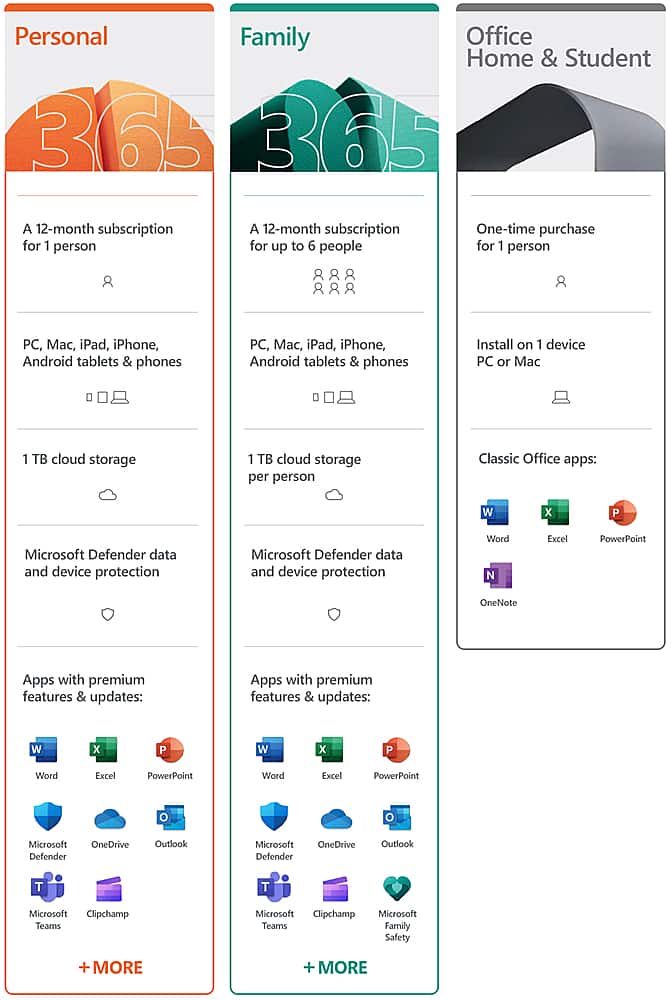
A:AnswerNo, (or yes). You create a master account, if you install this on multiple computers under this master account, then yes. If you invite another email address to your plan, you can install each "invited email address" on more than 1 machine. All documents will be shared between single email addresses. So if there is one master account and 3 invited email addresses. The master will share between all the installs from the master (and no others). Each separate email address will share with that one email address.
A:AnswerAdobe Animate works with SVG files, too. Some non-Adobe programs that can open an SVG file include Microsoft Visio, CorelDRAW, Corel PaintShop Pro, and CADSoftTools ABViewer. Inkscape and GIMP are two free programs that can work with SVG files, but you must download them in order to open the SVG file
https://www.lifewire.com/svg-file-4120603#:~:text=Adobe%20Animate%20works%20with%20SVG,to%20open%20the%20SVG%20file.
A:AnswerHello!
Thanks for reaching out. The account you associated with your Office for home product is the same email you used when you bought or activated Office the first time, or what you use to sign in and install or manage Office from your account portal.
If you're not sure which email that is try entering your phone number here: https://account.live.com/resetpassword.aspx
Best,
Tom
Microsoft Office Team
A:AnswerHi, thanks for reaching out! Each user will receiver their own 1TB storage. If there are 3 users, each user will receive their own 1TB.
Best,
Tom
Microsoft Office Team
A:AnswerYes you do need internet connectivity. One of the main differences is that Microsoft 365 works across multiple devices, and monthly updates are made available to help ensure your apps are always current.
Tom
Microsoft Customer Support
A:AnswerGreat question!
You can purchase Microsoft 365 at any time! You do not need to purchase immediately when you buy a new device.
Best,
Tom
Microsoft Office Team
A:AnswerThe cost for the second year is what ever the going price is at Microsoft for 365....probably over $100.00. You can cancel Automatic renewal anytime before your first year is up from where you purchased it.
A:AnswerI assume the device you bought came preinstalled with Win10. Should need to do nothing other than turn it on. If it came with windows 7 return it right away.