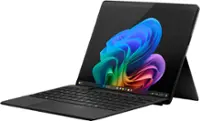
A:Answer Is it worth the money and effort ?..
For caution reasons..., Windows Professional is ONLY compatible with certain hardware functions..., that means..., high speed hardware.
So..., I don't think the hardware on the Surface Go 3 is compatible to work with Windows Professional.
And I will NOT recommend you do this.
But if you insist..., and want to experiment and waste a lot of money in the process..., continue reading...
(1). First of all, you will have to purchase Windows Professional as a separate software from Microsoft.
(2). Second, you will have to take the Surface Go 3 out of 'S' mode..., which will allow you to install Windows and Non-Windows Store softwares on it.
(3). Third, you will need to put the Windows Professional software installation files on a USB flash drive.
(4). This is where a lot of mistakes can be made.
For short..., you will need to re-install the entire Computer and Operating System from the USB flash drive and hopefully that it works at all.
Enjoy Your Computer While You Can...