“what do i need to connect my iphone5c to my stero it has a usb port”
Answer This Question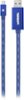
1-10 of 11 Answers
An apple iPhone cord.
Sorry, there was a problem. Please try again later.plug in usb on computer
Sorry, there was a problem. Please try again later.All you need is the lighting cable that came with your phone. Plug the Usb end to your stereo and the other to the phone. Then simply push the button for the Usb connection.
Sorry, there was a problem. Please try again later.Just use the usb charger cord that came with the phone to plug it in your phone and the stereo
Sorry, there was a problem. Please try again later.This cord has a lightning connector on one end and usb on the other. You don't need anything else.
Sorry, there was a problem. Please try again later.All you'll need is a standard charging/sync cable (lighting cable in your case). Plug usb cable into your stereo and connect your device to the charging port and you will be up and running. Now depending on your stereo you may have to select usb/aux input provided your stereo supports your device.
Sorry, there was a problem. Please try again later.You can use your lightning charge cable with your stereo to play music on your list or use as an iPod.
Sorry, there was a problem. Please try again later.If your radio will support just a charging cable
Sorry, there was a problem. Please try again later.depend on what type of input your stereo takes, most has analog input, you will need this cable "Stereo-to-RCA Audio Cable" (search best buy for item number 5813006)
Sorry, there was a problem. Please try again later.Either a mini-pin to RCA or a mini-pin to mini-pin cable.
Sorry, there was a problem. Please try again later.