“This modem works only if my labtop is next to it and sometimes on the first floor of the house. As soon as i go upstairs, it stops working. Out house is large (3600sf) so maybe I need another modem? Anyone know?”
Answer This Question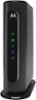
1-5 of 5 Answers
That is not your modem, the modem only brings the signal from your internet provider to your home. Your wireless router is responsible for varying signal strength in the home. Make sure you have a router capable of the speed this modem supports, and if it does you may want to try a range extender that plugs into a wall outlet to increase your range/signal farther from the router. If your router is older or you aren't sure of it's speed, you may just want to replace it as the technology improves rapidly.
Sorry, there was a problem. Please try again later.This modem is just a modem. It doesn't have any wireless or routing capabilities. Whatever device you're using must always be plugged in with an Ethernet cable. If you have wifi in your home it's not coming from this box. A separate router will handle your wifi if you're using this. If you want a combo router and modem, you'd need something called a gateway.
Sorry, there was a problem. Please try again later.I haven't had that issue. I have 3 floors and I get internet anywhere in the house. You may have a router issue.
Sorry, there was a problem. Please try again later.This modem has no WIFI capability. You must be use a wifi router with it, which would be to blame for signal loss. You may need to buy a better WIFI router or look at signal boosters.
Sorry, there was a problem. Please try again later.This modem does not send wifi signal, your wifi router does. You probably need a better wifi router or a wifi extender.
Sorry, there was a problem. Please try again later.