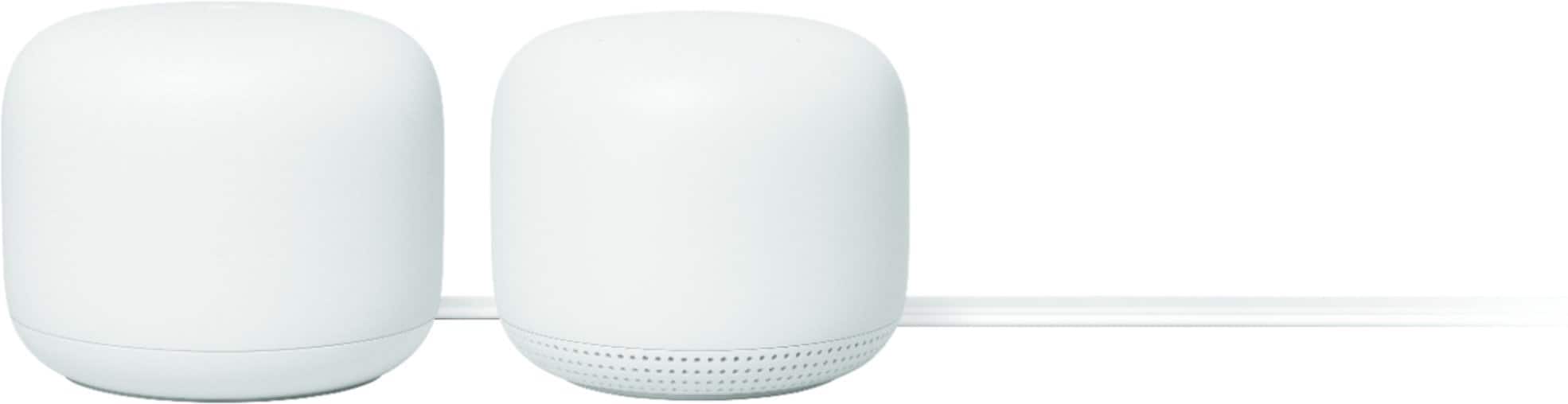
A:AnswerThe main Google router plugged directly into my service providers modem and automatically went into bridge mode. This never interrupted my cable which is ran directly off my ISP’s modem. The set up is really easy and walks you through it.
A:AnswerNo. Nest Wifi doesn't have a Chromecast built-in. It is a router that broadcasts Wi-Fi to any Wi-Fi capable device. It replaces your traditional router and is compatible with most Internet Service Providers. Check this link for more info about Nest Wifi: https://support.google.com/googlenest/answer/9583920
A:AnswerNest Wifi replaces your current router as the primary point, and connects directly to your modem with an Ethernet cable for a stronger and more reliable Wi-Fi throughout your home. You can still use your 3rd party router as a downstream switch, but put it in Bridge mode or disable the Wi-Fi functionality of your router to avoid double NAT. Double NAT is where both your current router and Nest Wifi router will be broadcasting their own private networks with identical SSID and password that might cause connectivity issues.
A:AnswerNest Wifi is a router that broadcasts Wi-Fi to any Wi-Fi capable device. It replaces your traditional router and is compatible with most Internet Service Providers. Nest Wifi Router connects directly to your modem using an Ethernet cable to set it up and get an internet connection. Take a look at this link for the setup requirements and guide on how to setup Nest Wifi: https://support.google.com/googlenest/answer/9548301
A:AnswerNest Wifi works with most Internet Service Providers(ISP), including Altice One. It needs to be directly connected to your modem via the WAN port with an Ethernet cable. If you're using a modem/router combo, we recommend disabling the Wi-Fi functionality of the combo to avoid a Double NAT case which may cause connectivity issues.
A:AnswerYou can do what you are describing. That is how I have connected mine, and it works beautifully--MUCH better than the wifi from the Fiber box. Speed is fantastic all over my house, and it hasn't dropped a single time in eleven months; the Fiber box used to drop signal all the time.
A:AnswerYes. It will work as one Wi-Fi mesh system either way. All Nest Wifi and Google Wifi routers and points are compatible with each other and works together using mesh technology.
A:AnswerNo. Nest Wifi is not compatible with 3rd party wireless extenders. Nest Wifi is only compatible with Nest Wifi and Google Wifi devices to create a mesh system.
A:AnswerAbsolutely! You can add more Nest Wifi points depending on your needs. We recommend a maximum of 6 Wifi points in a single mesh setup including the primary router.
As a general rule, Nest Wifi work best when they’re no more than two rooms away from each other. For an estimate of how much Wi-Fi coverage you’ll get with Nest Wifi and a guide to how many Wifi points you need, check here: https://support.google.com/googlenest/answer/7182840
A:AnswerYes, specifically on the node. The main marshmallow-looking router does not, but the extender node does have a built-in microphone and speaker to be used as a Google Assistant device. That functionality can be switched off by a physical switch on the node.