“I have one . Works great . But is there only one master person who can use the lock /unlock feature thru WIFI.????? I would like the kids to be able to this also , if my phone is dead or whatever else , I forget ???????? Do I need to buy something”
Answer This Question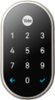
1-3 of 3 Answers
You can share access with your family members without buying anything else. Your family members can unlock the Nest x Yale Lock using the Nest app but you will have to provide them ¨Full Access¨ as Family members to your Nest Account. You can learn more on how to share access here: https://support.google.com/googlenest/answer/9304271
Sorry, there was a problem. Please try again later.No anyone you tell the password you select can just put it in and unlock the door. You can even make a one time passcode for anyone for any time you want to be used by a person between the time you select. For example your mom needs to stop by the house to get something and no one is gonna me home you can make a passcode for her to use on your phone just for her for anytime she’s coming and you can select how long you want the password to last, they have that so you don’t tell no one the original password you have for you and your family. For example, the password you select for your mom lets say for 2 hours only after those two hours have passed she can’t use the password any more, so she want be able to use the password again.
Sorry, there was a problem. Please try again later.On the best app, you go into the main settings and “Family and Guests” section. Add their email and they can control from the app.
Sorry, there was a problem. Please try again later.