A:AnswerI have the ring camera also but I did not connect it to it because I put the extender upstairs. If you have week signal getting to the ring then this product is well worth it. It will boost the signal if your wi-fi router is far away from the ring.
A:AnswerYes, I had a similar situation. I used the extender upstairs to connect my cameras directly to the ethernet port and the video is crystal clear. I believe it will do the same for your gam experience.
A:AnswerFirst place next to the original router to configure. Next find a place where it can see the original signal, which it will pick up and then rebroadcast from the new location, giving you additional range.
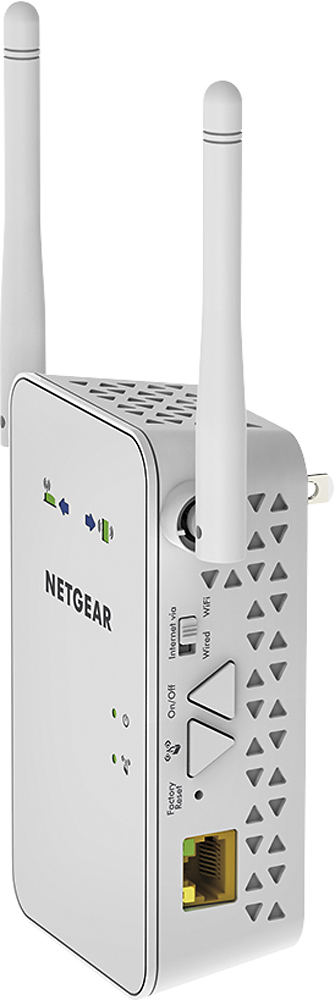
A:AnswerThe LAN line works great to hook up a device that has no Wi-Fi capability. I'm using it at a remote location in the East Coast (my business is in the West) where I needed to take one of my office phone sets when I arrived at my remote location. All I had to do was pair up the extender to a local router and then plug in my phone device (could be any other device that requires internet access) and I was up and running, able to communicate with my clients and office staff as if I am in my home office. Total transparency. Calling my clients they see my local phone number in the caller ID; and with my staff, simply dialing our internal 3-digit extension. No one realizes I'm calling them from across the country. Pretty cool....
A:AnswerNo - it won't speed up your service. All this does is extend the WiFi to areas your router doesn't cover. The speed off this will be equal to, or slightly less than what you get from the satellite.
A:AnswerThe extender will create new wifi ids...something like..... xyz_2Gext and xyz_5Gext (where xyz is the name of your network). You will have to go to the wifi settings on the device you are trying to setup and connect to these extended networks by signing into them. The password is the same as your original wifi network. Once you do that, the device should connect via the extended network when you are in its vicinity.
A:AnswerNo - you can setup it up using WPS assuming your router supports WPS. Access to a computer does help to setup all the different options that are available,
A:AnswerNot this one. Maybe you can put it inside close to the camera. I use mine to get WiFi coverage on my pool deck and it's located in a bathroom inside the house closest to the pool.