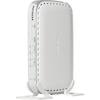
“Does this router have to be connected to a modem? I do not own a desktop, only a laptop. Would this router work by simply connecting it to a cable connection and enabling wireless compatibility?”
Answer This Question
1-10 of 11 Answers
Yes, you must have a modem, which you'll get when you sign up for Internet service. You'll then get the signal to the modem, then connect the router. You'll also have to connect your laptop to the router initially, to configure it, set your wireless network name (SSID) and wireless password. You can then disconnect the cable, and surf wirelessly from then on.
Sorry, there was a problem. Please try again later.IF your cable connection is the source of your internet signal, it should work (Ours is AT&T). Some internet signals like Comcast have a black box which the router has to connect to for it to work (altho they also have a Wireless Gateway that has to be purchased thru them if your connection qualifies). I connected one of these yesterday for a friend on Comcast and we connected thru Comcast black box and wireless signal immediately available. With some routers, you need to make an ethernet connection to router to get initial setup done and then you can disconnect and use wireless. Should be easy setup and Negear support is good as well as Best Buy's support. Also recommend whatever router has ethernet connection so that you have option of bein wireless or being directly connected.
Sorry, there was a problem. Please try again later.Yes , the set up does not require it to be connected to a desktop or ethernet cable. It can be configured using wireless connection to the router. I had same question before i bought it because i only had macbook air
Sorry, there was a problem. Please try again later.Its not a cable modem, this is a secondary device to be able to get wireless
Sorry, there was a problem. Please try again later.Yes, a modem is needed to reach the internet with this router. You would have to find a hybrid of a modem/wireless router for that to be an option.
Sorry, there was a problem. Please try again later.When I hooked mine up to my laptop I just plugged my cable connection to the router and then the router to my laptop and it set everything else up and I could unhook the connection to my laptop.
Sorry, there was a problem. Please try again later.You would have to connect the router to a modem. Once you do that, you can either use the WiFi capability, or connect your laptop hardwired (CAT 5 Cable) to the router.
Sorry, there was a problem. Please try again later.- Sorry, there was a problem. Please try again later.
YES
Sorry, there was a problem. Please try again later.Brittney, Any router can be connected directly to a Modem, just ensure that the Modem is off, as well as the router, let everything off for 30 seconds, then connect. Most of the newer Netgear routers come pre-configured for basic security, and they have the info on a little sticker. You can still direct wire in your laptop temporarily, to setup. Or just have the Geek Squad come out and set it up. Some nicer routers, are the N600 Netgear series router, WNDR3700 series, is fantastic.
Sorry, there was a problem. Please try again later.