“How do I install without the CD? I've misplaced the Installation CD that goes with my upgrade to WNR2000 (N300). Can I simply use the Installation CD that goes with my old WGR614 (G54), or could I download the proper installation files from the net? I have a related query. My Comcast service provides 105 Mbps. Speedtest with my G54 router indicates I'm getting 95 Mbps d/l, 12 Mbps u/l. What can I expect to gain with the upgrade N300 router. Thank you for your response.”
Answer This Question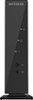
1-6 of 6 Answers
You are never going to actually get the 105mbps no matter which router you use. There will be a loss at some point in your connection. The best thing you can do is put the best hardware you can on your side to ensure it's not your side causing the problem. As per installation. You should not need the cd for installation. There should be an ip address that is default for it printed somewhere and if you plug in wired you should be able to use that ip address in the address bar of your browser to get to the router. Once there, you should be able to set it up.
Sorry, there was a problem. Please try again later.you can connect to the router via cat5 and open up a browser and go to 192.168.1.1 and log into the router that way but that way is for people that know what their doing. My suggestion is to use the cd it will walk you through it step by step. No your old CD is not recommended to use to setup your new router
Sorry, there was a problem. Please try again later.open you browser, type in 192.168.1.1 or 192.168.0.1 login in name: admin password: password thats it
Sorry, there was a problem. Please try again later.Hardwire your router to the laptop or desktop and get install from netgear website
Sorry, there was a problem. Please try again later.All you need to do is type in your router home address it does the rest.
Sorry, there was a problem. Please try again later.You would need to go their support website to obtain the information or if you are IT savy you can simply go to the IP address of the device and set everything up within. Your internet speed is based on best effort and even though you are upgrading your router don't expect to see a real difference in speed. -Companies like comcast provide internet to multiple residents over the same pipe and that is why you will see fluctuations at times. This router is capable of doing over 200mb I believe so in theory you should be able to do what comcast provides you. Also your speed is only as fast as your devices NIC. Your NIC is the network card in your device and some are only capable of doing 10/100MB and nothing more.
Sorry, there was a problem. Please try again later.