“Online multiplayer help please I have a ps4 but when i play online i lag and cant play so if i bought this router could i just simply hook it up to my modem and it should be able to connect Will it cost additional money on my internet bill ? Thank you for answering”
Answer This Question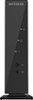
1-8 of 8 Answers
No on the extra money but there is just a little setup you need to do
Sorry, there was a problem. Please try again later.No it will not cost any extra money. You simply connect to your router and do the basic set up of a SSID. You would then set up your PS4 to connect to it
Sorry, there was a problem. Please try again later.The lag you have has nothing to do with your local network. It most likely has more to do with your internet service rather than your setup in your home. Make sure you are setting the NAT to "Open", this is usually the default setting. check what internet speed you are currently getting from your service provider (Comcast, Verizon, At&t, etc...). You will need to set the router up, it is easy. If you have a computer it comes with a CD and instructions. If you do not, you can read the instructions on setting the router up manually. DO CHANGE YOUR DEFAULT PASSWORD. And setup a passphrase.
Sorry, there was a problem. Please try again later.You should be able to play once you connect your router. You shouldn't get any extra charges but that depends on internet provider.
Sorry, there was a problem. Please try again later.Yes, your ps4 will be able to connect to the wifi sent by a router. It will not cost you anything else per month, as long as you already have internet.
Sorry, there was a problem. Please try again later.Should not cost you anymore money. I have this one and have it hooked up to a comcast modem.
Sorry, there was a problem. Please try again later.Yes, that should work. I have it hooked to my AT&T DSL modem/router, and it works fine. Use the NetGear software and set it up as a bridge/switch (don't use the internet router function). It will act as a regular switch on your network, and give you additional network connections and a strong,fast wi-fi connection.
Sorry, there was a problem. Please try again later.I'm in a house with several devices on my wifi network. TV, multiple Mac's, phones, iPads and gaming systems. i have experienced no lag in my online game play. You can use the Apple Extreme base station as a stand alone router or it can be added to an existing network to boost the signal. If your ISP is providing a wifi modem and router then you could use it in addition to that one to help boost the signal strength. If not just connect it to your modem via ethernet cable and it will provide a very strong mulit- standard dual band signal. There wont be any additional charge from your ISP.
Sorry, there was a problem. Please try again later.