A:AnswerCheck out the d3300- most come with the Wu-1a accessory for the direct download of pics to your phone, is only slight heavier but still super light and has an external mic jack (I think) I just had my STOLEN and am now looking at the d3400 as a replacement only because of competitive pricing and if I can get a few ounces lighter and built in wifi for nearly the same price it's more important than an external jack for MY uses.
A:AnswerI had the d3300- practically identical to this (a little cheaper) and LOVED IT! I would suggest you consider this: do you plan on going back and forth between pics at one end of the field and then close up as the run back and forth? you will need to switch out lenses and might miss a great shot. Perhaps consider a 3400 body and a lense that has a wider range without switching lenses example- 18-200. Lenses typically cheaper when bundled with body- so maybe the d3300-3400 isn't ideal for you.
A:AnswerThe Nikon D3400 DSLR camera has an Nikon F-mount bayonet system that is made of metal while the AF-P DX 18-55mm G VR lens and AF-P 70-300mm G ED lens listed here are made of a strong and durable plastic. To learn more, please contact Nikon Support.
A:AnswerThe Nikon AF-P DX NIKKOR 18-55mm f/3.5-5.6G VR and AF-P DX NIKKOR 70-300mm f/4.5-6.3G ED lenses both use a pulse motor, or utilizing stepping motors, to focus smoother and quieter than previous drive systems. This system allows them to autofocus with almost seamless design. At this time there are no official specifications for the number of actuations the Nikon D3400 shutter is rated for. To learn more about actuations please check out the following link: https://www.nikonimgsupport.com/ni/NI_article?lang=en_US&articleNo=000003332
A:AnswerYes you should be able to get the bag the same day you buy your camera. My bag was on back order when I purchased the camera in store but received the bag in the mail a few days later no questions asked. Excellent customer service!!
A:AnswerThe D3400 has built-in Bluetooth (R) technology which can be used to transfer photos wirelessly to compatible iOS and Android smart devices running the Nikon SnapBridge app. The D3400 does not feature built-in Wi-Fi (R) functionality.
A:AnswerNo, DSLRs like the D3400 are equipped with mirrors and/or prisms that guide light through the lens up into the viewfinder. When you take a photo the mirror is raised and the light hits the camera sensor. When shooting movies or in Live View, the mirror remains in the raised position and the viewfinder cannot be used. By contrast, a mirrorless cameras omits the mirrors or prisms and allows light to pass directly to the sensor. This allows for a more compact and lightweight design. While both COOLPIX cameras and NIKON1 cameras are technically mirrorless - the term “Mirrorless Camera” is usually used to describe mirrorless cameras with interchangeable lenses like those in the NIKON1 series. For an example of a NIKON mirrorless camera check out the NIKON1 J5 or the waterproof NIKON1 AW1. For additional information please contact Nikon Support.
A:AnswerNikon lenses come with front and back lens caps for protection when they are not in use. Nikon recommends that a neutral (ND or NC) filter is used to protect the front glass when the lens is use, but this is not a requirement and filters are not supplied with the lenses. Front lens cap and filter sizes will vary from lens to lens, so the cap or filter that you used on the lens on your D60 may not fit other lenses. The AF-P 18-55mm lens in this kit takes a 55mm screw-on filter and a 55mm snap-on front cap. The AF-P 70-300mm lens in this kit takes a 58mm screw-on filter and a 58mm snap-on front cap.
A:AnswerIf you are having trouble connecting your camera to your smart device please contact Nikon Support for troubleshooting help by using the following link: http://www.nikonusa.com/en/about-nikon/contact-us.page
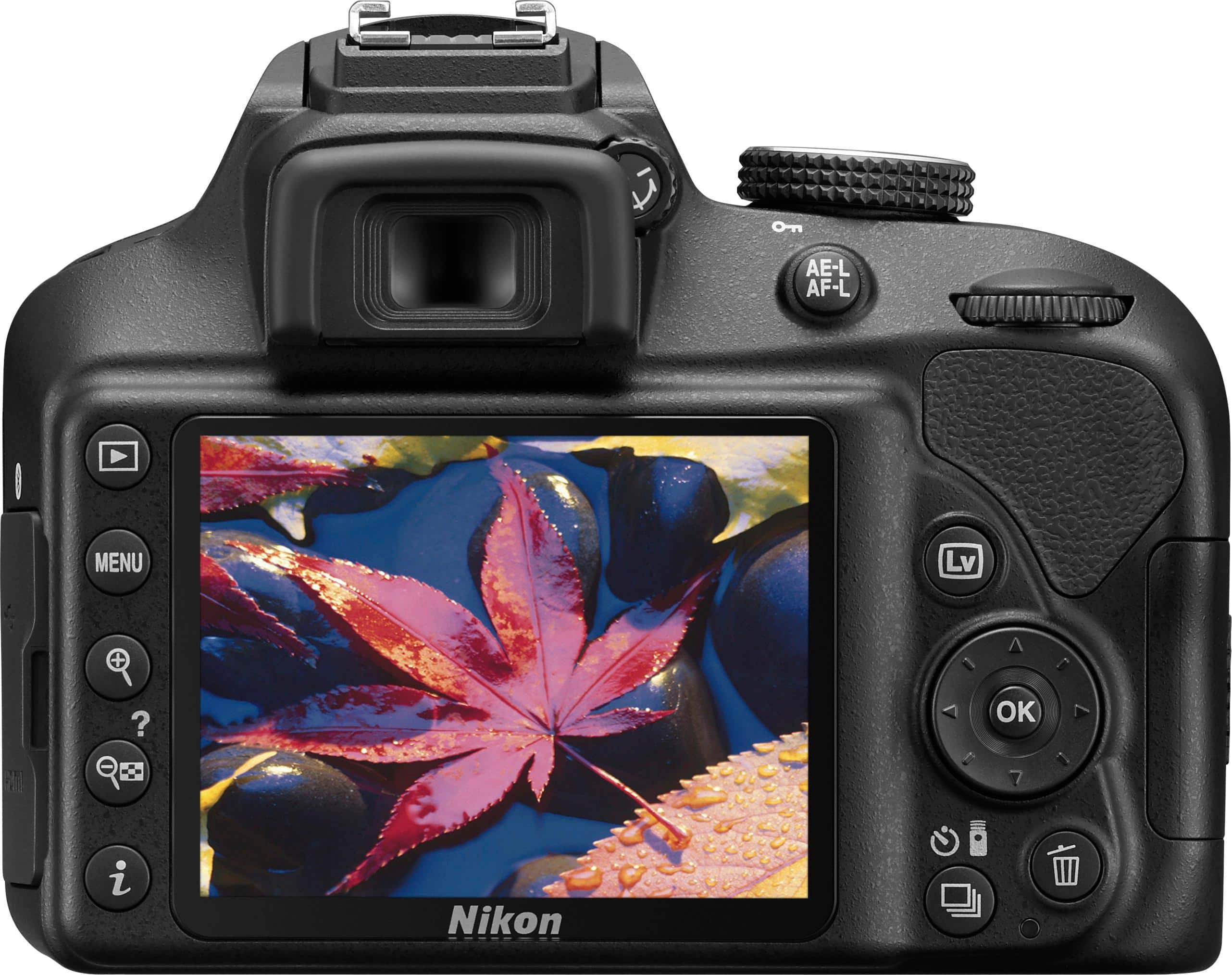
A:AnswerWhen viewing through the viewfinder of the Nikon D3400 DSLR camera itself, you can adjust the diopter until you have a fully focused view. Bringing your eye to the viewfinder will block out sunlight so you can see the information in the viewfinder easily. To prevent light entering via the viewfinder from appearing in the photograph or interfering with exposure, we recommend that you cover the viewfinder with your hand or other objects such as the optional DK-5 Eyepeice Cap before taking pictures without your eye to the viewfinder. This camera has a 170° Wide Viewing Angle TFT-LCD monitor with a Type B BriteView Clear Matte Mark VII screen for easy viewing. This screen type, coupled with a brightness adjustment setting, allows the user to view the monitor even when in very bright sunlight if you decide not to use the viewfinder. To learn more about this camera please contact Nikon Support.
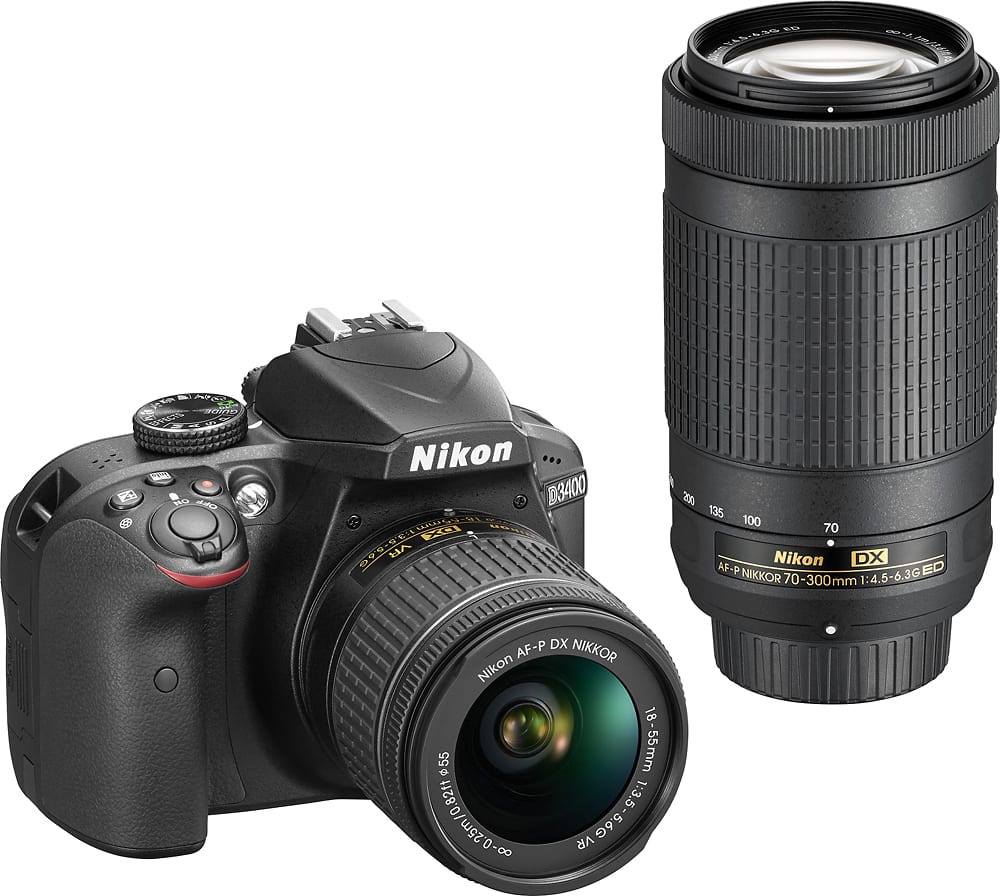
A:AnswerThe D3400 is a DSLR camera capable of locking and tracking focus extremely fast. The D3400 has a Sports Scene mode that can be accessed with a simple turn of the dial. It will adjust the camera's settings; ISO, shutter speed and aperture, as well as track the subject provided it stands out from the background. The 70-300 lens that is included within this kit is perfect for zooming in on this action.
A:AnswerThe VR lens stands for vibration reduction which is a nice feature but the lens in this package is not the VR lens but still takes great photos. Some may prefer using a tripod for distant landscape pics for this reason.
A:AnswerWhile there are a number of differences between these two camera bodies, the major difference between them is that the Nikon D5500 has a vari-angle touch screen and an eye sensor control option; the Nikon D3400 does not have either of these. Another difference is that the D5500 offers 39 Autofocus points to the D3400's 11 autofocus points. Guide Mode, which is only available on the Nikon D3400, teaches you how to take a great image and will let you know what options are best for each subject. Both cameras offer the same effective pixel amounts, ISO and 5 frames per second for continuous shooting to help you capture flawless images that are vivid and sharp. If you want to learn more about the differences between these two cameras please contact Nikon Support.