Main Content

Questions & Answers

Page Showing 1-20 of 40 questions
  • QuestionWhy are there activity keys on the remote?

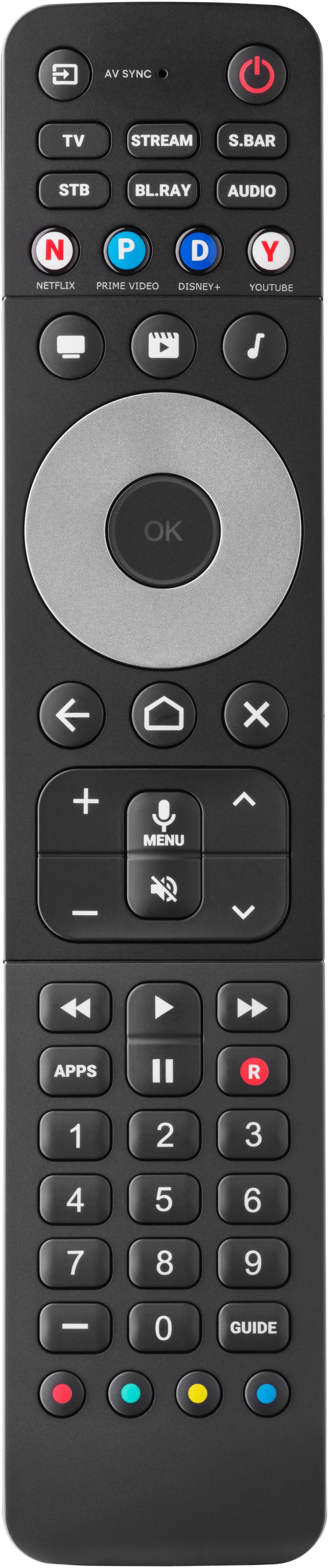
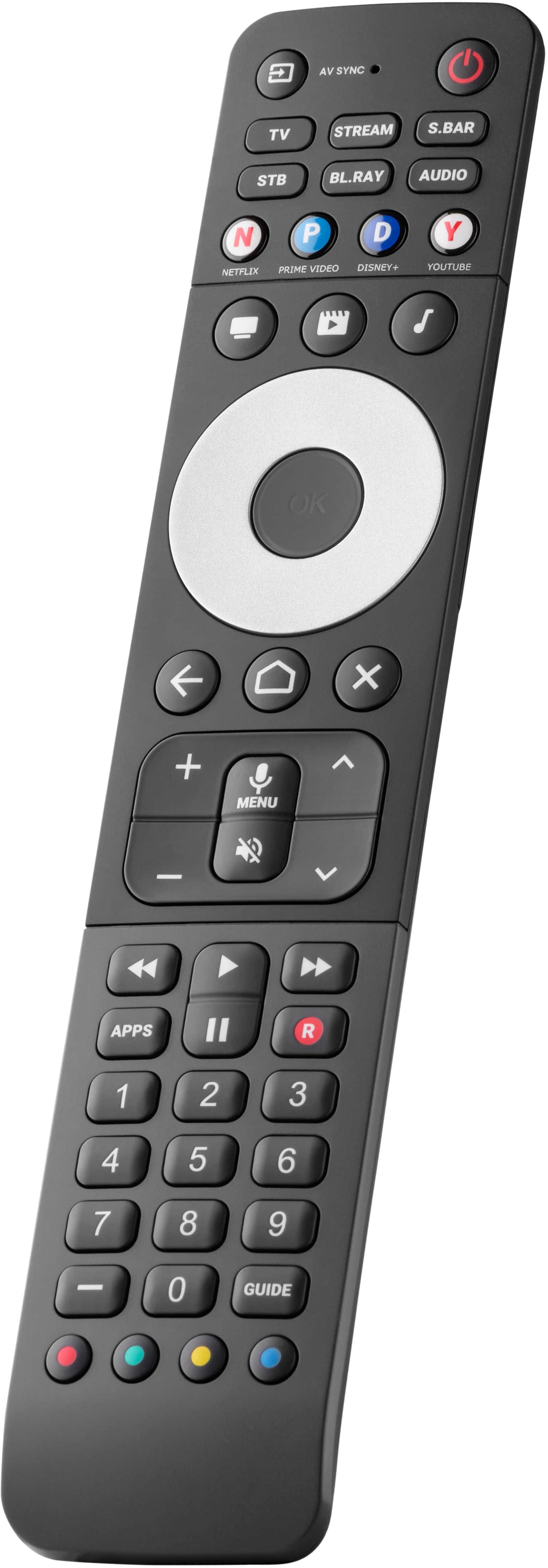
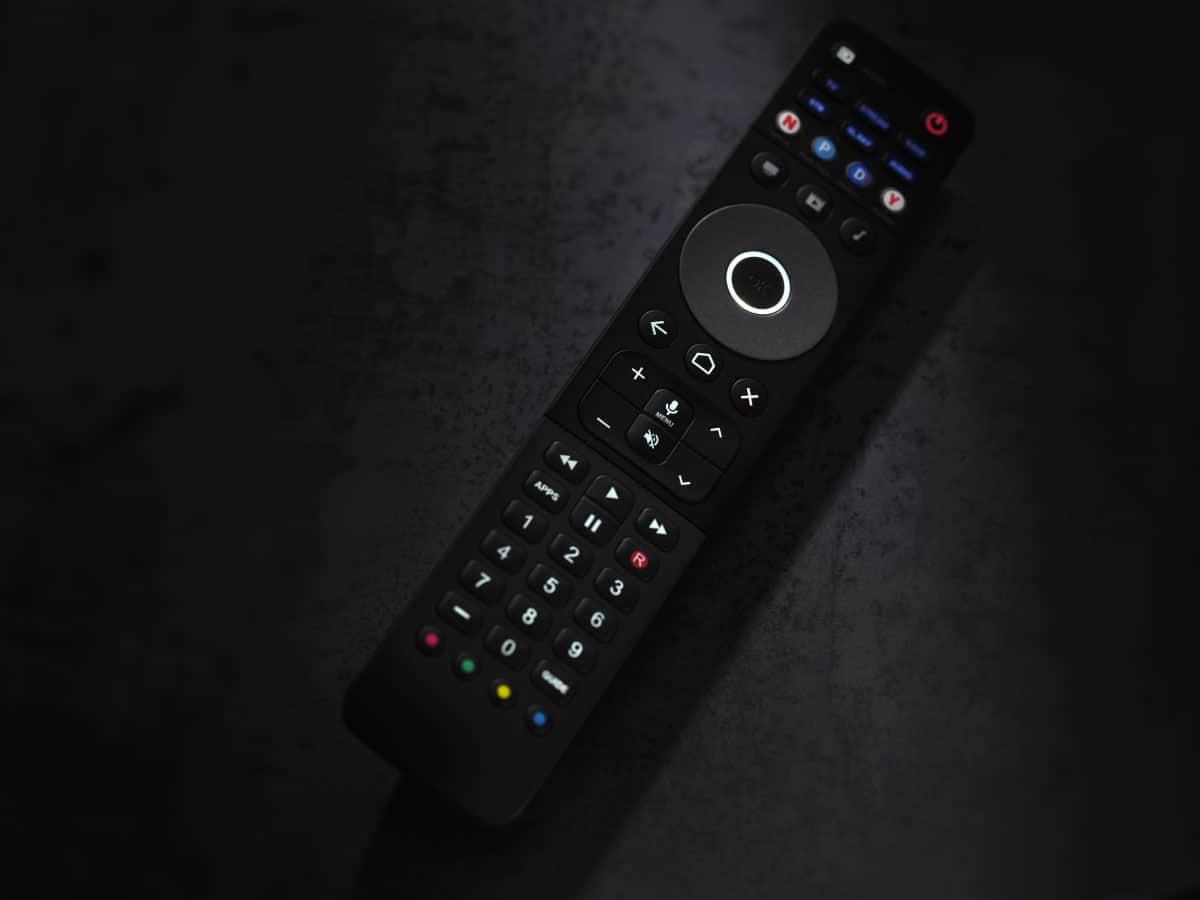
    • Answer The three activity keys offer seamless control of your devices without needing to switch between device types all the time.
    This question and answer was generated by AI based on customer and product data.
  • QuestionIs there an app I can use to set up this remote?

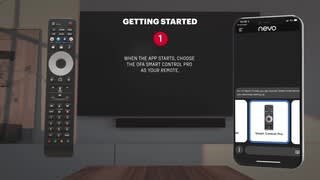
    • Answer Yes, you can easily set up the remote using the My Nevo Smartphone application.
    This question and answer was generated by AI based on customer and product data.
  • QuestionWhat types of devices are compatible with this remote?

    • Answer This remote is compatible with TV, Set Top Box, DVD/Blu-ray, Audio, Soundbar, (IR) Game console and (IR) Streaming devices such as Apple TV and Fire TV sticks.
    This question and answer was generated by AI based on customer and product data.
  • QuestionDoes this remote work with streaming services?

    • Answer Yes, this remote has 4 shortcut buttons for popular streaming services like Amazon Prime, YouTube, Netflix, and Disney+.
    This question and answer was generated by AI based on customer and product data.
  • QuestionCan I use voice control with this remote?

    • Answer Yes, this remote features Android - Google voice control that works seamlessly with Android- Google OS TV Operating systems.
    This question and answer was generated by AI based on customer and product data.
  • QuestionWhat is special about the backlight on this remote?

    • Answer This remote features full backlighting with a proximity sensor for ease of use in low lighting.
    This question and answer was generated by AI based on customer and product data.
  • QuestionHow many devices can this remote control?

    • Answer The Smart Control Pro can control up to 6 devices.
    This question and answer was generated by AI based on customer and product data.
  • QuestionWill this work with an Xfinity cable box? I have one main Xfinity box that is connected via coaxial cable, and the other two are connected wirelessly to internet. Will this remote control them, and also with my Samsung Q60 tv?

    Asked by SteveG.

    • Answer Yes. The Samsung TV is definitely in the app. I also checked in the set top box and it allows for Comcast set-top box. It should work. I have it connected to LG TV and Apple TV box. Also, LG TV and Blu-ray Player.

      Answered by GSUJB

  • QuestionDoes this work with Spectrum (orange county CA) TV/VCR?

    Asked by Bret.

    • Answer Dear Bret, thank you for your interest in our URC 7966. We would be more than happy to double check the compatibility for your devices. For this we would need more information on the exact model. Please, feel free to contact our support any time via this link https://www.oneforall.com/en-us/webform or via Facebook messenger. Best regards, Your One For All team.

      Answered by One For All

  • QuestionWill the voice option on the remote work on the Xfinity cable top box that has voice control.

    Asked by Louis.

    • Answer Dear Louis, thank you for your question about our URC 7966. This remote can only be paired with devices based on Google TV and Fire TV. We would be happy to answer your question in detail, but we would need some more information. Please, contact our customer support directly either through this link https://www.oneforall.com/en-us/webform or via Facebook messenger. Best regards, Your One For All team.

      Answered by One For All

  • QuestionCan you set the aspect ratio or multiple screen sizes on your TV with this remote, for example zoom, full screen, wide screen, fit-to-screen?

    Asked by JohnB.

    • Answer Dear John, thank you for your interest in our URC 7966. We would be happy to double check the functionality, but we would need more information on the device you want to control. Please, feel free to contact our support via https://www.oneforall.com/en-us/webform or via Facebook Messenger. Kind regards, Your One For All Team

      Answered by One For All

  • QuestionDoes this remote have both Bluetooth and IR capabilities

    Asked by Anonymous.

    • Answer Dear BestBuy customer, thank you for your interest in our URC 7966. This remote control devices via IR and can also be paired with Google TV and Fire Stick devices via Bluetooth. If you have any further questions, please feel free to contact us via https://www.oneforall.com/en-us/webform or via Facebook Messenger. Kind regards, Your One For All Team

      Answered by One For All

  • QuestionDoes it support macros? One button to switch inputs.

    Asked by macros.

    • Answer Dear BestBuy customer, thanks for your interest in our URC 7966. This remote uses activities that also feature a power macro as well as an automatic input change and AV Sync feature. We would be happy to answer your questions in detail. To do so, you can always contact us directly via https://www.oneforall.com/en-us/webform or via Facebook Messenger. Best regards, Your One For All Team

      Answered by One For All

  • QuestionWill this work with an LG tv?

    Asked by AK.

    • Answer Dear BestBuy customer, thanks for your in interest in our URC 7966. Yes, this remote is compatible with LG TVs. If you have any further questions or doubts, please do not hesitate to contact our support by using this link https://www.oneforall.com/en-us/webform or via Facebook Messenger. Best regards, Your One For All Team

      Answered by One For All

  • QuestionWhat steps are needed to reprogram remote control to Samsung TV?

    Asked by KellyS.

    • Answer Dear BestBuy customer, thank you for your review on our URC-7966 Smart Control Pro. To reprogram this remote, you must access the MyNEVO application, connect to the remote, remove the current TV device and then set up another. We would be more than happy to help you set everything up as good as possible and answer all open questions. You can always reach out to our support via https://www.oneforall.com/en-us/webform or via Facebook Messenger. Best regards, Your One For All Team

      Answered by One For All

  • QuestionIs this remote compatible with DirecTV?

    Asked by Tparch.

    • Answer Dear BestBuy customer, thanks for your interest in our URC 7966. This remote model is compatible with different DirecTV devices. We would be happy to help you find the right remote model and double check the compatibility. Please, feel free to contact us directly via https://www.oneforall.com/en-us/webform or via Facebook messenger. Best regards, Your One For All Team

      Answered by One For All

  • QuestionDoes this remote do pass through control for volume. E.g. I have a sound bar connected to a smart TV. If I stream or use a cable box, can I use the volume control to control a sound bar for both streaming and Cable box ?

    Asked by JH.

    • Answer Just.T.v. Toshiba. Move. Channel. I. don't. Have. Cable

      Answered by RositaL

  • QuestionI have a new Xumo box for my old Phillips 40" tv...can I program it to use with Xumo? Thanks.

    Asked by Katt.

    • Answer Dear Katt, Thanks for your interest in our URC 7966. This remote is compatible with different Xumo devices. We would be happy to double check the compatibility with your device, but we would need more information on the exact model. Please, contact our support directly via https://www.oneforall.com/en-us/webform or via Facebook messenger. Looking forward to your message! Best regards, Your One For All Team

      Answered by One For All

  • Questiondoes it work for AT&T / DirecTV ?

    Asked by 3Rivers.

    • Answer Dear BestBuy customer, Thanks for your interest in our URC 7966. This remote is also compatible with AT&T / DirecTV devices. We would be more than happy to double check the compatibility with your exact model and help you find the right setup code. Please, feel free to contact us directly via this link: https://www.oneforall.com/en-us/webform or via Facebook messenger. Best regards, Your One For All Team

      Answered by One For All

  • QuestionWill this control work for antenna tv stations.

    Asked by Mwillie.

    • Answer Dear Mike, Thanks for your interest in our URC 7966. In general you can control the antenna TV channels with your regular TV remote control. That means you can also control them with our URC 7966 via the TV device mode. We would be happy to double check the compatibility with your TV model. Please, feel free to contact us directly via this link: https://www.oneforall.com/en-us/webform or via Facebook messenger. Best regards, Your One For All Team

      Answered by One For All