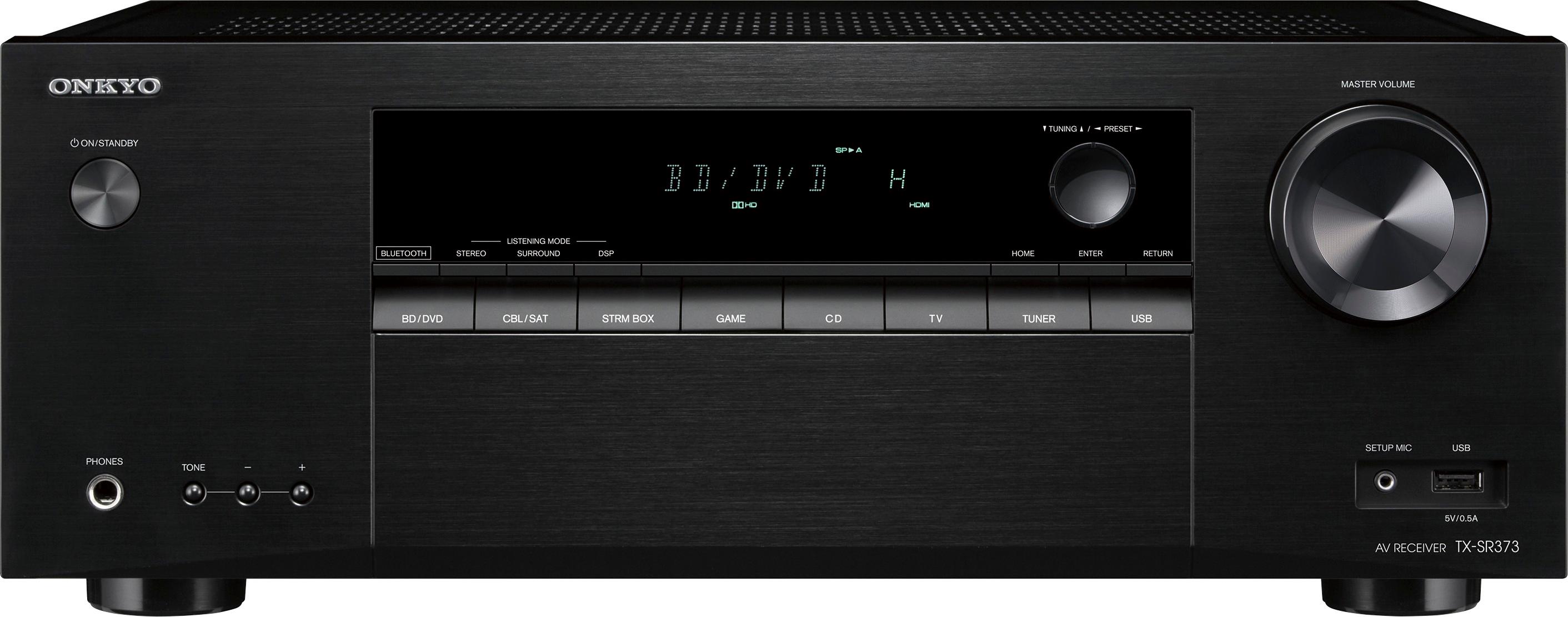
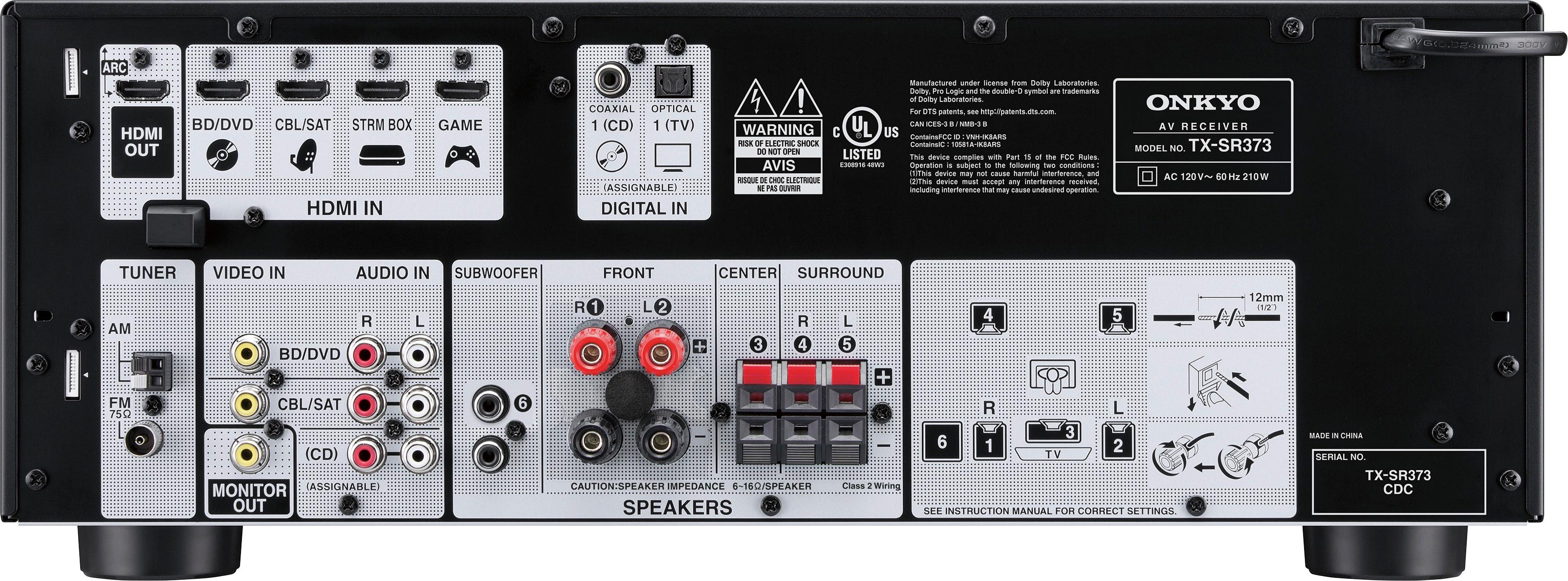
A:AnswerGo to sub woofer setting after clicking to large make sure fronts are at large click the up and down arrows on remote it should give option for yes no or plus sub woofer its under speaker setting if you click back to small it will reset the sub woofer setting to yes at normal range
A:AnswerIt comes with a small microphone which plugs into a jack on the front of the unit that you use to automatically set speaker levels using the acoustics of your room. You use it as part of the initial set-up. I usually change all the settings myself, because I like more volume in my surround speakers than the powers-that-be deem appropriate.
A:AnswerI do this with mupital speaker with one main wire then conect seperate wires to branch off to the two diffrent speakers twist tie all connected wire from main wire with electrical tape connect both ends of the seperate wires to the speakers mine sounds great and ive had no issues
A:AnswerThe receiver does not have a 3.5mm input jack, which I assume you are referring to as an "auxiliary cable". However, the unit does have a USB input located on the front of the receiver that your phone could be connected through, as well as Bluetooth connectivity, assuming your phone is Bluetooth capable. You can also purchase a "Y" connector to go from 3.5mm output to RCA, via the audio inputs on the back.
A:AnswerI don't think there's a receiver being built these days that will accommodate an equalizer (much to our chagrin). Equalizers were made to be plugged into the (good old) "Tape Monitor" jacks, and just just ain't no such thing any more. As far as your speakers go, speakers are speakers, as long as the resistance falls into the 6-16 ohms range.
A:AnswerIf you mean a Panasonic SC-PT660, than yes, you can certainly hook you speakers up to it. You will need to cut the little plugs off that currently plug into the back of your 660 receiver, and use the bare wire to connect them to the receiver correctly making sure to get the polarity ( the + and -) correct.
A:AnswerYou can connect it but you won't get much - if anything - out of it. Receivers are generally designed to be used with powered subwoofers. Spend the money, you won't regret it.
A:AnswerMake sure things are not getting too hot. Electronics have thermal protection fuses. If you have enough airflow around your devices call the phone number that came with your unit and they should send you a new one.
A:AnswerMost likely not. Here is an excerpt from the user manual that states FAT16/32 are supported, nothing about NTFS:
Playing a USB device
It is possible to listen to two-channel audio using the USB interface on the front of this receiver.
Important
• Onkyo cannot guarantee compatibility (operation and/or
bus power) with all USB mass storage devices and
assumes no responsibility for any loss of data that may
occur when connected to this receiver.
Note
• This includes playback of WMA/MP3/MPEG-4 AAC files
(except files with copy-protection or restricted playback).
• Compatible USB devices include external magnetic hard
drives, portable flash memory (particularly keydrives) and
digital audio players (MP3 players) of format FAT16/32. It
is not possible to connect this receiver to a computer for
USB playback.
• With large amounts of data, it may take longer for the
receiver to read the contents of a USB device.