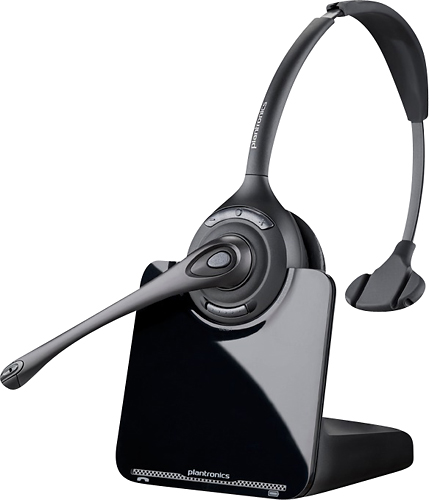
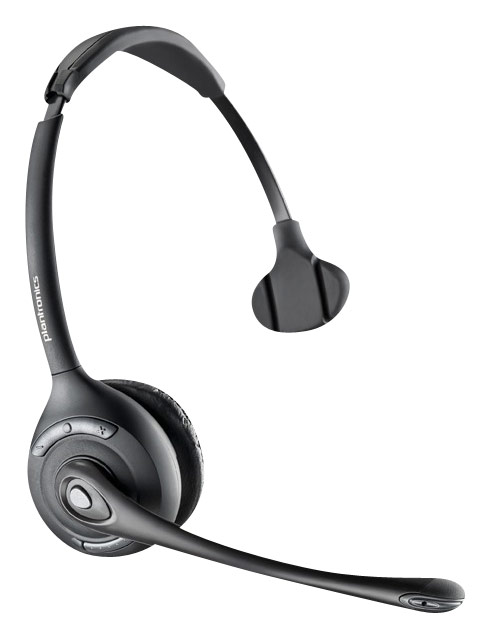
A:AnswerHello Wendy, our CS510 wireless headset system is only recommended for deskphone use. You can certainly get remote call control from the headset itself but only with phones that support this feature. If you need a headset for PC use we would recommend that you consider any of our Savi W400 series headsets. These series can also provide you remote call control but it will be required that your softphone supports this capability as well. Please don't hesitate to contact our customer care group anytime at www.plantronics.com/support if you have other questions or need a headset recommendation!
A:AnswerSome Lucent phone systems are compatible with this wireless headset system, please visit our online Compatibility Guide or contact our customer care group at www.plantronics.com/support for confirmation.
A:AnswerHi Kelly, our CS510 headset system is intended for deskphone use. Technically you can use it on a PC and it will be compatible with Dragon dictation software but you would require an APC-45 cable. If you need a wireless headset to use on a PC we recommend that you consider our Savi W410/420 instead, it uses the same headset as the CS510 but it includes all of the required accessories for PC use. Please don't hesitate to contact us at www.plantronics.com/support if you have other questions!
A:AnswerYes, this Aastra phone is compatible with our CS510 and similar headset systems. You will need Aastra's DSHG cable kit and our APS-11 EHS cable if you also need to have remote call control from the headset itself. Please don't hesistate to contact us at www.plantronics.com/support if you require assistance.
A:AnswerYes, Cisco's 7942 is compatible with this headset and all of our CS500 and Savi 700 series systems. You can connect them to your phone using the included Telephone Interface Cable that comes with our headset systems.
If you need remote call control from the wireless headset itself you will also require our APC-43 Electronic Hook Switch cable (part number 38350-13). Please don't hesitate to contact us at www.plantronics.com/support if you require assistance.
A:AnswerYes, the headset is compatible with that Cisco phone and it will work with the included telephone cable. In case you required remote call control capabilities from the headset this phone would also require our APC-42 or APC-43 EHS cables.
A:AnswerYes, they are compatible and you can also use our APP-51 EHS cable if you'd like to have remote call control capabilities from your wireless headset when using it with this Polycom phone.
A:AnswerNo. This is a spare headset for our CS510 and CS520 wireless headset systems and it works on DECT technology. If you're looking for an iPhone compatible headset you would need to consider one that features Bluetooth capabilities, like our Blackwire C710, C720, Voyager 5200 or Explorer 500.
Please contact us at www.plantronics.com/support if you require assistance.
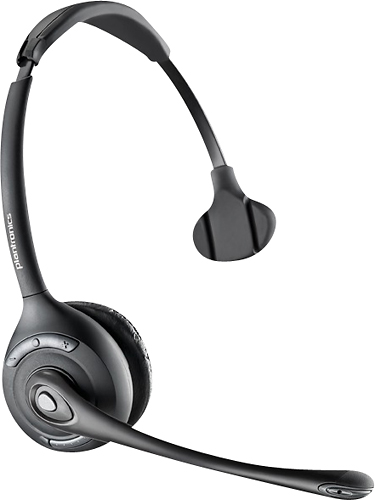
A:AnswerOur CS500 series headsets come with a charging base that communicates the headset wirelessly. The base itself connects to the telephone via the included telephone interface cable (RJ9 plug) or via an optional Electronic Hookswitch Cable (if applicable to your specific phone model).
You can check compatibility by searching for your phone's manufacturer and model number using our Compatibility Guide: http://www.plantronics.com/us/compatibility-guide/
A:AnswerNo, Panasonic cordless phones are usually not compatible with wireless headsets. We recommend that you search for your phone model on our Compatibility Guide in order to view any compatible solutions (if available): http://www.plantronics.com/us/compatibility-guide/
Please don't hesitate to contact us at www.plantronics.com/support if you have other questions.
A:AnswerThis product is only intended for deskphone use and works on wireless DECT technology. You can use it with a computer using our APU-75 EHS cable and to an iOS device using our API-28 EHS cable, but it's not our recommended product if you need to use it with both devices back and forth.
If you need a wireless headset for PC + mobile use we recommend our Savi 700 series or our Voyager UC series products. Please don't hesitate to contact us at www.plantronics.com/support if you have other questions or if you'd like a product recommendation.
A:AnswerDepending on the version you order. Our wireless headsets can come either way. For example the CS540 would be just the headset and base. The CS540/HL10 is the headset, base, and lifter.
A:AnswerNo, unfortunately most cordless phones that support DECT technology are not compatible with wireless or corded office headsets. Most of these phones have a 2.5mm headset port and you can use our M210C, M214C or MX500C with them.
You can see compatible solutions for a specific phone system by using our compatibility guide:
http://www.plantronics.com/us/compatibility-guide/
A:AnswerYes, this CS510 system is compatible with these two Polycom phones.
You can also use our APP-51 Electronic Hook Switch cable if you need remote call control from the headset itself.
A:AnswerMost Avaya office desk phones are compatible with our wireless headset systems, but you can verify compatibility and if any additional accessories are required through our compatibility guide: http://www.plantronics.com/us/compatibility-guide/
Please feel free to contact us at www.plantronics.com/support if you have any additional questions regarding our products, we'll be glad to help!
A:AnswerWe would need to know what model nortel phone and what model wireless headset to check compatibility. If you contact our support team with that info we can check that compatibility for you. You can reach our support using the following:
Phone - 1-800-544-4660 prompt 5 ext 5538
Email - http://www.plantronics.com/us/support/kb/ask.jsp
Live Chat - http://www.plantronics.com/us/support/kb/chat.jsp