“Purchased it and it doesn't really look 4K UHD... Looks rather cheap. I don't know if I have to mess with the settings or what.”
Answer This Question
1-10 of 10 Answers
It looks 4K UHD to me. Check the picture mode setting. Mine is on "dynamic" (it was set on this when I bought the TV) which I like best.
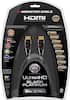
Sorry, there was a problem. Please try again later.I am not an expert in TV's or 4k for that matter. I'm not saying that this is your problem, but it may be something that you would want to consider. 1. Although it is a 4k TV, you may be looking at less than 4k content, like a 720p resolution DVD or standard definition cable. The tv should upscale the quality, but it will not make everything 4k. 2. I've heard that 4k TV's require a 4k hdmi cable. It is an upgrade from the standard 1080p HD hdmi cable. It allows for more information to travel through. 3. If you are watching Blu-ray's, you may need to purchase a 4k Blu-ray player. The products I've added are just a suggestion. I haven't tested them. You're welcome to search for different products. Hope this helps.
I would recommend:
Sorry, there was a problem. Please try again later.Hi From what I understand cable providers do not broadcast in 4k; so not all your channels will be 4k. netflix has some movies in 4k. I tested it out earlier and the 4k is awesome
Sorry, there was a problem. Please try again later.you need 4K content. Make sure that you use built in youtube or netflix apps. both have 4K content for some of the shows. I watched a documentary on monarch butterfly migration that was on netflix in 4K and it was stunning.
Sorry, there was a problem. Please try again later.As others have said, make sure you get a good 2.1 compatible cable. They don't need to cost a fortune. To best check the resolution/clarity, go to youtube and there are 4k check videos. Many of the videos on youtube are compressed, so you may see some "artifiacts" or blocks that make it look chuncky. I've been really happy with my Samsung 50" 4k tv.
Sorry, there was a problem. Please try again later.Go to the YouTube app and search for 4K videos. Play one of those, and you will see just how beautiful this picture is. Incoming content determines what resolution you will be watching in. This TV has a learning curve. Play around with the picture settings and see what works best for you. There are also several websites that will help you with advice regarding calibration and settings.
Sorry, there was a problem. Please try again later.I think it looks great. The tv i had before this looks really cheap. The finish and design look fantastic, at least to me. Also you need 4k content or high res content along with good hdmi cables to take full advantage of it. Its like putting regular gasoline in a expensive sports car and expecting it to run great.
Sorry, there was a problem. Please try again later.It is easy to set up. What you need right now is to call the bestbuy team to help you out and they are ready to help you. Good luck
Sorry, there was a problem. Please try again later.I said the same thing look and feel cheap
Sorry, there was a problem. Please try again later.I just helped someone hook up this tv. The regular hdmi cable that you possibly already had from your cable company will not work. It will look blurry and not "HD" at all. You need a special 4K hdmi cable that usually runs about $50 for a 3ft cable and I think $59 or 69 for a 6ft cable. Once you use that cable the picture will look much clearer (1080p) unless you have a 4K source to watch from.
Sorry, there was a problem. Please try again later.