A:AnswerHi Rich,
Yes, you can connect your Samsung Smart phone via Screen Mirroring to share your camera or other content on your screen.
~Samsung Advisor
A:AnswerHi,
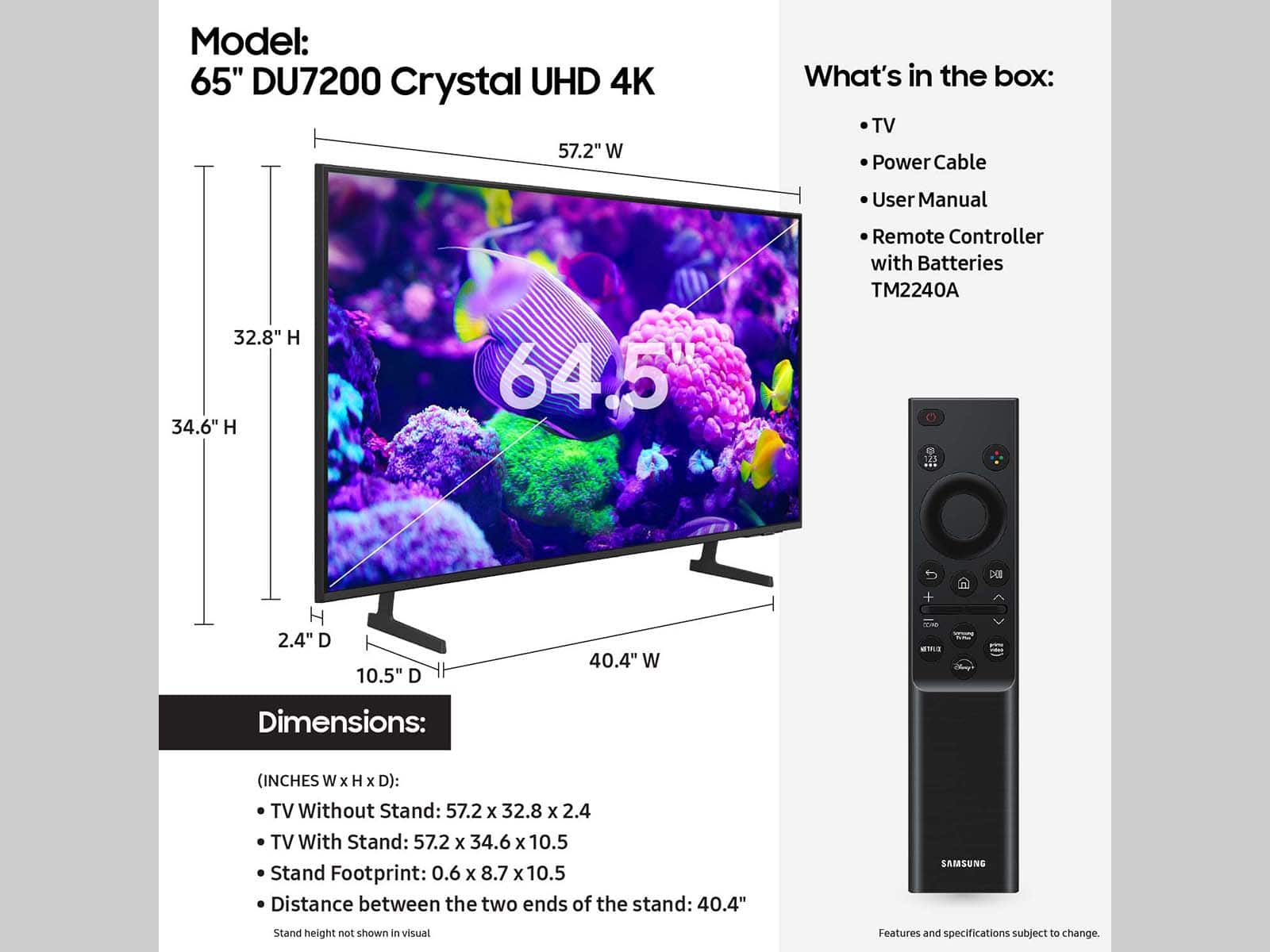
The dimensions of the 65" DU7200 TV are 57.2" x 32.8" x 2.4" without the stand,
57.2" x 34.6" x 10.5" with the stand (lowest height) and 57.2" x 35.6" x 10.5" (WxHxD).
~Samsung Advisor
A:AnswerI'm sorry that your DU7200 TV will not turn on. Please know we are here to help and have a few troubleshooting tips for you to try.
Check the red standby light, a little red light at the edge of the TV that you aim the remote at. If it is on, it means that your TV is receiving power, and the culprit is likely the remote. Please try to power the TV on through the button below the Samsung logo. If it powers on, I recommend changing the batteries on the remote and possibly replacing the remote.
If the red light below the TV is not on, please try the following:
1) Unplug the TV from its power source for 30 seconds. Then try to power it on again.
2) Try a different outlet that you have confirmed works properly
3) Press the Menu button on your remote. If the Menu appears, then this confirms your TV is powered on. Next, follow these steps:
・Confirm that the TV is set to the same source as the external device.
・Test the HDMI cable. Go to Settings > Support > Self Diagnosis > Signal Information > HDMI Cable Test > Start Test. If the test says, the cable is bad, replace the cable. Service is not required.
・Test different external devices. The final thing to rule out is the external device you're using. Try connecting a different device or using a different source port.
If the TV can display a picture in any other setup, then you've ruled the TV out as the cause of the issue. Keep trying various setups until you identify the device or cable that is not working and troubleshoot or replace it.
Finally, if the red standby light is blinking, please try unplugging the TV for 30 seconds and then try again. Also, confirm that the outlet you are using works with other devices.
If you need more help, Samsung is here for you. Please call us at 1-800-SAMSUNG, 8 AM - 12 AM EST, seven days a week. Our LiveChat agents are also available by clicking on the ‘Support’ link on our website.
~ Samsung Ambassador
A:AnswerMy dog decided to chew on our remote. And if you go on Amazon, they're pretty cheap and you can buy the original remote that says Samsung on it. It work perfect for me.
A:AnswerHi there!
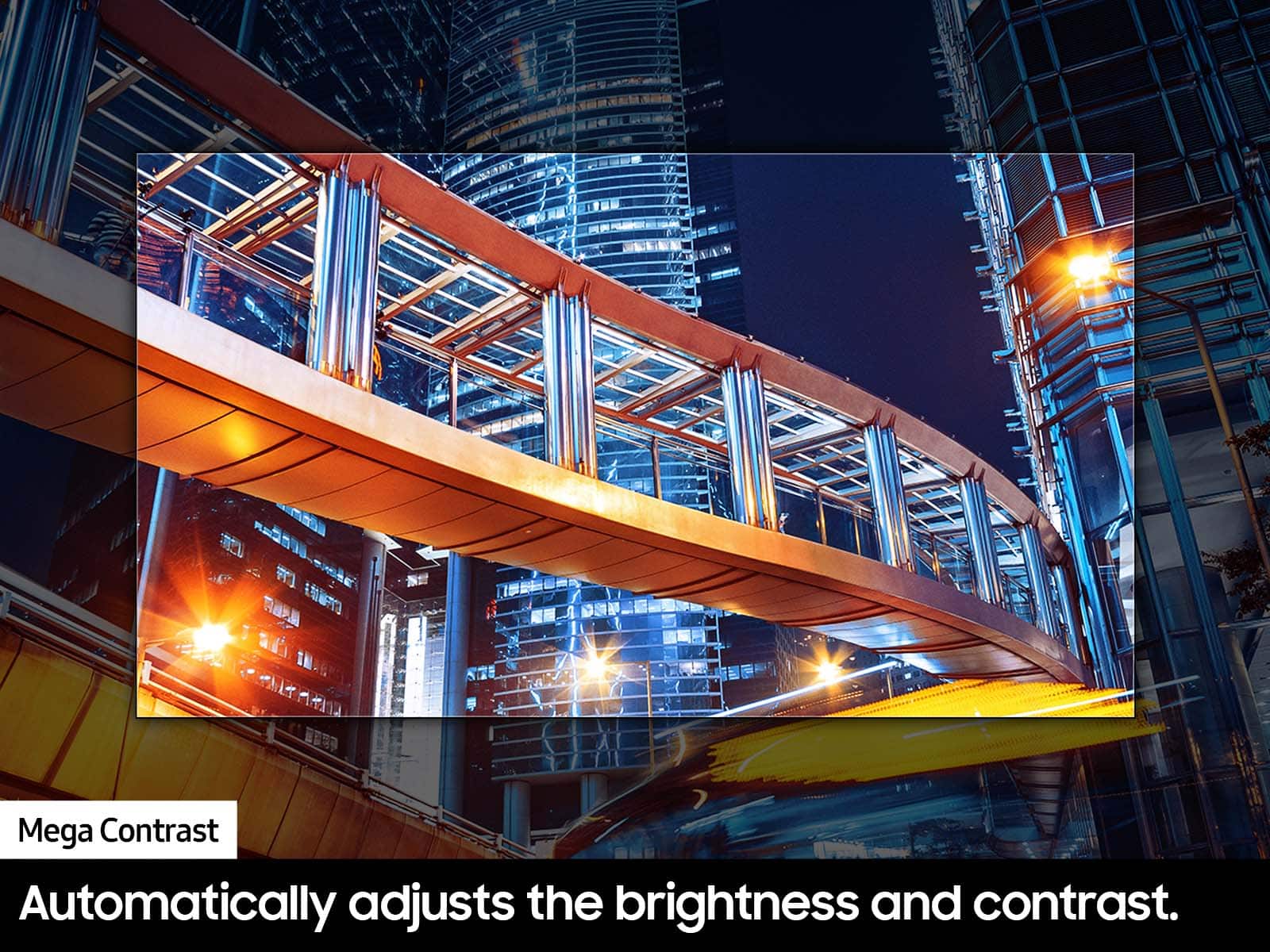
You can change the dimming feature of your DU7200 TV by adjusting some of the energy efficiency features designed to reduce power consumption. The Eco sensor automatically adjusts the brightness level of the TV according to the ambient light level. If the Eco Sensor has adjusted the screen’s brightness level, you can select Min. Backlight to manually adjust the minimum screen brightness. You can also disable these features for a steady brightness setting.
You can adjust Brightness Optimization, Brightness Reduction, Motion Lighting, or Contrast Enhancer by going to Settings > All Settings> General > Power and Energy Saving > and adjusting the Brightness Optimization, Brightness Reduction, and Motion Lighting.
You can also go to Settings > All Settings> Picture > Expert Settings > Contrast Enhancer to manually adjust contrast.
- Samsung Ambassador
For further assistance with settings adjustments, please contact Samsung Customer Support.
A:AnswerHi there!
We recommend you contact Best Buy directly for assistance with installation.
Should you ever need help or have questions on Samsung TVs, please reach Samsung Support at 1-800-SAMSUNG, 8AM - 12AM EST, 7 days a week. Our LiveChat agents are also available by clicking on the ‘Support’ link on our website.
~ Samsung Ambassador
A:AnswerMom:
Yes, the DU7200 features Adaptive Sound, which automatically adjusts audio to enhance everything from dialogue to music and sports.
- Samsung Memory
A:Answerbuy your own straps and use a stud finder. mine is on a cabinet. the TV on mine is not hanging and I am using the straps to keep it from falling off the cabinet as te result of being bumped or movedaccidentally