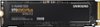
“What connection device is used to clone this hard drive?”
Answer This Question
1-8 of 8 Answers
Depends on your system and the connectivity available to you. Ideally, you would use the Samsung Data Migration Software found on the Samsung website, connect both your current drive and this new drive to your system, and clone your drive. In my case, I have the Dell XPS 9570 laptop with only a single M.2 slot. In order to clone my current 970 EVO to this new 970 EVO Plus, I had to use an M.2 NVME to USB 3.1 adapter/enclosure from AliExpress (they can also be found on Amazon for like $30) to connect the new drive to my laptop via USB. However, this adapter is not compatible with the Samsung Data Migration Software (most of these adapters are not), so I used a free downloadable data cloning software called Macrium Reflect 7 to clone the drive. It was super easy and went off without a hitch, and I have not experienced a single issue to date.
Sorry, there was a problem. Please try again later.Yes, it can using Samsung's software data migration. It's a breeze!
I would recommend:
Sorry, there was a problem. Please try again later.After installing into the appropriate m.2 slot you can use the samsung software to copy the OS to this device. Very easy to follow instructions
Sorry, there was a problem. Please try again later.You need a motherboard with a m.2 that supports NVME or an add in card that does. But you’ll need one of those to run it anyway, if you are trying to clone another NVME drive then you’ll need two m.2 slots.
Sorry, there was a problem. Please try again later.One of the best options to cloning a drive is 1. Download clonezilla 2. Have a second usb thumb drive or usb hdd 3. Clone the image and save to the USB device 4. Insert new device boot to clonezilla 5. install the old image from clonezill.
Sorry, there was a problem. Please try again later.Samsung has cloning software you can download for free that works well. You install the drive, boot the machine, run the software and it will allow you to clone whichever drive you specify.
Sorry, there was a problem. Please try again later.This unit plugs into a PCI Express slot on the motherboard.
Sorry, there was a problem. Please try again later.You would need a m2 port on your motherboard. Most motherboards from the last 2 years (especially gaming focused ones) will have at least one if not 2 on them.
Sorry, there was a problem. Please try again later.