Year-End SaleEnds 1/1/26. Limited quantities. No rainchecks.

Main Content

Questions & Answers

Your price for this item is $329.99
Page Showing 21-35 of 35 questions
  • Questioncompatable with windows 11

    Asked by Anonymous.

    • Answer Hello, thank you for asking us your question about the Samsung Galaxy Chromebook Go. No, the advertised Galaxy Chromebook Go is not compatible with Windows 11. If you have additional questions for us, please let us know by reaching out to Support. Thanks for being a faithful Samsung customer. - Debra

      Answered by Samsung

  • QuestionIs it compatible with ts3700 canon printer

    Asked by Anonymous.

    • Answer Yes!

      Answered by AMurr

  • QuestionIs this compatible with iPhones

    Asked by Grammy.

    • Answer Good day Grammy, thank you for taking the time to ask us your question about the Samsung Galaxy Chromebook Go. The Galaxy Chromebook Go is not fully compatible with iPhones as they run different operating systems, however, you may still connect them for basic functionality. If you have any other questions, please feel free to reach out to Support. Thanks for choosing Samsung! - Debra

      Answered by Samsung

  • QuestionDoes with work with google apps

    Asked by tony.

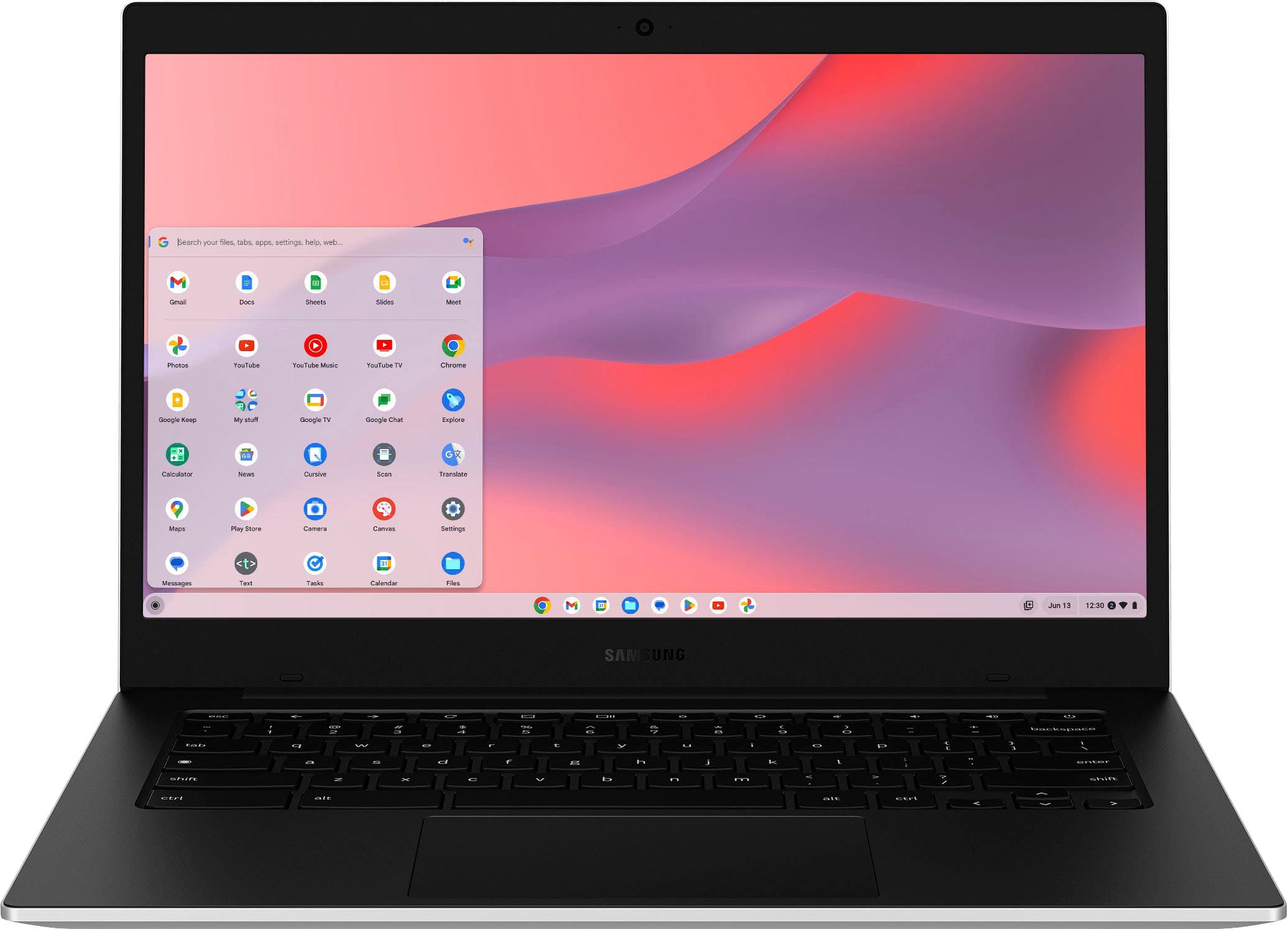
    • Answer Hey there Tony, thank you for finding the time to ask us your question about the Samsung Galaxy Chromebook Go. Yes, the Galaxy Chromebook Go is compatible with Google apps. It runs on ChromeOS and has access to the Google Play Store which allows users to download both Android and web-based apps. If you have any other questions for us, please feel free to contact Support. Thanks for being a devoted Samsung customer. - Debra

      Answered by Samsung

  • QuestionHow do I transfer the content of my old Samsung Chromebook to a new one?

    Asked by Anonymous.

    • Answer Aloha, thank you for asking us your question about the Samsung Galaxy Chromebook Go. You don't need a fancy external hard drive or even a flash drive to transfer your important documents from an old computer to your new Chromebook. Since digital storage apps like Google Drive are built into the Chrome OS, you just need to make sure everything is backed up to your Google account. Once they are, the transfer will be fast and easy. Check out, "Transfer data easily to your new Chromebook via Google Drive" to easily transfer your content. If you have additional questions, please feel free to reach out to Support. Thanks for being a loyal Samsung customer. - Debra

      Answered by Samsung

  • QuestionCan I stream Paramount plus with this model?

    Asked by Dbrink392.

    • Answer Howdy Dbrink392, thanks for asking us your question about the Samsung Galaxy Chromebook Go. Paramount Plus can be streamed by using the website of by installing the app on your device. If you have additional questions, feel free to reach out to Support. Thanks for being a valued Samsung customer. - Debra
      Answered by Samsung

  • QuestionIs it good for college?

    Asked by Duke.

    • Answer I am currently using it for my university studies. It allows for side by side viewing pulling from different sources (MS Word/Chrome) etc. It runs videos smoothly from embedded links (Canvas) and other web based video sources. The antiglare screen is a lifesaver! The con is you have to use web based Office365 since the individual apps aren’t available in WebStore. Google services are built in and run smoothly as expected.

      Answered by CoKat

  • QuestionCan this laptop cast onto a Google TV?

    Asked by Ty.

    • Answer Yes

      Answered by StevenT

  • QuestionWill SmartThings application work on this device?

    Asked by Ursula.

    • Answer Hello Ursula, thank you for asking us your question about the Samsung Galaxy Chromebook Go. The SmartThings app can work on your Galaxy Chromebook Go since it runs on Chrome OS and supports the Google Play Store. However, the app's full functionality and user experience can vary depending on the specific features and the device's RAM, with some features possibly being limited to Samsung Galaxy phones. If you think of any other questions, please let us know by reaching out to Support. Thank you for being a faithful Samsung customer. - Debra

      Answered by Samsung

  • QuestionWhat is the minimum expiration software update support date for this model? (“Up to” 7 years is not a helpful answer because under that answer, it could be expired already now)

    Asked by Rsrchr.

    • Answer Hello there Rsrchr, thanks for asking us your question about the Samsung Galaxy Chromebook Go. As of January 2024, we have extended our security update support for Samsung Galaxy devices by up to 7 years, to help our users enjoy the latest Galaxy experiences longer and securely. Monthly, quarterly and biannual firmware security updates will include patches for Android OS related security issues released by Google, as well as, patches for Samsung-specific security issues. Samsung also releases security updates for personal computers including laptops as needed. Per Google: The minimum expiration for software updates for the Galaxy Chromebook Go is June 2029. All Chromebooks released in 2021 or later, including the Chromebook Go, receive a minimum of 10 years of automatic updates from the platform's initial release date. If you have any other questions, feel free to contact Support. Thanks for being a faithful Samsung customer. -Debra

      Answered by Samsung

  • QuestionHow long is this computer supported for? AUE

    Asked by bbdb.

    • Answer Howdy Bbdb, thanks for asking us your question about the Samsung Galaxy Chromebook Go. As of January 2024, we have extended our security update support for Samsung Galaxy devices by up to 7 years, to help our users enjoy the latest Galaxy experiences longer and securely. Monthly, quarterly and biannual firmware security updates will include patches for Android OS related security issues released by Google, as well as, patches for Samsung-specific security issues. Samsung also releases security updates for personal computers including laptops as needed. Let us know if you have any additional questions by contacting Support. Thanks for being a faithful Samsung customer. - Debra

      Answered by Samsung

  • QuestionDo you offer senior classes on my new chrome book?

    Asked by Heidi.

    • Answer Hello there Heidi, thank you for finding the available time out of your day to ask us your question about the Samsung Galaxy Chromebook Go. That's a great idea! We actually do not currently have classes available to help you get better acquainted with your new PC, however, we currently offer a wealth of resources to help our customers make the transition as seamless as possible. We have device manuals, software updates, interactive simulators, and video tutorials online that are available online for your review. be sure to check out those resources when you can! Let us know if you have any other questions for us by contacting Support. Thank you for being a steadfast Samsung customer. - Debra

      Answered by Samsung

  • QuestionIs it touchscreen

    Asked by Anonymous.

    • Answer Greetings, thanks for taking the opportunity to ask us your question about the Samsung Galaxy Chromebook Go. No, the advertised Galaxy Chromebook Go does not offer a touchscreen display. Feel free to contact Support if you have any other questions. Thanks for being a faithful Samsung customer. - Debra

      Answered by Samsung

  • QuestionDoes this support quick share?

    Asked by Chris.

    • Answer Good day Chris, thank you for taking the time to ask us your question about the Samsung Galaxy Chromebook Go. Yes, the Galaxy Chromebook Go supports Quick Share. If you have additional questions, feel free to contact Support. Thank you for being a steadfast Samsung customer. - Debra

      Answered by Samsung

  • Questionhow many yeas for automatic updates

    Asked by Anonymous.

    • Answer Hello, thank you for asking us your question about the Samsung Galaxy Chromebook Go. We have extended our security update support for Samsung Galaxy devices by up to 7 years. If you have any other questions for us or if you would like any further assistance, feel free to contact Support. Thank you for being a devoted Samsung customer. - Debra

      Answered by Samsung