Main Content

Questions & Answers

Your price for this item is $199.99
The comparable value price is $269.99
Page Showing 141-160 of 200 questions
  • Questiondo this table have a GPS

    Asked by Anonymous.

    • Answer Thank you for reaching out to us! The Tab A9+ does have GPS, although you will need to be connected to Wi-Fi or hotspot to have that functionality. If you have any other questions, please be sure to let us know at support. -Kelvin

      Answered by Samsung

  • QuestionHow can I transfer my file from and older tablet to the new one?

    Asked by Jananne.

    • Answer We appreciate you reaching out with your question, Jananne. To transfer files from an old Samsung tablet to a new one, you can use the pre-installed "Smart Switch" app on Samsung devices. Samsung Smart Switch allows you to seamlessly transfer all your content from your old device to your new Galaxy phone. It can transfer data from most Android or iOS phones, as well as some older Windows and Blackberry devices. You can find USB cables and external storage devices (such as microSD cards or USB flash drives) available on our website. Please note that the supported items may vary depending on the connected device. For any further questions, please reach out to us at Support. -Kelvin

      Answered by Samsung

  • QuestionDoes this tablet support 5g and sim slot

    Asked by Aditya.

    • Answer Thank you for reaching out with your question about the Galaxy Tab A9+, Aditya. We wanted to clarify that this model is Wi-Fi only, meaning it does not support 5G connectivity and does not have a SIM slot. If you have any further questions or concerns, please feel free to contact us at Support. -Kelvin

      Answered by Samsung

  • QuestionHow to transfer files and programs to a new galaxie tab

    Asked by Richard.

    • Answer It's great to hear from you, Richard. We always look forward to getting the chance to assist you. We see that you reached out to inquire about the Galaxy Tab A9+. You can transfer data from your old tablet or even a phone using Smart Switch. Check out our "Set up your Samsung tablet" for additional information. If you have any other questions or concerns, do not hesitate to reach out to us at Support. -Kelvin

      Answered by Samsung

  • QuestionIs this tablet cellular as well as WIFI? Does it come with any accesssories?

    Asked by Terri.

    • Answer Thanks for the outreach, Terri. We noticed that you inquired about the Galaxy Tab A9+. The device comes with a Data Cable and an Ejection Pin. Please keep in mind that the Galaxy Tab A9+ is a Wi-Fi tablet and does not support cellular network connections, but you can easily connect to wireless Wi-Fi networks or mobile hotspots. If you have any further questions, do not hesitate to reach out to us at Support. -Kelvin

      Answered by Samsung

  • Questionwill this tablet work with a cellular plan

    Asked by sol.

    • Answer No. It does not support cellular plans of any kind. No sim card slot on this model. Wifi only.

      Answered by Anonymous

  • QuestionCan a larger monitor be connected to the tablet?

    Asked by SpeakerMan.

    • Answer If you have a Samsung TV you can use the Smart View feature on your phone to mirror your tablet onto the TV. Otherwise you could use a Chromecast and connect it to whatever monitor or TV that way

      Answered by LJHunter

  • QuestionIs Samsung - Galaxy Tab A9+ 128 GB Wi-Fi and cellular?

    Asked by Sammy.

    • Answer Salutations Sammy, thanks for taking the available time out of your busy day to ask us your question about the Samsung Galaxy Tab A9+. The advertised Galaxy Tab A9+ is a Wi-Fi enabled tablet. It lacks the cellular connectivity needed in order to be added to a wireless carrier's network. This tablet utilizes Wi-Fi and/or Bluetooth connectivity in order to be considered fully functional. You would be looking for an LTE version of tablet if you were wanting to add it to your wireless carrier's network. If you think of any other questions for us, let us know by reaching out to Samsung Support. Thank you for being a faithful Samsung customer. - Debra

      Answered by Samsung

  • QuestionCan you download music and files from Media Player on a laptop to this device to then listen to the music?

    Asked by KasiB.

    • Answer Yes, but you'll need to use a USB C to USB A cable or another compatible cord for your PC to connect to your tablet. Then you'll want to copy the music files on your computer and then paste them to the DCIM folder which is located inside of the tablet folder on your file explorer after you've connected the tablet.

      Answered by HJWhite

  • QuestionDoes the tablet have a GPS capability to allow use with a navigation application?

    Asked by Anonymous.

    • Answer Yea

      Answered by OscarP

  • QuestionIs there a spec sheet on the Samsung Galaxy A9+ tablet?

    Asked by Vic.

    • Answer Howdy Vic, thanks for taking the available time out of your busy day to ask us your question about the Samsung Galaxy Tab A9+. Absolutely! We offer a plethora of resources online for our customers to review that include product specifications, device manuals, software updates, interactive simulators, and video tutorials. Feel free to check out those resources when you have some free time. Let us know if you have any other questions for us or if you would like any further assistance by reaching out to Samsung Support at your earliest convenience. Thank you for being a valued Samsung customer. - Debra

      Answered by Samsung

  • QuestionDo You have cellular connectivity

    Asked by Anonymous.

    • Answer No this has WiFi only.

      Answered by Mikey

  • Questioncan I use this as a NOOK reader?

    Asked by oldmike.

    • Answer Hi Oldmike, we appreciate you reaching out to us with your question about the Samsung Galaxy Tab A9+. You can absolutely use your Nook account with this device. You would need to use the Google Play Store to download the app and log in from there. Thank you for being a Samsung customer. -Elizabeth

      Answered by Samsung

  • Questiondoes this tablet have a slot for SIM card

    Asked by Anonymous.

    • Answer Hi, thanks for taking the time out of your hectic day to ask us your question about the Samsung Galaxy Tab A9+. The advertised Galaxy Tab A9+ is Wi-Fi enabled tablet so it would not have a have slot for a SIM card; it would have a slot for a microSD card. You can expand the storage of this tablet up to 1TB if you do decide to add a microSD card. Feel free to reach out to Samsung Support if you have any additional questions for us. Thank you for being a cherished Samsung customer. - Debra

      Answered by Samsung

  • QuestionCan I do live video chats on this tablet, through apps such as WhatsApp, Skype,etc?

    Asked by Jubird.

    • Answer Hi there Jubird, we appreciate you reaching out to us with your question about the Samsung Galaxy Tab A9+. This device does have a front facing camera that would allow for video calls. You would need to download the desired apps from the Google Play Store to then use this feature. Thank you for being a Samsung customer. -Elizabeth

      Answered by Samsung

  • QuestionCan I stream and download movies on this tablet?

    Asked by Christy.

    • Answer Hi there Christy, thank you for reaching out to us with your question about the Samsung Galaxy Tab A9+. You can absolutely use this device to stream your favorite shows and movies and use Wi-Fi connection to download your favorites to your device to watch on the go. Thank you for being a Samsung customer. -Elizabeth

      Answered by Samsung

  • QuestionCan this tablet make and receive phone calls or texts without having to go through a carrier service?

    Asked by RAD.

    • Answer Hi RAD, thank you for reaching out to us with your question about the Samsung Galaxy Tab A9+. With a Samsung Galaxy phone and connection with a Samsung account you will be able to see your calls and texts on this device so long as you are connected to Wi-Fi. Please, reach out to us if you have any additional questions about your Samsung products. Thank you for being a Samsung customer. -Elizabeth

      Answered by Samsung

  • Questionis Live caption installed? Is live transcribe installed?

    Asked by oldfarmer.

    • Answer It's great to hear from you! We see that you reached out to inquire about the Galaxy Tab A9+. To answer your question, yes! The Live Transcribe feature uses the external speaker of your phone to provide a transcript of conversations taking place around the phone. This feature also provides descriptions of non-verbal elements, like when music is playing. You can even create a transcript of your voicemails using the visual voicemail app if the audio is played on speakerphone. Live Caption automatically detects audio streams from your phone once it's on. You can use it on media such as videos, podcasts, phone calls, video calls, and audio messages. Live Caption will even caption your voicemails in real-time when you use the *86 method for accessing your voicemails. A text box will appear on your screen and you can use your finger to move the box if it’s blocking part of the screen you want to see. Drag the box to the bottom of your screen to dismiss it entirely. If you have any further questions, please reach out to us at Support. -Kelvin

      Answered by Samsung

  • QuestionCan you use this version for a cellular plan

    Asked by DMAN623.

    • Answer This model does not have the cellular option.

      Answered by Paul

  • QuestionIs the display laminated?

    Asked by rjudy.

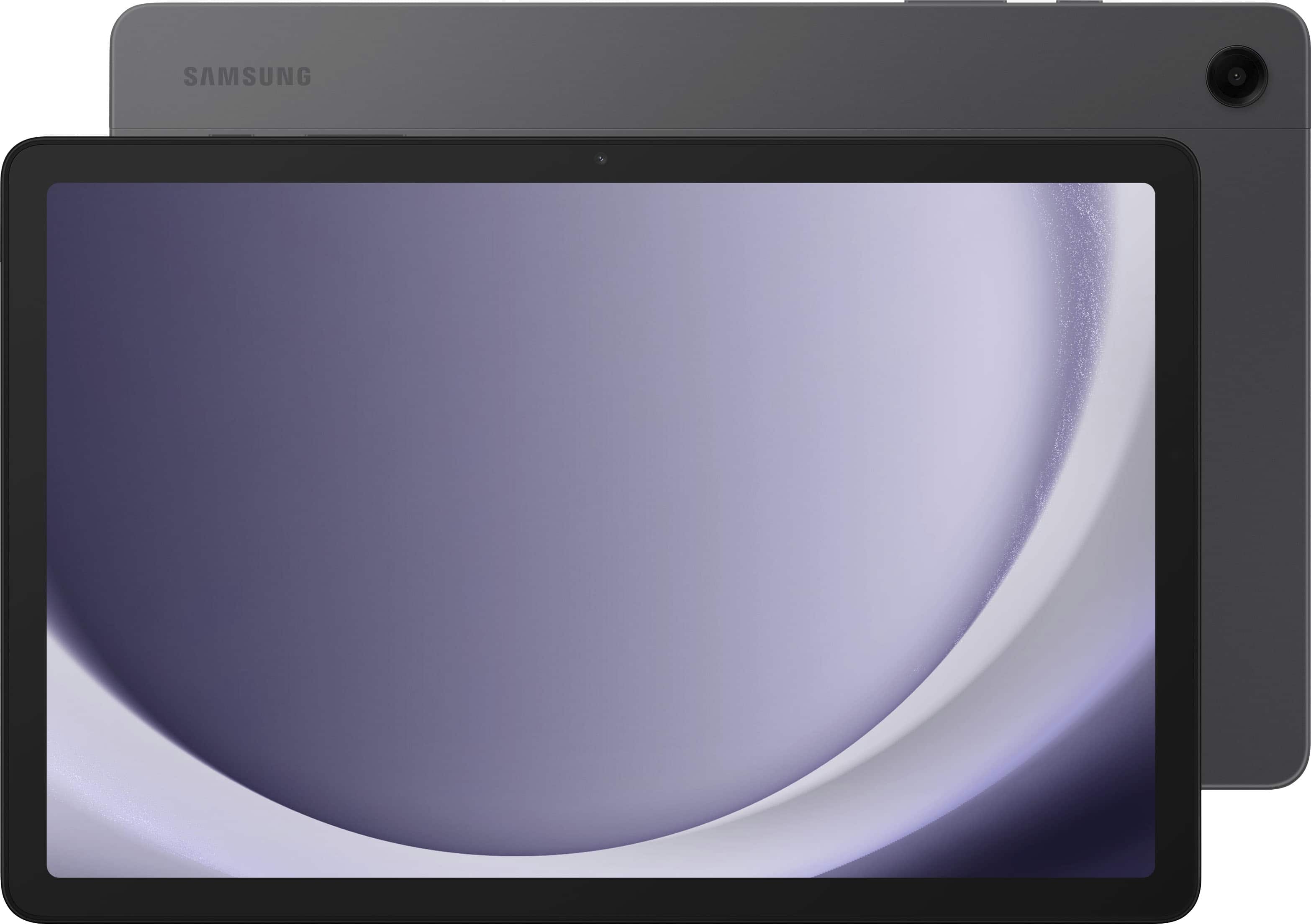
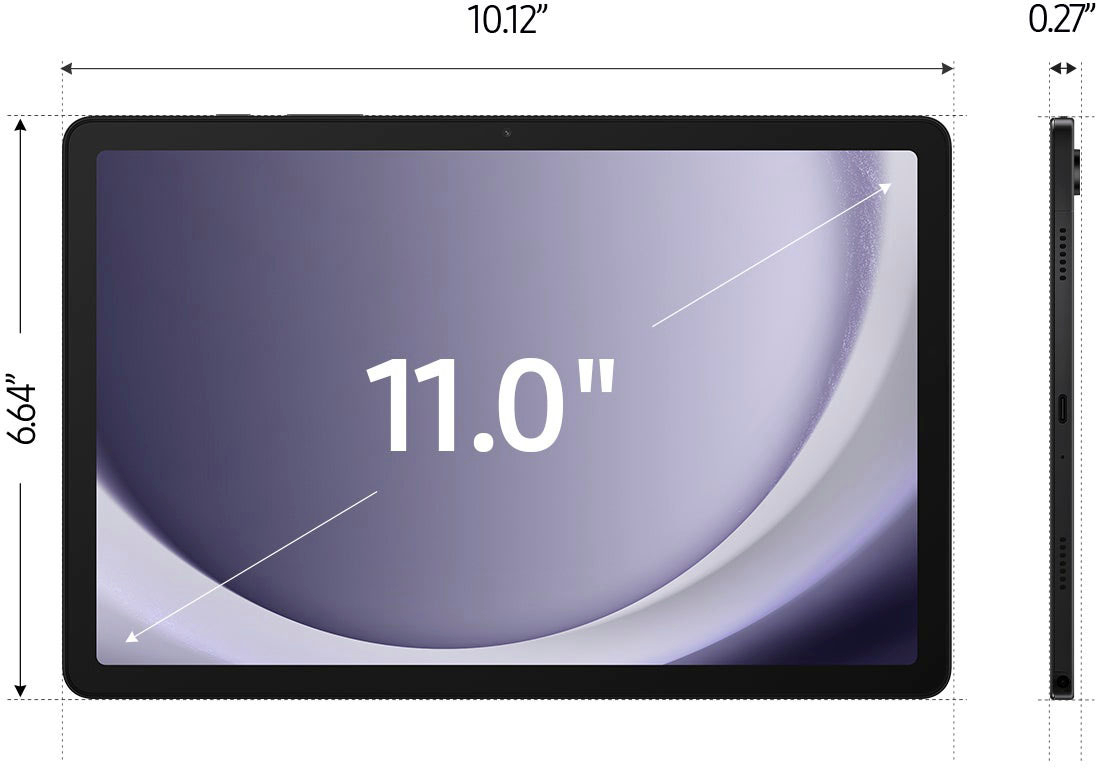
    • Answer Thanks for reaching out to us, Rjudu. The Galaxy Tab A9+ features an 11.0" (278.2mm) main display with a resolution of 1920 x 1200 (WUXGA). It uses TFT technology and has a color depth of 16 million colors. This device does not come prelaminated. If you have any other questions, please do not hesitate to reach out to us at Support. -Kelvin

      Answered by Samsung