Everything for Back to School — and then someShop now

Skip to contentGo to Product Search
Main Content

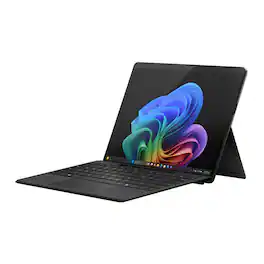
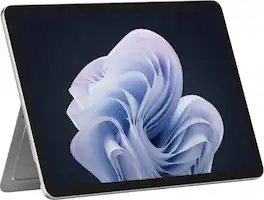
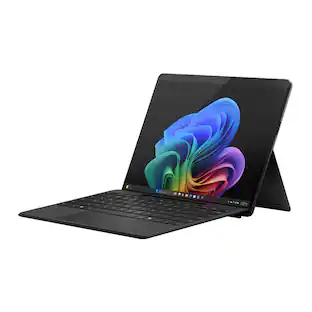
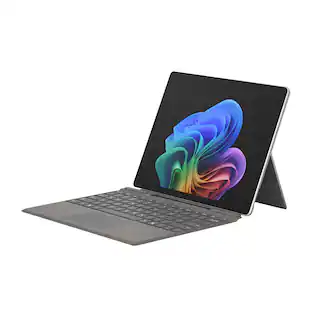
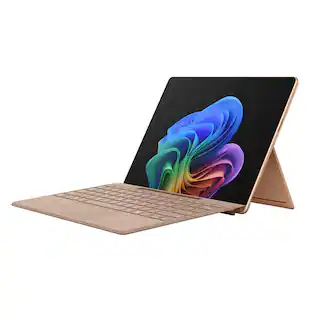
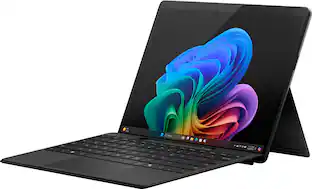
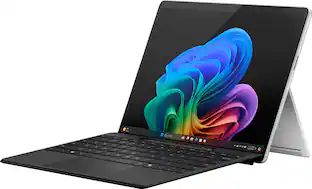
Microsoft - Surface Pro - 13" Touchscreen - Snapdragon X2 Plus (10 Core) 2026 - 16GB Memory - 512GB SSD - Device Only - Black

Model: EP2-73275
SKU: 6677316
Sold byBest Buy
Deal ends in 13:29:46
$1,299.99
Save $300
The comparable value is $1,599.99
or
$61.12/mo.
suggested payments with 18-Month Financing
Show me how
Accidental Geek Squad Protection
Warranty Protection Plans
Availability
Pickup at
Act fast - Only 1 left at your store!
Sold by
Best Buy

More options from Best Buy and Marketplace sellers

New and Open-Box
$1,065.99 - $1,199.99

Highlights

  • Key Specs
    • Screen Size: 13 inches (Size of the screen, measured diagonally from corner to corner.)
    • Screen Resolution: 2880 x 1920 (Screens come in a range of resolutions (measured in pixels, horizontal x vertical). The higher the resolution, the greater the picture quality.)
    • Processor Model: Qualcomm Snapdragon X2 Plus (Your computer's processor is like its brain. Working in combination with system memory, the power of the processor determines the complexity of software you can run, how many programs you can have open at the same time, and how fast those programs will run. Most computers feature an AMD, Intel or Snapdragon processor.)
    • Total Storage Capacity: 512 gigabytes
    • Operating System: Windows 11 Home (The operating system manages all software and hardware, including files, memory and connected devices. Most importantly, it lets you interact with your device and your programs in a visual way; otherwise, you'd be typing computer code to get anything done.)
    • Wireless Connectivity: Wi-Fi, Bluetooth (The manner in which a device sends data to another device over a short distance without the use of wires or cables.)
    • Battery Chemistry: Lithium-ion
    • 2-in-1 Design: true (A laptop and a tablet combined in one lightweight, portable device. Sometimes referred to as "convertible" or "hybrid" laptops, these devices deliver the processing power and keyboard of a laptop. When you're ready to play, either detach the screen or fold your 2-in-1 into tablet mode to comfortably watch movies, play games, read an e-book and more.)
    • Security Features: Facial recognition, Password Protection
  • General
    • Brand: Microsoft
    • Model Number: EP2-73275
    • Product Name: Surface Pro - 13" Touchscreen - Snapdragon X2 Plus (10 Core) 2026 - 16GB Memory - 512GB SSD - Device Only
    • Color: Black
    • Model Family: Microsoft Surface Pro
    • Year of Release: 2026
  • Display
    • Display Type: LCD
    • Screen Type: PixelSense
    • Screen Size: 13 inches (Size of the screen, measured diagonally from corner to corner.)
    • Screen Resolution: 2880 x 1920 (Screens come in a range of resolutions (measured in pixels, horizontal x vertical). The higher the resolution, the greater the picture quality.)
    • Stylus Input: Built for Windows Ink (Active) (An active stylus/pen is able to communicate directly with a compatible device; active electromagnetic resonance (EMR) pens are powered via a device's screen and active electrostatic (AES) pens require an additional power source. A passive stylus does not have electronic features and is compatible with most capacitative touch screens.)
    • High Dynamic Range (HDR): true (An HDR-compatible 4K TV or other HDR-compatible product displays HDR video content when it's available from sources like 4K Ultra HD Blu-ray Discs and 4K streaming services.)
  • Processor
    • Processor Brand: Snapdragon
    • Processor Model: Qualcomm Snapdragon X2 Plus (Your computer's processor is like its brain. Working in combination with system memory, the power of the processor determines the complexity of software you can run, how many programs you can have open at the same time, and how fast those programs will run. Most computers feature an AMD, Intel or Snapdragon processor.)
    • Neural Processing Unit (NPU): true (Whether the product comes with an integrated neural processing unit (NPU) that performs computations for AI (artificial intelligence) functions to increase proficiency of the CPU and reduce power consumption.)
    • Maximum NPU Performance: 80 trillions operations per second (The maximum neural processing unit (NPU) computations performed. NPUs increase proficiency of the CPU and reduce power consumption for AI (artificial intelligence) functions.)
  • Storage
    • Total Storage Capacity: 512 gigabytes
  • Memory
    • System Memory (RAM): 16 gigabytes (Random-access memory (RAM) is a computing device's short-term data storage, which allows active information to be accessed quickly. The size and type of RAM determines how efficiently the device can handle large amounts of information at one time. For example, gaming or video editing requires more RAM for optimal performance.)
    • Type of Memory (RAM): LPDDR5X (Each type of RAM delivers a different level of speed, bandwidth, energy efficiency and performance.)
    • Expandable Memory Compatibility: None
  • Compatibility
    • Operating System: Windows 11 Home (The operating system manages all software and hardware, including files, memory and connected devices. Most importantly, it lets you interact with your device and your programs in a visual way; otherwise, you'd be typing computer code to get anything done.)
    • Operating System Compatibility: Windows
  • Connectivity
    • Wireless Connectivity: Wi-Fi, Bluetooth (The manner in which a device sends data to another device over a short distance without the use of wires or cables.)
    • Network Connectivity: None (The manner in which a device sends data to another device over a long distance using a cellular network.)
    • DisplayPort Over USB-C: DisplayPort 1.4 (The version of DisplayPort that leverages the Alternate Mode Functional Extension of the USB-C interface. This connector allows for higher resolution, broader color space, multichannel audio support, and greater backwards compatibility with display adapters. Also known as DisplayPort Alt Mode.)
    • Headphone Jack: false (The device features an interface that allows for the connection of headphones.)
    • Bluetooth Version: 5.4 (The Bluetooth specification formalized by the Bluetooth Special Interest Group. All versions of the Bluetooth standard are backwards compatible with previous versions.)
    • USB Ports: 2 x USB-C (The number and type of USB ports the product has.)
    • GPS Enabled: false
    • Interface(s): USB-C, DisplayPort (Refers to the types of connections that devices use to interact and communicate with each other.)
    • Number of USB Ports (Total): 2
    • Number of USB-C Charging Ports: 2
  • Power
    • Power Supply Input: USB-C
    • Charging Interface(s): USB-C (The connection for transmitting power to charge the device.)
    • Battery Life (up to): 15.5 hours (Battery life will vary depending on the product configuration, product model, applications loaded on the product, power management setting of the product and the product features used by the customer. As with all batteries, the maximum capacity of this battery will decrease with time and usage.)
    • Battery Chemistry: Lithium-ion
  • Camera
    • Front-Facing Camera: true
    • Front Facing Camera Video Resolution: 1440p (2K) (Refers to the number of pixels, both horizontally and vertically, used by the camera facing the user to capture video. The higher the resolution the finer the video detail that can be seen.)
    • Rear-Facing Camera: true
    • Rear Facing Camera Megapixels: 10 megapixels (The more megapixels, the more detail that the camera facing away from the user can capture.)
    • Built-In Microphone: true
  • Features
    • 2-in-1 Design: true (A laptop and a tablet combined in one lightweight, portable device. Sometimes referred to as "convertible" or "hybrid" laptops, these devices deliver the processing power and keyboard of a laptop. When you're ready to play, either detach the screen or fold your 2-in-1 into tablet mode to comfortably watch movies, play games, read an e-book and more.)
    • Keyboard Included: false
    • Security Features: Facial recognition, Password Protection
    • Windows AI: Copilot+ PC
  • Dimensions
    • Product Height: 0.37 inches (The out of box height of the item. Height is measured as the vertical distance from the bottom of the item to the top as it would be primarily used or placed.)
    • Product Width: 8.2 inches (The out of box width of the item. Width is measured as the horizontal distance from one side of the item to the other as it would be primarily used or placed.)
    • Product Depth: 11.3 inches (The out of box depth of the item. Depth is measured as the distance from the front of the item to the back as it would be primarily used or placed.)
    • Product Weight: 31.52 ounces (The out of box weight of the item.)
  • Certifications Listings & Approvals
    • ENERGY STAR Certified: true (Devices carrying the ENERGY STAR service mark, such as computer products and peripherals, kitchen appliances, and other products, generally use 20% to 30% less energy than required by federal standards.)
    • EPEAT Qualified: true (The Electronic Product Environmental Assessment Tool (EPEAT) was designed to provide an environmental assessment tool for purchasers. In order to qualify for EPEAT, a product must meet all 23 required criteria.)
    • EPEAT Level: Gold (The Electronic Product Environmental Assessment Tool (EPEAT) was designed to provide an environmental assessment tool for purchasers. In order to qualify for EPEAT, a product must meet all 23 required criteria. Products are rated Bronze, Silver or Gold based on how many of 28 optional criteria they meet (below 50%, 50%, 75%).)
  • Included
    • Included Software: Windows 11 Home, Preloaded Microsoft 365 Apps, Microsoft 365 Family 30-day trial, Microsoft Defender App, Preloaded Xbox app, Xbox Game Pass Ultimate 30-day trial (accessible through Xbox Cloud Gaming)
    • Stylus Included: false
  • Warranty
    • Warranty - Parts: 1 year
    • Warranty - Labor: 1 year
  • Other
    • UPC: 196388823611

The new Surface Pro reimagined — a more powerful and flexible laptop that empowers your creativity and productivity with performance designed for seamless multitasking, intuitive touchscreen, and built‑in AI assistance through Copilot. Whether you're a student or a professional, using the Windows ecosystem helps you work more efficiently across your apps and devices, with all‑day battery life [3].

  • Brilliant LCD Display: The 13" PixelSense touchscreen [1], with LCD and enriched HDR [2] tech gives you sharp detail, smooth scrolling, and colors so richly saturated bringing vivid life into every frame - perfect for work, school, streaming, and creative tasks.
  • Up to 15.5 hours of battery life [3]: The new Surface Pro is designed for long travel days, late night studying, and everything in between.
  • Productivity. All Day. Every Day.: Built with the latest Qualcomm Snapdragon X2 Plus (10 Core) processors, Surface Pro delivers fast, responsive performance with built-in AI acceleration—so you can handle everyday tasks to dowloading movies or demanding workloads.
  • Premium Performance: Premium Performance PCs are built for all-day performance, so you can move from work to play with the speed, battery life, and flexibility to keep up without slowing down.
  • The ports you need: Charge on-the-go, transfer data fast, or create the ultimate desktop set up with two USB-C/ USB4 [4] ports.
  • Built-in AI Companion: Work smarter, create freely, and communicate with confidence—Copilot [5] on Windows 11 is always there to help.​
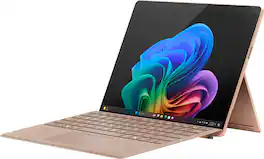
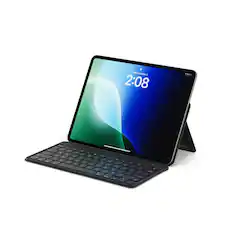
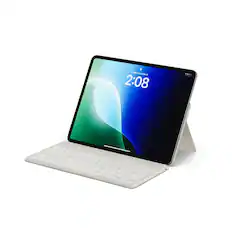
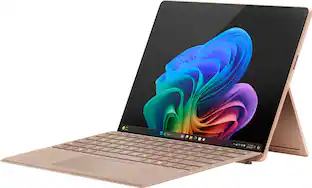
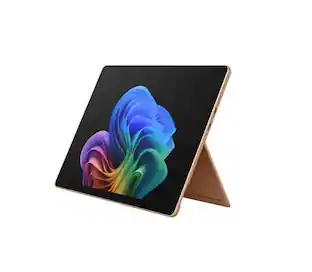
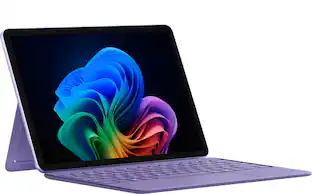
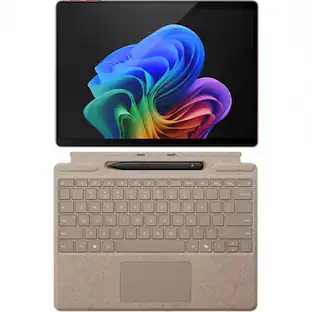
  • Timeless colors to match your style: Surface Pro comes in three stunning colors – Black, Platinum, and Dune with matching keyboards [7] in premium Alcantara fabric.​
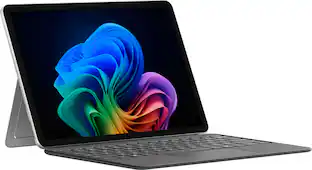
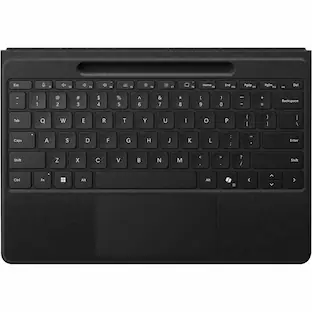
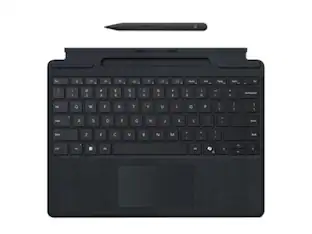
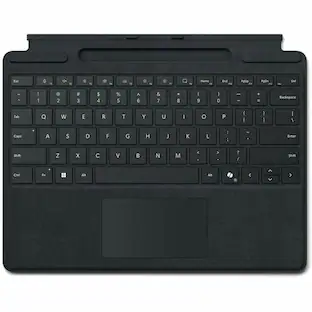
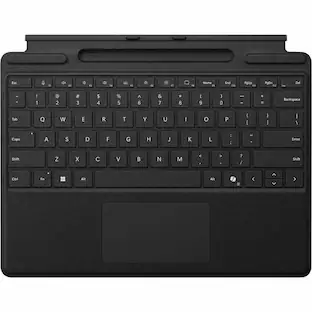
  • Designed to be a laptop or a tablet: Transform Surface Pro into a full thin and light Windows laptop with the Surface Pro 13-inch Flex Keyboard [7], offering a comfortable typing and touchpad experience. The iconic built-in 165-degree fluid kickstand offers flexibility at any angle.​
Whats Included
  • Surface Pro - Copilot+ PC - 13" Touchscreen - Snapdragon X2 Plus 2026 - 16GB Memory - 256GB SSD - Device Only
  • 39W Power Supply with Surface Connect
  • Quick Start Guide
  • Safety and warranty documents
Disclaimers
  • [1] Surface display has rounded corners within a standard rectangle. Size represents diagonal measurement as a standard rectangular shape; actual viewable area is less.​
  • [2] HDR requires HDR content and enabling HDR in device settings.​
  • [3] Based on local video playback test. Testing conducted by Microsoft in May 2026 using preproduction software and preproduction Surface Pro, 13" (12th Edition) with Snapdragon X2 Plus 16GB, 256GB and Surface Pro, 13" (12th Ed.) with Snapdragon X2 Elite 16GB, 512GB devices.
  • [3] Testing consisted of full battery discharge during video playback of a .mov file through the Windows Media Player application in 1080p at 24 FPS. All settings were default except screen brightness set to 150 nits with auto-brightness disabled. Wi-Fi was connected to a network. Battery life varies significantly with settings, usage, and other factors.
  • [4] USB4 and USB-C are registered trademarks of USB Implementers Forum.​
  • [5] Copilot+ PC experiences vary by device and region and may require updates continuing to roll out; timing varies. Learn more at https://aka.ms/copilotpluspcs.
  • [6] Available colors may vary by market.​
  • [7] Accessories sold separately.

Q: Which operating system does this device use?

A: This device comes with Windows 11 Home pre-installed.

Q: Does this device have a touchscreen?

A: Yes, this device features a 13-inch PixelSense touchscreen display.

Q: Does this device include a built-in microphone?

A: Yes, the device is equipped with a built-in microphone.

Q: Can this device be used as both a laptop and a tablet?

A: Yes, this device is designed to be used as either a laptop or a tablet.

Q: How long can the battery last on this device?

A: This device is designed to provide up to 15.5 hours of battery life.

Q: What is the total storage capacity of this device?

A: The device comes with a total storage capacity of 512 gigabytes.

Sponsored

Compare similar products

Microsoft - Surface Pro - 13" Touchscreen - Snapdragon X2 Plus (10 Core) 2026 - 16GB Memory - 512GB SSD - Device Only - Black
4.8(11)

The new Surface Pro reimagined — a more powerful and flexible laptop that empowers your creativity and productivity with performance designed for seamless multitasking, intuitive touchscreen, and built‑in AI assistance through Copilot. Whether you're a student or a professional, using the Windows ecosystem helps you work more efficiently across your apps and devices, with all‑day battery life [3].

Microsoft - Surface Pro - 13" OLED Touchscreen - Snapdragon X2 Elite (12 Core) 2026 - 16GB Memory - 1TB SSD - Device Only - Black

The new Surface Pro reimagined — a more powerful and flexible laptop that empowers your creativity and productivity with performance designed for seamless multitasking, intuitive touchscreen, and built‑in AI assistance through Copilot. Whether you're a student or a professional, using the Windows ecosystem helps you work more efficiently across your apps and devices, with all‑day battery life [3].

Microsoft - Surface Pro - Copilot+ PC - 12" Touchscreen - Snapdragon X Plus - 16GB Memory - 256GB UFS - Device Only - Platinum

Use the new Surface Pro 12”, a Copilot+ PC, as a powerful tablet with an intuitive touchscreen, touch, voice, and Surface Slim Pen [3] to bring ideas to life, or attach the Surface Pro 12” Keyboard for a full Windows laptop experience [3]. With built‑in AI features, seamless integration across the Windows ecosystem, and an ultra‑thin, lightweight design, Surface Pro gives you the freedom and versatility designed for creativity, efficiency and mobility to go beyond what you thought possible.

Microsoft - Surface Pro - 12" Touchscreen - Snapdragon X Plus (8 Core) - 8GB Memory - 256GB UFS - Device Only - Platinum

Get the flexibility you want and the speed you need with Surface Pro 12-inch, the most versatile Surface. Use it as a tablet. Express yourself with touch, voice, and Surface Slim Pen [3]. Or click in Surface Pro 12-inch Keyboard for a full laptop experience [3]. And you can wear your style on your laptop with a choice of colors and finishes. When you have all this, plus advanced AI capabilities in one ultra-thin and light device, the power to go beyond what you thought possible is yours.

Pros for Microsoft - Surface Pro - 13" Touchscreen - Snapdragon X2 Plus (10 Core) 2026 - 16GB Memory - 512GB SSD - Device Only - Black
There were no pros for this productThere were no pros for this productOverall Performance, Portability, Battery Life, Processor Speed, DesignThere were no pros for this product
Cons for Microsoft - Surface Pro - 13" Touchscreen - Snapdragon X2 Plus (10 Core) 2026 - 16GB Memory - 512GB SSD - Device Only - Black
There were no cons for this productThere were no cons for this productPort Selection, Compatibility, Screen Glare, AccessoriesThere were no cons for this product

Specs

Reviews

Rating 4.8 out of 5 stars with 11 reviews

5 star rating. 9 reviews4 star rating. 2 reviews
100% would recommend to a friend

Customer Images

The vast majority of our reviews come from verified purchases. Reviews from customers may include My Best Buy members, employees, and Tech Insider Network members (as tagged). Select reviewers may receive discounted products, promotional considerations or entries into drawings for honest, helpful reviews.

  • Rated 5 out of 5 stars

    Options, options, options!

    After spending some time with the new 13-inch Microsoft Surface Pro, I can emphatically say that it is one of the most versatile Windows devices I've ever owned. I'm hesitant to call it simply a PC because the experience is much more than that. It is several products rolled into one, and each of those products performs exceptionally well. Why do I call it versatile? It's because you're not locked into a specific configuration. If you prefer a basic tablet experience with no peripherals and simple touch navigation, it does that well. If you'd like to expand on that and turn it into a drawing tablet with a stylus, it excels there as well. If you'd like to add the magnetic keyboard cover with its built-in keyboard and touchpad, it transforms into a full-fledged 13-inch laptop experience. Or, if you prefer your own keyboard and mouse, you can connect those and create your ideal workstation. Finally, if you'd rather connect it to a large monitor with all of your peripherals, you have a full-fledged desktop experience. The options are extensive, and none of them feel compromised. Every configuration feels like a genuine, complete experience rather than one that reminds you another option is better. Having every tool I need while remaining fully mobile has been one of this device's greatest strengths. Let's begin with the screen. Microsoft refers to it as PixelSense Flow technology. I can't explain every technical aspect behind the name, but what I can say is that every swipe, tap, and gesture feels incredibly fluid. Whether I'm using my finger or the Surface Slim Pen, every action is seamless, responsive, and precise. The display itself is beautiful. YouTube videos, streaming movies, and photographs all look vibrant, detailed, and incredibly sharp. At 13 inches, it strikes a perfect balance between portability and usability. It's large enough to comfortably watch content, edit photos, create artwork, or get productive work done without feeling cramped like a smaller tablet or phone. The high resolution makes text exceptionally crisp while allowing images and video to truly stand out. Since we're talking about entertainment, let's move on to the speakers. While they aren't mind-blowing, they easily provide enough volume for multiple listeners, and the clarity is surprisingly good. As expected, you shouldn't expect deep, rumbling bass from speakers this size, and certain music or movies mixed too loudly can introduce some distortion. That said, the quality depends greatly on the source. Higher-quality music and properly mixed films exhibit far less distortion, even at elevated volumes. If you own the Dolby Atmos app for the speakers, the audio processing noticeably improves the overall listening experience. Windows Sonic only applies to headphones, but that's perfectly fine because plugging in a quality pair of headphones is an entirely different experience. The built-in audio processing creates an immersive soundstage that absolutely does not disappoint. Powering everything are Microsoft's new Snapdragon X-series processors. I don't have the equipment necessary to benchmark them extensively, but from everyday use I can confidently say the system feels extremely fast and responsive. Whether I have dozens of browser tabs open, multiple applications running simultaneously, or my daughter and I are working on several drawings, I haven't experienced any noticeable slowdown. Equally impressive is the thermal management. Even under heavier workloads, the Surface remains cool to the touch. Next is the build quality. For a tablet capable of delivering this level of performance, it's remarkably light, weighing in at under two pounds. Despite that, everything feels exceptionally well built. The kickstand, aluminum chassis, buttons, ports, and even the display all inspire confidence. I'd still handle it with care, of course, but it never gives the impression of being fragile. Instead, it feels engineered to be carried everywhere, tossed into a backpack, and used in a variety of environments ranging from everyday travel to demanding professional work. One of my favorite features was something I discovered completely by accident: the front-facing camera. Since the Surface uses a kickstand, it's naturally positioned at an angle when sitting on a desk. Microsoft clearly anticipated this because the camera automatically adjusts the framing so it appears as though you're looking directly into the camera instead of upward at an awkward angle. Anyone who has used a tablet with a kickstand knows how difficult it can be to find that perfect position. Here, the software handles it effortlessly. The image quality itself is excellent. Video calls are sharp, detailed, and color accurate. Beyond meetings, the built-in camera effects and filters are intuitive to use and provide a nice bonus when creating content. The rear camera also exceeded my expectations. It's significantly better than I'd expect from a device primarily marketed as a laptop replacement. Photos are detailed enough for presentations, documentation, and even creative projects without making me feel like I need to grab another camera. Between the cameras and the software enhancements available, the Surface serves as a surprisingly capable mobile content creation suite. Since we're discussing communication, the microphone deserves recognition as well. Normally, when taking calls on a phone, tablet, or computer, I use headphones with a dedicated microphone to eliminate background noise from fans, family members, or other distractions. During one call, however, my headset microphone accidentally disconnected and the Surface's microphone array took over without me realizing it until nearly three-quarters of the conversation had passed. Based on the other participant's reactions, they heard nothing but my voice. I even noticed Windows displaying a notification indicating that it was actively filtering background noise. While I can't personally hear how it sounded, the person on the other end believed I was still using my dedicated headset microphone. That alone speaks volumes. I would feel completely comfortable opening the Surface in a public environment and taking a call without scrambling to find my headset. Let's move on to battery life. Microsoft advertises all-day battery life, though, as always, your mileage will vary. Running the display at full brightness while streaming demanding content will naturally drain the battery much faster than the advertised 16 hours. Even so, the battery life remains extremely impressive considering how much processing power the device offers. Compared to every laptop I currently own, it lasts noticeably longer. During lighter workloads consisting of web browsing, streaming, writing, and productivity tasks, I can comfortably exceed ten hours before needing to recharge. While I usually take manufacturer battery claims with a grain of salt, Microsoft's estimates aren't far off for average everyday use. Speaking of power, here's another example of the Surface's versatility. Microsoft includes its proprietary Surface Connect charging port, but you're never forced to rely on it. You can also charge the device through either of its two full-featured USB-C ports. Better yet, if you're using a USB-C hub with power delivery, you can charge the Surface while simultaneously connecting all of your peripherals through a single cable. It's a small detail, but having multiple charging options makes the device significantly more flexible and keeps you from being locked into proprietary accessories. As for connectivity, you get two full-featured USB-C ports along with the Surface Connect port. These USB-C ports support charging, high-speed peripherals, and external displays. If you plan to use the Surface as your primary desktop replacement, I'd recommend investing in a quality USB-C hub that provides additional USB ports, HDMI or DisplayPort output, Ethernet, and pass-through charging. Thanks to excellent Bluetooth support, however, I've found that I rarely feel limited by the available ports. Finally, let's talk about the software experience. The AI integration has proven to be genuinely useful rather than feeling like a marketing gimmick. Features like Click to Do and screen searching make it incredibly easy to locate information without interrupting my workflow. Copilot has also improved dramatically over the years. Conversations remain focused, follow-up questions work naturally, and I don't feel like I'm constantly fighting advertisements or irrelevant search results. Instead, the AI feels like a productivity companion that genuinely enhances my workflow. Combine that with Windows' customization options, shortcuts, and flexible interface, and you end up with a workstation tailored specifically to your needs. The only real negative I've encountered is something Microsoft still hasn't completely solved, and I'm not sure it's even possible given the design. With the keyboard attached, the Surface looks and functions like a laptop, but it doesn't always behave like one. On a desk, it's fantastic. On your lap, however, the kickstand requires careful positioning. If it isn't balanced correctly, the device can become top-heavy, tip backward, disconnect from your lap, and fall. Unfortunately, I learned that lesson firsthand. Thankfully, it landed on carpet. It's a relatively small complaint, but it's the one area where the Surface still reminds you that it's ultimately a tablet first and a laptop second. In conclusion, this is a device built around customization and flexibility. The Windows experience and AI integration genuinely enhance productivity rather than feeling like afterthoughts. Whether you're an artist, a student, an on-the-go professional, someone looking for an outstanding entertainment device, or simply someone who appreciates having multiple ways to work, the 13-inch Microsoft Surface Pro can adapt to fit your needs.

    Posted by JKhan

  • Rated 5 out of 5 stars

    Sets the standard for a school or work companion

    I am a giant fan of the Surface Pro line up, I believe that it has provided a guide of what the PC should be able to do for a long time, it isn’t perfect but it is pretty perfect for me at least. The only other device that I think really beat it out in functionality was the Surface Book that disappeared long ago at this point. I think this device is really perfect for two use cases, work and school Work: For work I may be in the office one day, docked and working and the next day I’ll be in the lab connecting to equipment and the third day in the field as-building or supporting field personnel. With the original keyboard that came as a package with this, the lab really falls short and depending on the field day that can fall short too. But with the keyboard I got that is not from Microsoft but does fit the Surface Pro perfectly or Microsoft’s one that has a Bluetooth connection really brings a new angle to the field and makes the lab completely usable. In the office I’ll just dock I can just dock in and start working, now obviously this is mine and not my companies so I had to run my virtual PC on Horizon desktop to try this out and the one note sucked for hand writing sadly, but I just ran one note in the browser on this screen and the horizon screens on the two external displays. I also have a docking station at home that works seamlessly. In the field I am often comparing real life to what was on the drawing and marking up the drawings to reflect real life. The old way to do this was to print out papers, take them to the place, mark them up, bring them back and compare them to the pictures you took while you were there. Compared to taking this, I have my drawings stored as a PDF and open them in DrawboardPDF or Bluebeam, head-to-head for field markups, Drawboard wins for me, but Bluebeam is what work uses, so I also tried that on here. Drawboard I will use at home for my home projects. Microsoft Edge PDF is okay but definitely is missing some tools compared to Bluebeam and Drawboard. But I can take a picture of the what I am “As-builting” and insert it directly into the PDF, the quality stays with the photo and I can zoom in to look at the details at my desk so now my photos are directly tied with where I took the pictures at. I can make my mark ups with separate colors for additions, removals, or just comments for the drafter or myself. I am more on the R&D side of work so I don’t deal with older devices as much, so connecting serially to a device isn’t something I’ve had to do for a very long time, instead it is often via ethernet and a nice dongle allows me to do this, now with the normal keyboard I am trying to find a good way to prop the tablet on my laptop and I miss the laptop format, but with this I was to just set the screen near the device and then put the keyboard on my lap and type, it was really convenient as I also wasn’t trying to find a way to sit close to the equipment. This does require decent eye site with this method. This works in the lab and in the field. Then there is of course whiteboard and OneNote, OneNote is by far the best note taking app out there, I can easily replace the other parts of the office suite, and I like some other products better even. But I have never met a better note taking app than OneNote, at least for me. And if you’ve only used OneNote on mobile devices, then you may not realize the true power of OneNote, the surface tablet brings it out. The ability to have handwritten notes, alongside inserted PDFs, audio files, embedded Excel, Word, and Visio, just really let my mind wrap itself around ideas. On the personal side, you get to deal with a built in add, I have Office family, but that isn’t good enough for Microsoft, they have to put a little add in the corner that says, “Upgrade your plan”, I have zero interest in upgrading and the only way to get it to go away seems to be to go into regedit. If I ever find a product that is as good as OneNote I will switch away for that alone. I hate it so much and takes away from the wonderfulness of the Surface. School: I got the original Surface Pro after I got out of college but still used it for some classes that were outside of college and all I could think of was “why couldn’t have they brought this out when I went to college instead of after I was out”. I feel no different now and when my kids go to college one of these will be in their bag. For a student, I think this is by far the best device out there. The note taking I was talking about for work, applies directly, especially to math and engineering classes, you can have MathCAD (SMath), Powerworld, or MatLAB(Octave) running at the same time as OneNote to keep up with the lectures, the ability to follow along, screen capture, edit your simulations/formulas, and handwrite notes all in one device, even capture the recording with OneNote, is just unparalleled capabilities for being able to piece together everything once you decide to study three weeks later right before the exam. Throw in being able to use the built in AI to augment your learning (it can be a tool or a crutch, hopefully students don’t throw away their time leaning on it to pass their classes). Now obviously I am talking about a lot of engineering and programming type of needs between work and school and if you are a different major or career, you might feel different than me. I’ve installed SEL Compass, RTAC, acSELerator Quickset, FreeCAD, LibreCAD, Bluebeam, visual studio code, linux subsystem, Horizon Client, Octave, Docker, VS Code, Python, Codesys, and SMath. I’ve done some light video editing, light 3D modeling, 2D CAD, programming, and other fun stuff on here and I’ve had zero issue. It has done almost everything I’ve thrown at it, every hobby and professional challenge it has lived up to, which is really impressive all things considered as I haven’t even mentioned the fact that it is an ARM processor yet, I figured some of my old work applications (figured because they haven’t worked on ARM processors before) would not work but nope, they worked perfectly fine. The x86 emulation is pretty crazy good now. Where this hasn’t performed perfectly is gaming. This obviously isn’t a gaming machine, so I’m not going to grade it down for the inability to run graphic intensive games when it doesn’t advertise it as a gaming device at all… but really, who doesn’t like a play a game here or there. Gaming: Minecraft, Roblox, etc… run perfectly. Fortnite, didn’t run at first but then an update got pushed and it started working but it crashed quite often, another update got pushed and it seems to be running really good, actually better than many basic x86 laptops I’ve had in the past on the graphics side at least and especially when running on battery. World of Warships I thought was running perfectly (obviously the graphics set pretty low) until I was in a ship that had torpedoes and then that turned the whole screen green instead of just the area of the ocean that they were supposed to be pointed at. So, I just ran a ship that didn’t need torpedoes and had a great time, but that goes to show that the gaming chops on this are actually better in some ways than a decent x86 but lacking once as well if you are a serious gamer. But if you are a serious gamer pairing this with gaming desktop might be the better move especially if you are headed to college. But for me, it has enough gaming chops and can even drive my 4k monitor as well as a 2k monitor while playing Fortnite without an issue that if I had to go to one device, I would choose this device every time. Entertainment: Now using this for normal tablet things like watching movies it definitely doesn’t excel at. Yes, the apps work perfectly well and all the major ones that I use are there; Netflix, Apple TV, Hulu, DisneyPlus, and Prime Video. However, they are edge browser versions, so the pause/play is everywhere on the screen and accidental touches pause the video; I didn’t have a case on mine at first so this was a real issue, I got a case and this issue disappeared for the most part; but I will say it is not as smooth at entertainment as an Android or Apple tablet and if you are planning on using it for just watching movies and listening to music, there may be better options out there, but this gets the job done for use. And pairing it with a Bluetooth keyboard makes plugging it into a random hotel TV and using it across the room pretty easy all things considered. The Build: For the actual build, speakers sound great, screen looks good, I wish the specialized charging port was just a third USB C port as I don’t love only having two USB C ports (Charging does work via USB C on both). The camera login works flawlessly if I’m wearing my glasses or not and overall the build quality is amazing. Pros: Pretty much perfect physical design USB C charging capable Pen input is incredible Full PC Battery Life Runs Fortnite Runs all my engineering programs Beautiful Screen USB C ports support video SSD upgradable Cons: Non upgradable RAM USB C ports only on one side No Aux port Keyboard and Pen not included Video Apps are pause happy

    Posted by Benb

  • Rated 5 out of 5 stars

    It really stands out as a portable workstation!

    This Surface Pro has changed my overall outlook with Windows in general. I use Windows all day, every day. I have a work laptop, personal laptop, and personal desktop all with Windows. I work in IT and deal with Windows servers on a daily basis. Usually if I hear of a new Windows device, I don’t pay much attention to it because of their history of lackluster hardware products. This one is definitely the exception. I’ve briefly used older Surface Pro models before, but this is the first one I’ve owned, and I do have to say that I’m quite impressed with the design of this product. I love that you get the full blown Windows Operating system on a such a slim and portable device, not some cut-down version. I also got the Surface Pro keyboard for it, which really accompanies it very well. I’ll just jump into what I really like. The screen is nice, its not OLED, but I had to double check that I didn’t get an OLED model because it looks pretty good for an LCD display. The touchscreen is responsive and works well with my finger or a stylus. No wrong or missed touches on the screen, its been sensitive and accurate so far, and intuitive with the stylus pen. Performance has been exceptional with no noticeable waits or lag, but I did make sure to get the 16GB memory model because of how much memory the OS alone can use. The hardware has quite the premium feel to it, and the kickstand is priceless! The USB -C ports act as a charging port along with the included Surface charging port, so flexible charging options are always welcome. There are 2 cameras, I did a group video call and the quality of the camera looked pretty good and with wifi 7 I’ve had great and steady video streaming data throughout my home. The camera works really well with Windows Hello, even at off angles. One of the big strengths is the battery life. Wow, most vendors post the maximum amount of battery life in very specific situations (low display light, minimum video/audio, etc…) but I feel like the 15 hours could be a modest number. I was using only the battery on and off for 24 hours, with the keyboard attached, while still having 20% battery! Keep in mind the keyboard uses power and is backlit and I was doing a lot of setup and installing during this time. Speaking of, the keyboard is a huge plus IMO. It acts as protective screen, strong magnetic attachment, surprisingly easy to type on (easier than some high end laptops I’ve used), and really turns this into a full blown portable productive workstation. Speakers also sound good with a strong level of volume for its size. On the flip side, there isn’t much I’ve experienced that has been unpleasant, but a couple of things I’ve noted... the face unlock does not work very well in dim or low lighted rooms. Its also not really a great light-weight tablet either, something you can lightly carry around and use. Its got a bit more weight and size than most tablets, so keep that in mind if you’re looking at replacing a smaller tablet, but I personally feel like you get way more functionality. I’ve been using almost daily for the past couple of weeks to manage my life, do work trainings, communication, and I’m big into watching videos. When I’m on my desktop I set it up as a side tablet to monitor stocks, youtube, or study training material for some classes I’m taking (see attached picture). When I’m away from my desktop I attach the keyboard and full access to a Windows OS which beats what other tablets offer. Its given me a new perspective of windows where I don’t just use it, but enjoy using Windows. Sounds strange, but it feels like I get more Windows functionality from this type of form factor. I am now considering selling my laptop and other tablet because this really fills in most of the gaps those products have. (Even looking at my other tablet screen now looks dull in comparison). Also, the SSD is upgradeable! While I think 512GB is a solid amount of storage for your average user, having the option to upgrade is incredible for a tablet. Kudos to Microsoft for this. Overall, their product has really impressed me, and I’m a bit of a tech junkie that appreciates quality and high performance devices. Get yourself a docking station to connect to USB4 for full blown connectivity. For personal, school or business use, it checks all the boxes. Heck, I wish I had this in college instead of my 8lb clunky laptop back in the day. Combined with the functionality of a Surface Pen, you have endless options for productivity. I’ll say its definitely a top contender in the world of portable devices.

    Posted by Jp223

  • Rated 5 out of 5 stars

    Smarter and Faster Laptop-class Windows Tablet

    Highlights: * Same thin build and solid aluminum construction * Faster with more horsepower for local CoPilot AI * Great speakers * Long battery life (11-15hrs of typical use) * Qualcomm Hexagon NPU with 80 TOPS for local AI * Qualcomm Adreno GPU * Clear 10MP rear and 1440p ultra wide front cameras * WiFi 7, Bluetooth * Under 2lbs Considerations: * Optional Flex keyboard with Slim Pen is still a must-have yet expensive additional purchase * Still no spot to magnetically dock/store the optional stylus I’m assuming you’re reading this review because you’re trying to decide on a tablet-style computer that will fit your needs. Or perhaps you’re trying to decide between a “mobile” device like an iPad or Android tablet versus a full computer in tablet form like this Surface Pro 2-in-1. There is a spectrum of capabilities and compatibilities across tablet-style devices. On one end you have iOS or Android tablets that are great for media consumption and light work. At the other end are full Windows computers in tablet form that can do anything a laptop can. As you go from one end of that spectrum to the other, price, size and weight usually go up and battery life goes down. This Surface Pro 13 is a full Windows computer in tablet form. While it may be more expensive than the more basic tablets, it also can do just about anything that a full Windows laptop can do but in the thin, lightweight and portable shape of a tablet. Attach the optional keyboard and use the optional Slim pen and you have all the power and flexibility of a touchscreen laptop plus the convenience of a drawing tablet. I have the model with the Snapdragon X2 Plus 10-core processor, the LCD display (not OLED), 16GB RAM and the 512GB SSD. Initial setup was a breeze, although it did take a while to download and install the initial set of updates. Windows 11 has gotten nicer and friendlier to use and if your software tools require it, this tablet will probably run it smoothly including complex creativity packages. I tossed my full array of daily software at it and nothing stuttered. The 13” LED screen is bright and clear but you might find it limiting only in size when running multiple applications. Without the optional keyboard attached, this is a great media consumption device. You can even do some basic productivity using touch and the on-screen keyboard, but the optional keyboard and pen will greatly enhance your enjoyment of regular productivity. While the optional keyboard and stylus aren’t absolutely required, they will completely transform this tablet into a notebook-equivalent. Without them, it’s still great, but just a bit more cumbersome to get anything more than media consumption done quickly. By the way, the optional stylus still has no place to magnetically attach to the bezel when you’re not using it. Sure, the optional Flex keyboard has a recharging tray to store the stylus, but I’d still prefer a spot on the bezel somewhere for the stylus to hang out when I’m not holding or charging it. If you need to join a video call, the built-in speakers are plenty loud, the built-in microphones work great as long as you’re not in a crowded place like a coffee shop, and the front-facing wide-view camera will keep you in the shot with ultimate clarity. It should be noted that this 12th edition of the Surface Pro 13” looks almost identical to the prior 11th edition. The main improvements are under the hood with the new Snapdragon X2 processors for smooth multitasking and local Copilot (AI) features. Battery life is improved a bit, too. The provided 39W AC adapter is small and light but you probably won’t need it often during a typical workday since this tablet should get you a full day’s use on a single charge… depending on what you’re doing, of course. If you’re looking for a portable Windows 11 Copilot+ AI device for doing serious work on-the-go plus media consumption, this Surface tablet will do it all. Add the optional Flex keyboard and Slim stylus and you’ve got a fantastic laptop-class Windows 11 machine that is lighter and more convenient than just about any traditional laptop. It may be an up-sell from a tablet like an iPad or even a Chrome device, but you get full compatibility to do whatever you need without lugging a large laptop.

    Posted by gadgeTT

  • Rated 5 out of 5 stars

    Business in the Stand, Party in the Hand

    The Microsoft Surface Pro is one of those devices that makes you stop and appreciate just how much computing power can be packed into such a small form factor. It is incredibly portable and lightweight, and it still feels impressive that a full PC can live in a package this compact. The built-in kickstand is outstanding. It gives you the perfect angle almost every time and makes the Surface Pro feel more usable than a lot of traditional laptops in tight spaces. I also really like the side-mounted volume controls, which give it a tablet-like feel, while still letting you use standard Windows volume controls when you want to. Performance has been excellent so far. The processor feels very fast and snappy, and I have yet to bog it down in normal use. Battery life has also been fantastic, with no real concerns there at all. I had it charged fully and ran it down to ~70% then let it sit for almost two weeks while I was very busy at work and moving. I picked it back up and it was at 64%. The display is another highlight. It is bright, sharp, and high resolution, and even though it is not OLED, I have no complaints about it at all. The screen is great for everyday work, media, and general use. I’ve watched several shows and movies on it with no complaints. That said, the small size does come with a tradeoff. Visibility can be more limited than on a larger laptop, so people who prefer bigger text or have trouble seeing up close may be happier with something larger. For younger users or anyone who prioritizes portability, though, this is likely no issue. I also ran into one limitation with my external monitor setup. I connected the Surface Pro to my 49-inch ultra-wide monitor, and it handled the resolution fine, but only at 60Hz through my Razer dock. When I used a direct USB-C to USB-C connection, I was able to get the full resolution at the higher refresh rate. I suspect a Microsoft dock might avoid that issue, but I did not feel like spending another couple hundred dollars to find out. Port selection is a bit limited, with only two Thunderbolt 4 USB-C ports and the Microsoft connection. That means you will likely need adapters or a dock if you want to use USB-A accessories or expand connectivity. The 16GB of RAM seems acceptable, though it would have been nice to see 32GB. In the current RAM market, I understand why Microsoft probably did not push it higher, but it still feels like the one spec I would have liked to see upgraded. I also got the Microsoft keyboard and pen, and they really complete the package. The keyboard is excellent for on-the-go use, with good travel, though it still does not compare to a full-size keyboard like my MX Keys S. I do like that it protects the screen and stores the pen during travel. The pen itself feels great in hand, like a real pen, and I am still exploring everything it can do. One of the best things about the Surface Pro is how well it works as both a laptop and a tablet. The tablet experience is a real strength here, and with Google Play games becoming more common on Windows, it adds another layer of fun to a machine that is already very capable. It feels like a true dual-purpose device. Business in the stand, party in the hand. Overall, the Surface Pro is a very impressive machine. It is fast, portable, versatile, and genuinely enjoyable to use. The screen is excellent, the battery life is great, and the form factor is hard not to love. It is not perfect — the port selection is limited and the small size will not work for everyone — but for the right user, this is a very compelling piece of hardware. I think it would be perfect for students, creators, casual gamers, and really most people.

    Posted by RunJK

No content

Similar products from outside of Best Buy

sponsored
Ask BlueAI

Finance Options

My Best Buy® Credit Card
Choose a benefit:Or
Buy Now, Pay Later
Lease to own

Special Offers

Top Offers
Included with Purchase