1-1 of 1 Answer
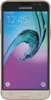
This is a great question, bells. I'd be happy to help you answer it. You can turn off 'Do not disturb' by going into your settings and tapping on 'Sounds and vibrations.' Then you will see the 'Do not disturb' button. You can tap here and slide the 'Turn on now' slider from 'on' to 'off'. I hope this was helpful and have a great day.
Sorry, there was a problem. Please try again later.