“Gear S smartwatch problem bought Gear Ssmart watch. Cannot receive my emails on the watch. I can send them only. Very frustrating. Everything else works great. Nobody seems to know what the problem is. Do you know?”
Answer This Question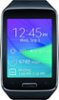
1-5 of 5 Answers
make sure you have enabled notifications for the email app in the Gear Manager software.
Sorry, there was a problem. Please try again later.I have the gear app on my phone an that's how I control all the extra functions on the watch so look an see if email is checked under the managed apps of the smart watch on ur phone thru ur app......cause I was having same issue an that's what I figured out was wrong with mine,after I checked the app for the watch on my phone! The email wasn't checked!
Sorry, there was a problem. Please try again later.Switch to Sprint...they'll buy out your contract, give you credit for a new phone..& the service & cost will B half as much as it is now plus you won't have carrier issues with your Gear S...trust me
Sorry, there was a problem. Please try again later.Make sure that your email account has been setup on your mobile phone first using the standard email app. Afterwards, make sure that the Email application has been checked in the Gear S "Manage Notifications" menu from your mobile device. Your Gear S will then receive any new messages that have been sent to your email. If you are using Gmail, you can simply check the Gmail application from the Gear S "Manage Notifications" menu from your mobile device. I hope this helps!
Sorry, there was a problem. Please try again later.This watch require Samsung Galaxy phones in order to download the Samsung manager app. After you download manager, then it can be used independently to make calls with a $25.00. Do let your carrier make you purchase any higher plan. Some apps van be used with my HTC DESIRE 626S
Sorry, there was a problem. Please try again later.