“transfer photos Will this easily load photos on my PC and transfer to Mac?”
Answer This Question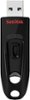
1-10 of 11 Answers
Not sure what you mean by easily as it does involve some mouse clicking. If you plug it into your PC, a storage icon will be displayed. You can then copy the picture or other files you want transferred. Then eject the flash drive properly. Next plug the falshd rive into your Max's USB port and want until the drive is printed. From there you can open up the storage device and copy the pictures or files that you want onto your Mac. Depedning on your situation though, there may be much better ways to transfer files.
Sorry, there was a problem. Please try again later.Yes, I have both a PC and Mac and I use it between the two of them. Plus the 3.0 is so much faster than the traditional USB.
Sorry, there was a problem. Please try again later.yes
Sorry, there was a problem. Please try again later.It can as long as you do not format the drive with a mac.
Sorry, there was a problem. Please try again later.Yes, You can load pictures and media easily. Most of all it is USB 3.0 which means faster than the USB 2.0.
Sorry, there was a problem. Please try again later.Yeap
Sorry, there was a problem. Please try again later.I use it to transfer data/photos/videos between a PC, Mac, and PS3. Out of the box it will work between those operating systems just fine. As long as you don't reformat the USB drive, it will work fine.
Sorry, there was a problem. Please try again later.Yes, It will work wit Mac.
Sorry, there was a problem. Please try again later.Yes, definitely
Sorry, there was a problem. Please try again later.Yes, as long as the photos are in a format recognized by both operating systems (i.e., JPEG).
Sorry, there was a problem. Please try again later.