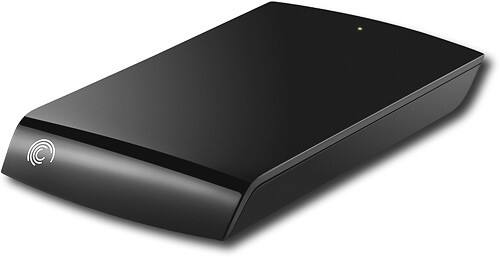
A:AnswerYes, our Seagate 250GB External USB 2.0 Portable Hard Drive is compatible with Windows XP and it should work to transfer files from your XP computer to your computer running Windows 7. Always verify that the photos will read properly on your Windows 7 computer first before deleting the photo files from your XP computer.
A:AnswerYes this drive is compatible with both Windows 7 (including 64-bit) and laptops. We do recommend making sure you have all updated drivers from the laptop manufacturer when using any external drive.
A:AnswerOur Expansion Portable drive is only supported for Windows systems only. Here is a datasheet that illustrates this: http://ow.ly/dd0u5 z
We do have drives that are compatible with Mac computers. Here is a link to what we offer. Look for the "for Mac" on the product description:
http://www.seagate.com/external-hard-drives/portable-hard-drives/
A:AnswerThe 250GB External USB 2.0 Portable Hard Drive is connected by a USB 2.0 cord. It is not a wireless device. We do have wireless network drives available. The GoFlex Home drive connects to your router (via an ethernet cable) then transmits wireless on your network if your router has wireless capability. The Satellite drive is more tailored toward media streaming wirelessly to mobile devices. We have included both in My Product Recommendations.
A:AnswerOur external Seagate 250GB External USB 2.0 Portable Hard Drive is not supported with Windows 98. The supported operating systems for this drive is Windows XP, Vista and 7. It is unclear if your music files would be transferable to this drive or whether they would run correctly on the new computer. It really depends on the file type of the music file and if a program on your new computer is compatible with the music file type.
A:AnswerThe Seagate Expansion drive does not fit in the dock designed for the FreeAgent Go family of drives. There was one dock for the FreeAgent Go drives, the FreeAgent Go Dock+ that included a USB port that another external drive could be plugged into. This drive will not fit in the top slot, but if you have one of the Dock+ devices, it can be plugged in via USB cable.
A:AnswerDear Valued Seagate Customer,
This reply is from Seagate Support. We would like to address your question about our Expansion Portable hard drive.
While the drive is only supported with Windows XP, Vista and Windows 7, it might still function in DOS.
If your computer system is running a newer BIOS and is able to recognize flashdrives, most likely an external drive will also fuction here.
If you have any remaining questions or concerns, we would be happy to help using any of the support services we provide. Here is a web address with contact information should you wish to speak with a support representative directly. Our support is free of charge.
http://ow.ly/4NgEf
Best Regards,
Seagate Support
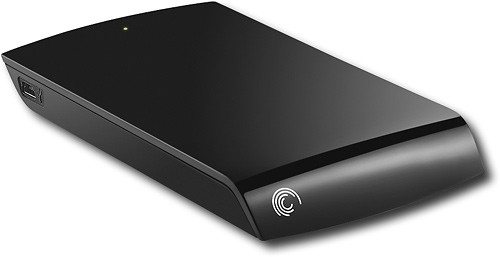
A:AnswerThe drive is only tested to be compatible with Windows. However, you may be able to reformat the drive to FAT32 and use with the PS3, but Seagate Support will not be able to help you troubleshoot any issues with the drive connected to the PS3.
A:AnswerOur Seagate 250GB External USB 2.0 Portable Hard Drive will not save data to the drive automatically as this drive only comes with subscription backup software as an option. This does not prevent you from using other third party backup utilities to backup to the external drive if you wish.
We also have other external drives that do have free backup programs included with the drive. Any of the GoFlex drive model family include free backup software. As an example, please reference "My product recommendations" for drives that include free backup software.
A:AnswerYou may find all available information on our Seagate 250GB External USB 2.0 Portable Hard drive at the following support link here: http://ow.ly/b9pxG
If you have additional questions on the drive before (or after) your purchase, feel free to contact any of our free support services we offer here: http://seagate.com/support/contact-support/