“I have a Desktop with Win. 7 & 16GB Ram, (4) 2 TB HDs (Drives C, D, H & J) with this External HD, is there a way to partition it so I can copy all drives over to this one drive. Then transfer the programs I use over to a New Desktop with Win. 10?”
Answer This Question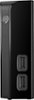
1-3 of 3 Answers
Sure. To make partitions you just need a partition program, and there are plenty of free and paid programs available if you search online. It's been about 3 years since the last time I used one, so I don't feel informed enough to make a suggestion, but there are guides and lists that explain the pros and cons of many partition programs. However, for the purposes of transferring to a new computer you should check Microsoft's guide for doing so. Some of your drives probably don't have program referenced files, so you can move their contents however you want, but programs and their files may need to be reinstalled if drive letters (and therefore file addresses) change.
Sorry, there was a problem. Please try again later.Yes you can partition this drive. It behaves like any other hard drive, only difference is that it's external.
Sorry, there was a problem. Please try again later.Call the Seagate technical customer service line. They are very helpful. I called them on a few occasions and they were terrific.
Sorry, there was a problem. Please try again later.