“let's say I've set up all my controls for my devices (cable, tv, soundbar). how does it know which device to turn on when I press the power Botton? from what I've seen on videos, they only set up the power bottun for one device.”
Answer This Question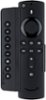
1-3 of 3 Answers
You can assign any button on the control to operate any device. Example: Source key can be used for on/off to a BlueRay player. The A button can be used to Turn on/off a sound bar and then use the Up arrow to raise sound bar’s volume and the down arrow to lower the volume. The Source key can be used as a source key for your t.v All buttons can be programmed to do whatever you want. Just use the correct controller and the correct button during programming.
Sorry, there was a problem. Please try again later.Basically you would need to assign a button for the power button for each device...You can assign any button for any feature, I assigned the 'B' button as the power for my sound bar. So you need to pick and choose what you use the most and only assign those features. Ex. only the volume for the sound bar but not the tv, or only the power button for the tv and sound bar but not cable...
Sorry, there was a problem. Please try again later.you program every button, if memory serves. Point clicker at the sideclick and follow a procedure. Was easy. I don't have tv so I don't need channel up and down, so I programmed something else on it.
Sorry, there was a problem. Please try again later.