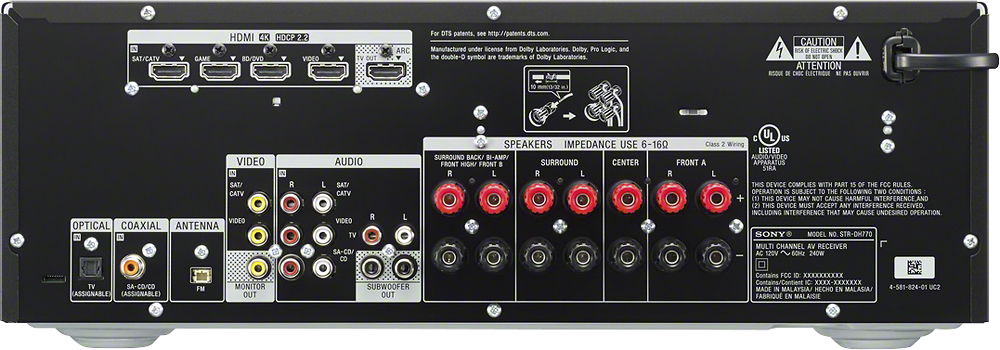
A:AnswerHello Homer, thank you for your message. In regards to your question, the Home Theater System does have an HDMI (ARC) Output. For more specs, check the next link: https://docs.sony.com/release//Manual_4584079132.pdf. Oscar.
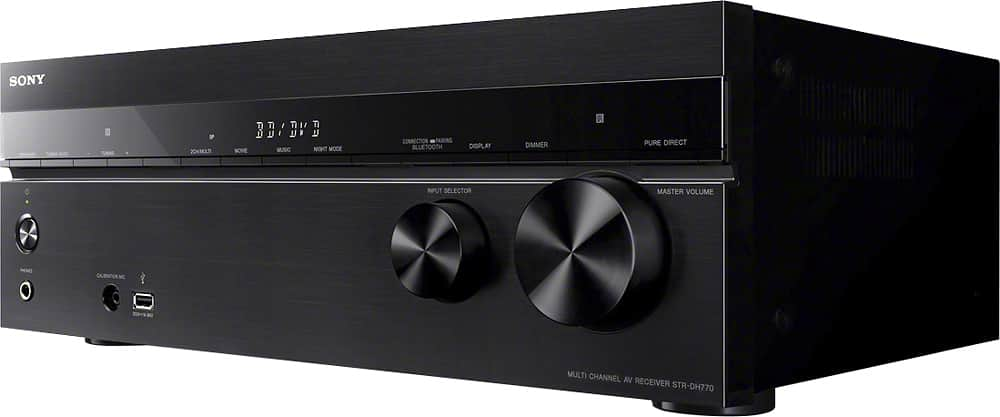
A:AnswerThere is an input in the front for a microphone and it's used for sound calibration not sure what other uses its good for I've only used it for that.
A:AnswerHi Jecab27, You can hook up all the devices to the A/V Receiver and a single HDMI cable connected to HDMI INPUT labeled ARC on the TV. This unit has a pass through (STBY THRU) function which allows you to enjoy the sound and image of a connected device without turning on the receiver. To know more about the Receiver's feature and functionality, we suggest visiting this link: https://docs.sony.com/release//Help_4584081111.pdf -Jerome
A:AnswerHi wayne, kindly unplug all the device from the receiver and reconnect them. If the issue is still present after that step, kindly reset the receiver to factory defaults. To reset the receiver, turn it off and press and hold its power button until you see the [CLEARING] message, wait until it says [CLEARED]. It takes a few minutes for the memory to be cleared completely. Do not turn the receiver off until
[CLEARED] appears on the display panel. Thanks, -Mark
A:AnswerHi CK, please visit the link below to see the rear panel of the receiver. It will show you the types of connection supported by this receiver. I hope it helps. Regards, ^Ron
http://helpguide.sony.net/ha/strdh77/v1/en/contents/TP0000960606.html
A:AnswerHi there! Yes, there is a setting for you to be able to turn off the standby and sleep mode on this receiver. You may use this link as your reference: https://docs.sony.com/release//Help_4584081111.pdf Thanks, -Mark
A:Answeryes just go into the settings on the receiver and turn off standby mode ( i had to do this because it kept turning off after so long when no sound is played)
A:AnswerHi John, No, the receiver doesn't have a PHONO input. You may refer to page 11 of the link below for more information:
https://docs.sony.com/release//Manual_4584079132.pdf
~Ralph
A:AnswerNo, it will not. This receiver only has a bluetooth IN capability. Meaning you can connect your phone/tablet to it via bluetooth and play music from it. You will not be able to receive a signal from it and listen to music in your BT headphones.
A:AnswerHi Gamer720, We're sorry to hear that the unit is not working properly. To isolate the issue, you may refer to the link below for troubleshooting:
https://us.en.kb.sony.com/app/answers/detail/a_id/76036/p/41901,43145,92877,96092/c/65,66/kw/76036%20%20%20
~Ralph
A:AnswerI bought my house speakers from Amazon which are ceiling speaker and this receiver does what u want. Right now all I play is the the FM radio. When the electrican connected it they are the ones that called the company and they said I needed this type. Best Buy staff can assist you too ad long as u tell them what u are trying to do. I love mine.
A:AnswerHi Tired, we suggest to check the link to isolate the sound issue: http://helpguide.sony.net/ha/strdh77/v1/en/contents/TP0001037178.html. Regards, ~Erin