A:AnswerThe TV has places for games to be downloaded but I didn't see the actual playstation app so I would go to a Best Buy store and talk to a sales person to get a better answer
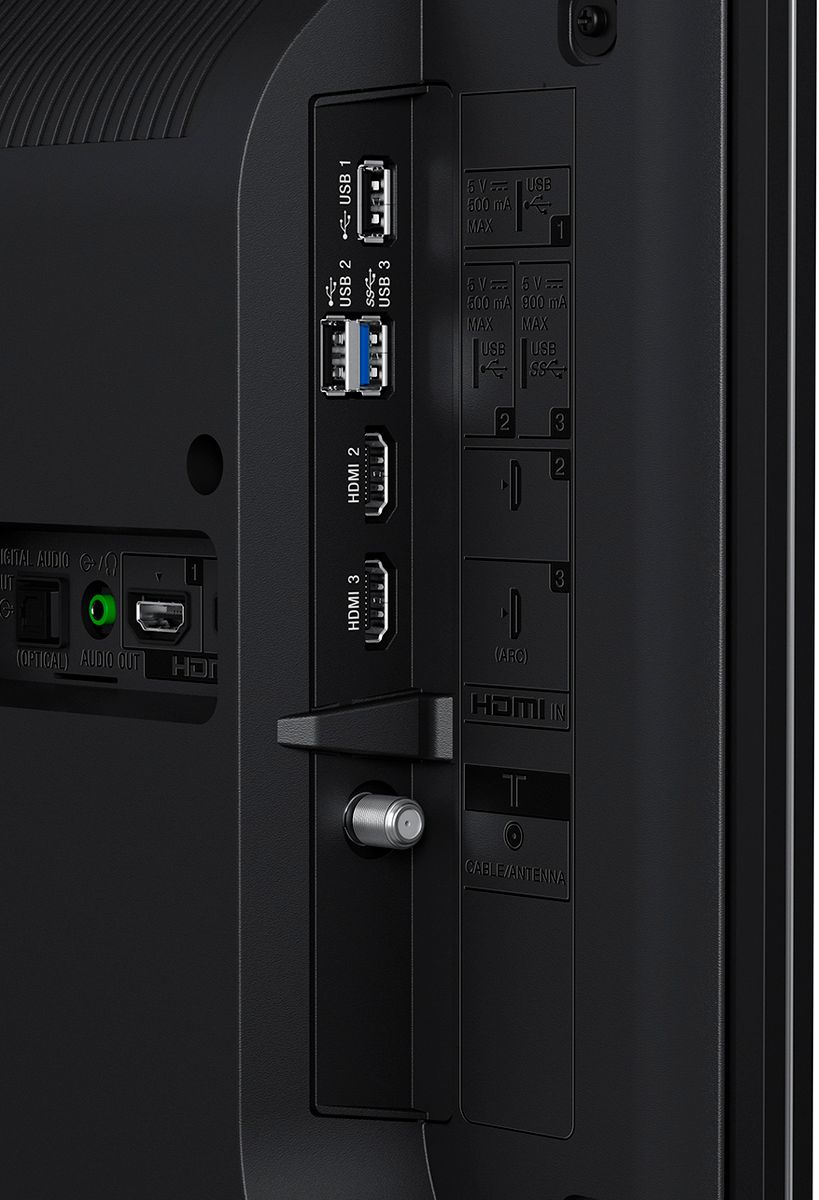
A:AnswerHi freddy, you may connect this TV to an audio system using HDMI, digital optical and a headphone cable. You may also refer to the link below for more information. Thanks! ^Ron
http://helpguide.sony.net/tv/eusltn3/v1/en-003/04-04.html
A:AnswerHi Barbie, please visit the link below for possible troubleshooting steps to fix this issue. I hope it helps. Regards, ^Ron
https://us.en.kb.sony.com/app/answers/detail/a_id/42379/
A:AnswerHi Skeletor, No, it doesn't support 3D content. You may refer to the link below for more information:
https://docs.sony.com/release//specs/XBR55X800E_mksp.pdf
~Ralph
A:AnswerHi besthero, Even if the video is in the correct format it is not a guarantee that the video will play. The video file should be within the correct profile codec. You may find this link very helpful for more details on supported files and formats. http://helpguide.sony.net/tv/eusltn3/v1/en-003/04-01-03_03.html -Jerome
A:AnswerJust reconnect the antenna you are currently using to the back of the new TV, and go into the set-up mode and do a channel scan. The TV will lock in all the channels it can receive in your broadcast area.
A:AnswerIt 'probably' will work.
While I have not tried this specifically, I have another similar setup that works. I have an optical cable going from the TV to a Sony amp for audio from the TV's on-board apps (Netflix and Amazon) and it passes 5.1 as you would expect.