Questions & Answers
- Model:
- KD65X80K
- |
- SKU:
- 6499677
Q: QuestionIs it possible to connect this TV to Google Mini/Home speakers to use for surround sound?
Asked by Anonymous.
- A:Answer Hi there, Thanks for your question. The X80K supports Chromecast built-in and it works with Google home speakers. Connecting your Google home mini speakers with this TV requires you to have a mobile device with an Android or iOS operating system (to set up the Google Home speaker) and your phone connected to the same home network. You can add the Google Home Mini as a speaker in a speaker group or pair two speakers for stereo sound for an immersive music and media experience. To set up the Google Home Speaker and change the audio settings of your Google home speakers in the Google home app, visit the Google Home Help Center website or contact Google Home support. Hope this helps. Regards, Jess
Answered by SonyListens

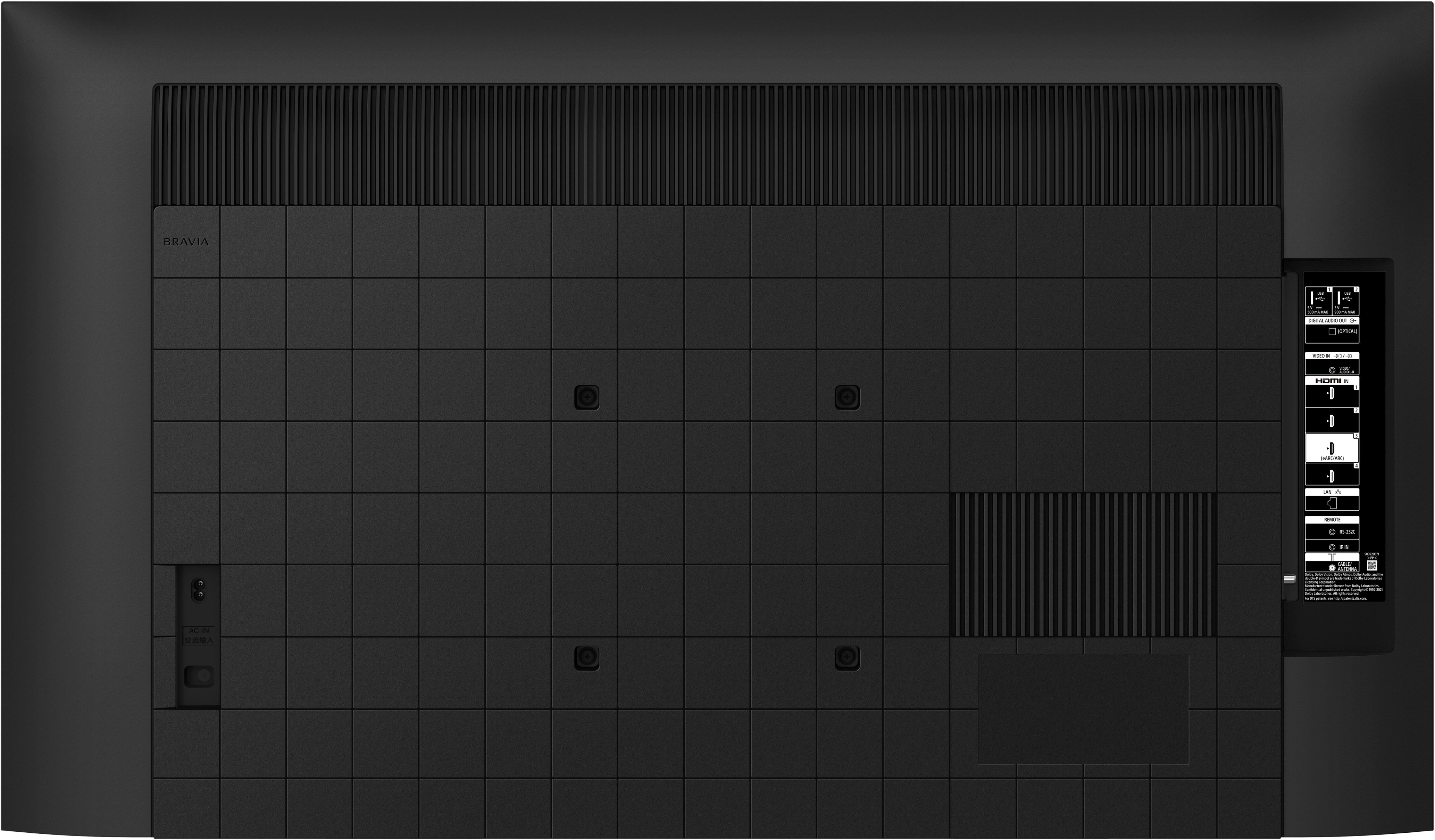
Q: QuestionWith this 65X80K television...what is the distance (measurement) from the top of the TV to the top mounting holes on the back of the TV? Thank you.
Asked by Mark.
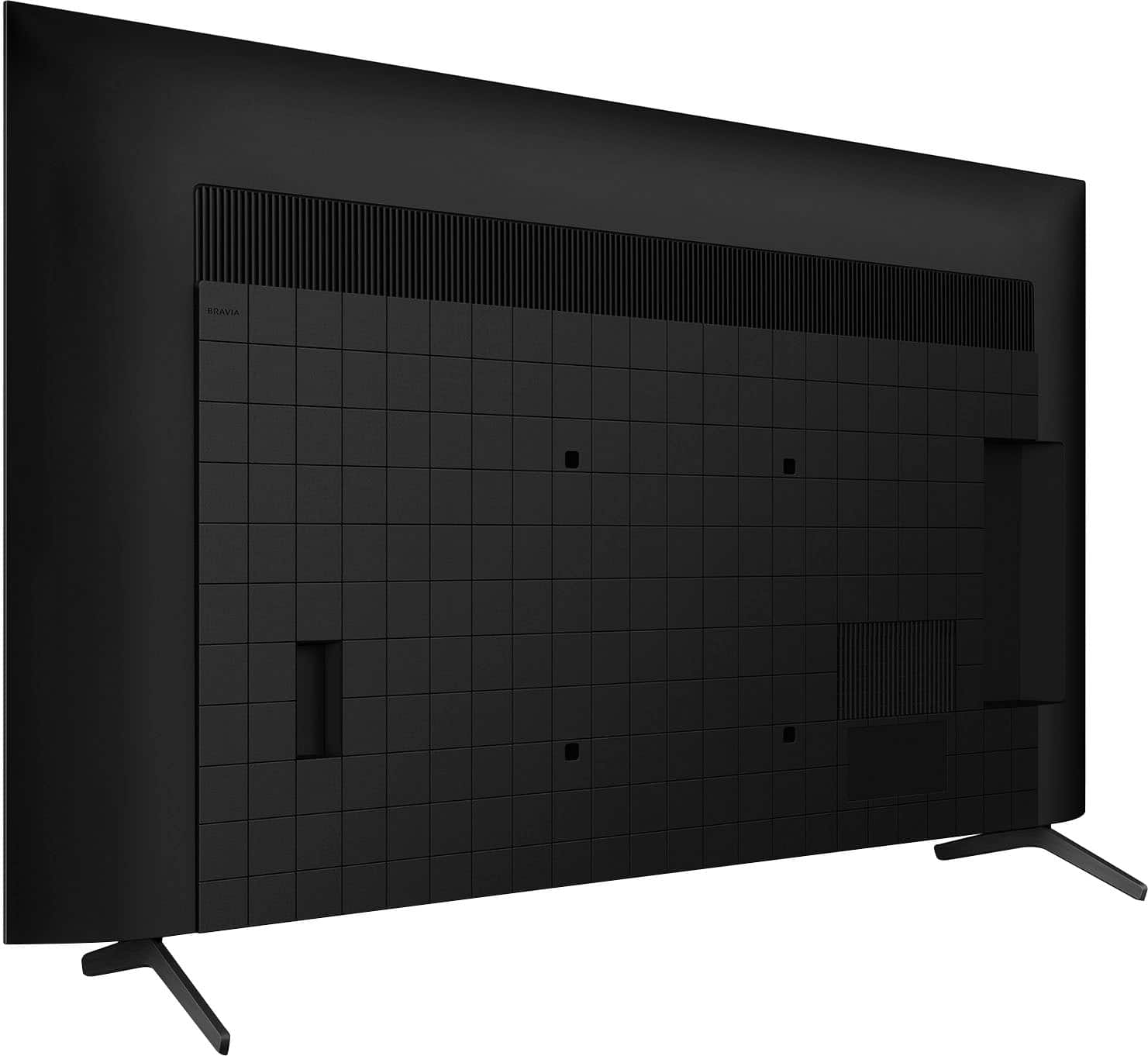
- A:Answer Hi Mark, Thanks for inquiring about the KD-65X80K. The distance from the top mounting holes to the top of the TV is 393 mm / 15 1/2 inch. The VESA hole pitch of this unit is 300 x 300 mm (11.81 x 11.81 inch). Product dimensions for KD X80K and X80CK series (43-75) TV models is also available on the Sony Support website. Refer to it as necessary. For product protection and safety reasons, Sony recommends that the mounting of your TV on the wall is performed by Sony dealers or licensed contractors. Regards, Jess
Answered by SonyListens

Q: QuestionSo I see you have things on sale then you list them as Black Friday deals but the price does not change? I see you do this on multiple items all the time. It just seems shady to me.
Asked by WhatsTheDeal.
- A:Answer I agree I realized this too and think it’s super shady but I guess what’s done is done now we can’t do anything about it
Answered by CalebT
Q: QuestionDoes this tv mirror
Asked by Anonymous.
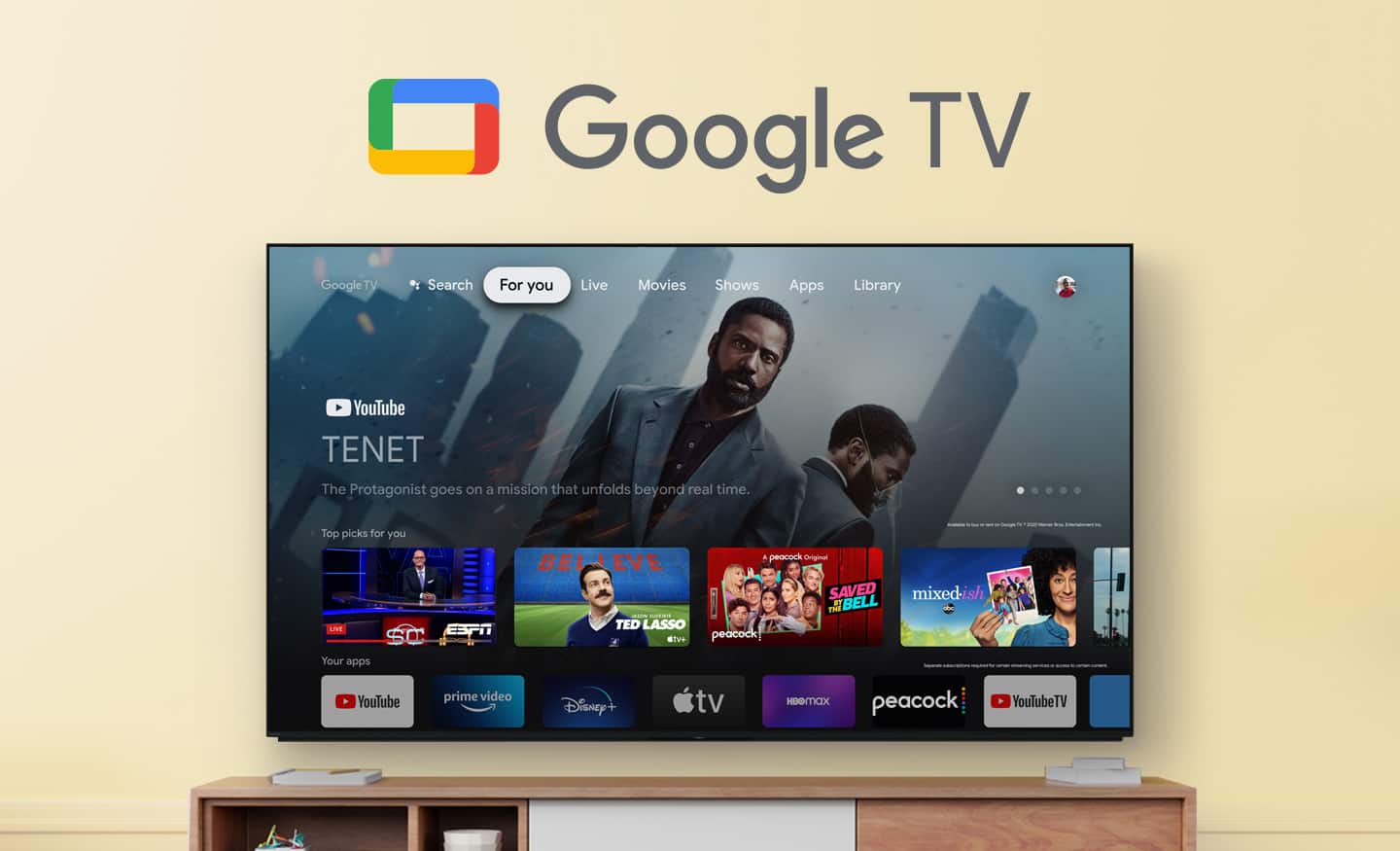
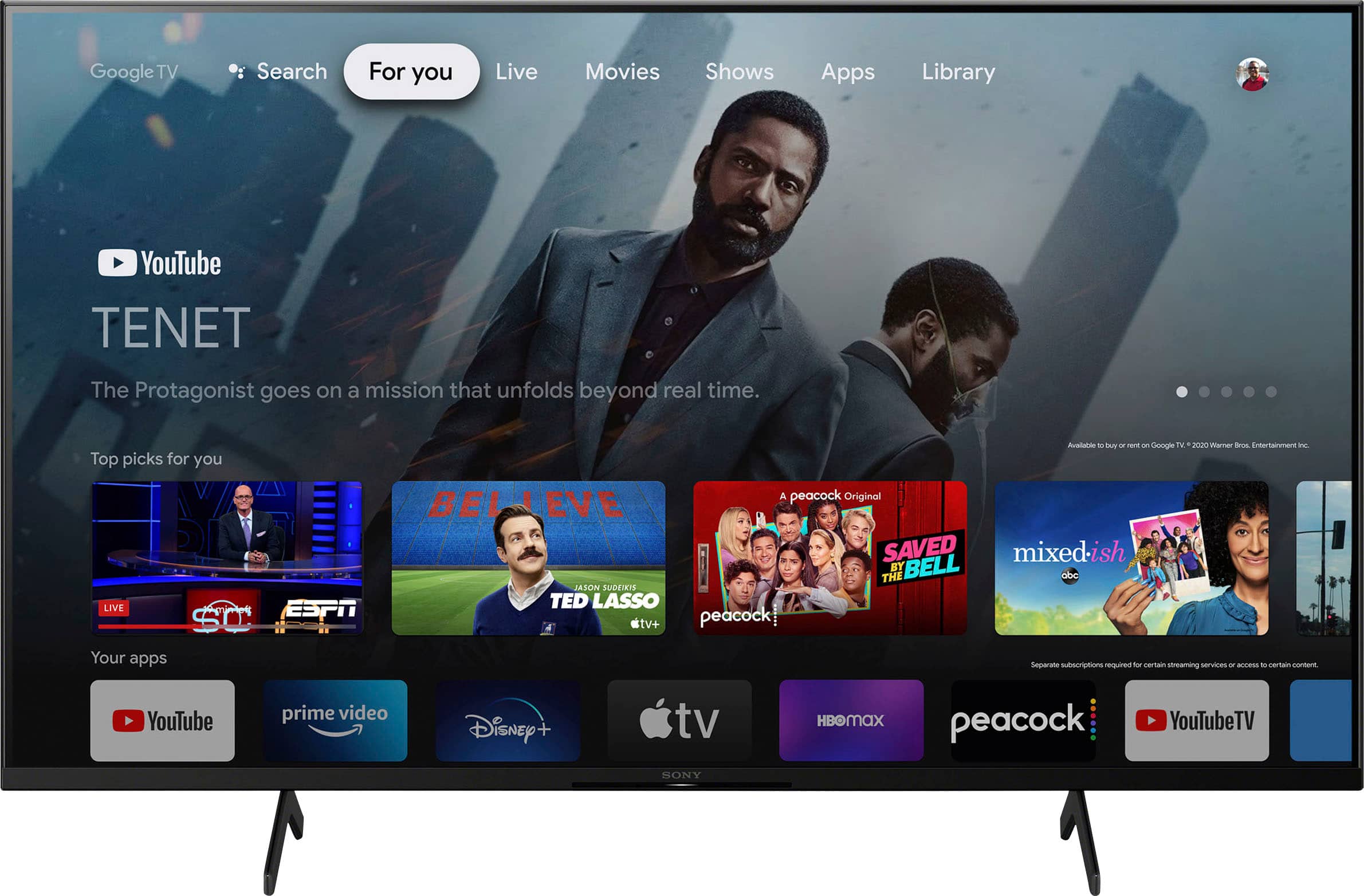
- A:Answer Hi there, Thank you for your inquiry! If you are referring about mirroring, casting or displaying the content or screen of a mobile device on the TV screen, this unit supports Screen mirroring for iPhone and Android smartphones via Apple Airplay 2 and Chromecast built-in, respectively. You can cast your favorite entertainment and apps from your mobile device or computer to your Google TV device. The X80K also supports Google TV, which brings your favorite content from across your apps and subscriptions and organizes them just for you. Regards, Jess
Answered by SonyListens

Q: QuestionIs this an outside TV weatherproof
Asked by Joseph.
- A:Answer Hi Joseph, Thank you very much for your question. We are sorry, but we do not recommend using our X80K and other BRAVIA TVs outdoors. FCC regulations restrict operation of this TV to indoor use only. Our BRAVIA X80K has an intelligent TV processing technology powered by 4K HDR Processor X1 that delivers picture quality full of rich colors and detailed contrast. You will also enjoy the Google TV with Google Assistant which organizes your content all in one place. You can also stream from your Apple device with AirPlay 2 support. This TV has Motionflow XR technology which allows you to see blur-free picture quality in fast-moving sports and movies. I hope this helps you, and thank again for your question! Best regards, Romeo
Answered by SonyListens

Q: QuestionI typed in outdoor tvs and this one came up. I don't see it say it's outdoor anywhere. Is it an outdoor tv?
Asked by Anonymous.
- A:Answer It is not unfortunately
Answered by Chrisp
Q: QuestionCan this tv be used outdoors?
Asked by Deb.
- A:Answer This TV is not rated for the heat, the cold, or the moisture. I would not recommend it for repetitive or continuous outdoor use. Look into the Samsung Terrace outdoor TV or another tv called Sunbrite these are great tv's that are built for outdoor use.
Answered by ShanonS
Q: QuestionIs it possible to connect RF headphones to this monitor?
Asked by Sargylana.
- A:Answer Hi Sargylana, Yes, it is possible, especially if you have Sony RF headphones such as the WHRF400, WHL600, or MDRRF995RK. Our BRAVIA X80K has an intelligent TV processing technology powered by 4K HDR Processor X1 that delivers picture quality full of rich colors and detailed contrast. You will also enjoy the Google TV with Google Assistant which organizes your content all in one place. You can also stream from your Apple device with AirPlay 2 support. This TV has Motionflow XR technology which allows you to see blur-free picture quality in fast-moving sports and movies. Thank you for your inquiry and I hope this helps! Vincent
Answered by SonyListens

Q: QuestionCan this unit be used outdoors?
Asked by Anonymous.
- A:Answer I wouldn't use it outdoors.
Answered by CongX
Q: QuestionCan this tv be used in an enclosed patio outdoors ?
Asked by Anonymous.
- A:Answer Like any TV, it's not designed to be outside. Enclosed, does not necessarily mean weather proof. However, there are TVs that can be installed outside. You can see them on the Best Buy web site. They are more expensive. Samsung makes some. Talk to installers and people that know what you want.
Answered by Anonymous
Q: QuestionWhen I search for outdoor tv's, this one comes up as one of the first and it is titled "Sony 65" Outdoor Class X80K" Is this truly an outdoor tv? I plan to put it in an area will it will not get rained on and there will be no sun shining on it. Thanks.
Asked by Chuck.
- A:Answer Hi Chuck, Thank you for your inquiry! Our X80K and other BRAVIA TVs are intended to be operated indoors. This information can be found on the manual of the TV posted on our support website. You can contact us if your need more details. Unfortunately, due to the current Best Buy phishing protocol for your protection, we cannot provide a direct email or phone number for customer support as of now. Please find Sony Electronics' Support information: Go to our support website > click on “Support” > scroll down click on “Contact Support” > click on "TV & Projectors" and from there you'll see different ways to contact us. Our BRAVIA X80K has an intelligent TV processing technology powered by 4K HDR Processor X1 that delivers picture quality full of rich colors and detailed contrast. You will also enjoy the Google TV with Google Assistant which organizes your content all in one place. You can also stream from your Apple device with AirPlay 2 support. Hope this helps! Vincent
Answered by SonyListens

Q: QuestionWhy does this say outdoor tv on google? Scam!!!
Asked by Matt.
- A:Answer Hi Matt, We are sorry for any confusion. Our X80K and other BRAVIA TVs are intended to be operated indoors. This information can be found on the manual of the TV posted on our support website. You can contact us if your need more details. Unfortunately, due to the current Best Buy phishing protocol for your protection, we cannot provide a direct email or phone number for customer support as of now. Please find Sony Electronics' Support information: Go to our support website > click on “Support” > scroll down click on “Contact Support” > click on "TV & Projectors" and from there you'll see different ways to contact us. Our BRAVIA X80K has an intelligent TV processing technology powered by 4K HDR Processor X1 that delivers picture quality full of rich colors and detailed contrast. You will also enjoy the Google TV with Google Assistant which organizes your content all in one place. You can also stream from your Apple device with AirPlay 2 support. Thank you for your inquiry and I hope this helps! Vincent
Answered by SonyListens

Q: QuestionIs this model tv a good option to be mounted on an Outdoor patio set up?
Asked by AntChatt.
- A:Answer YES
Answered by Peatersam
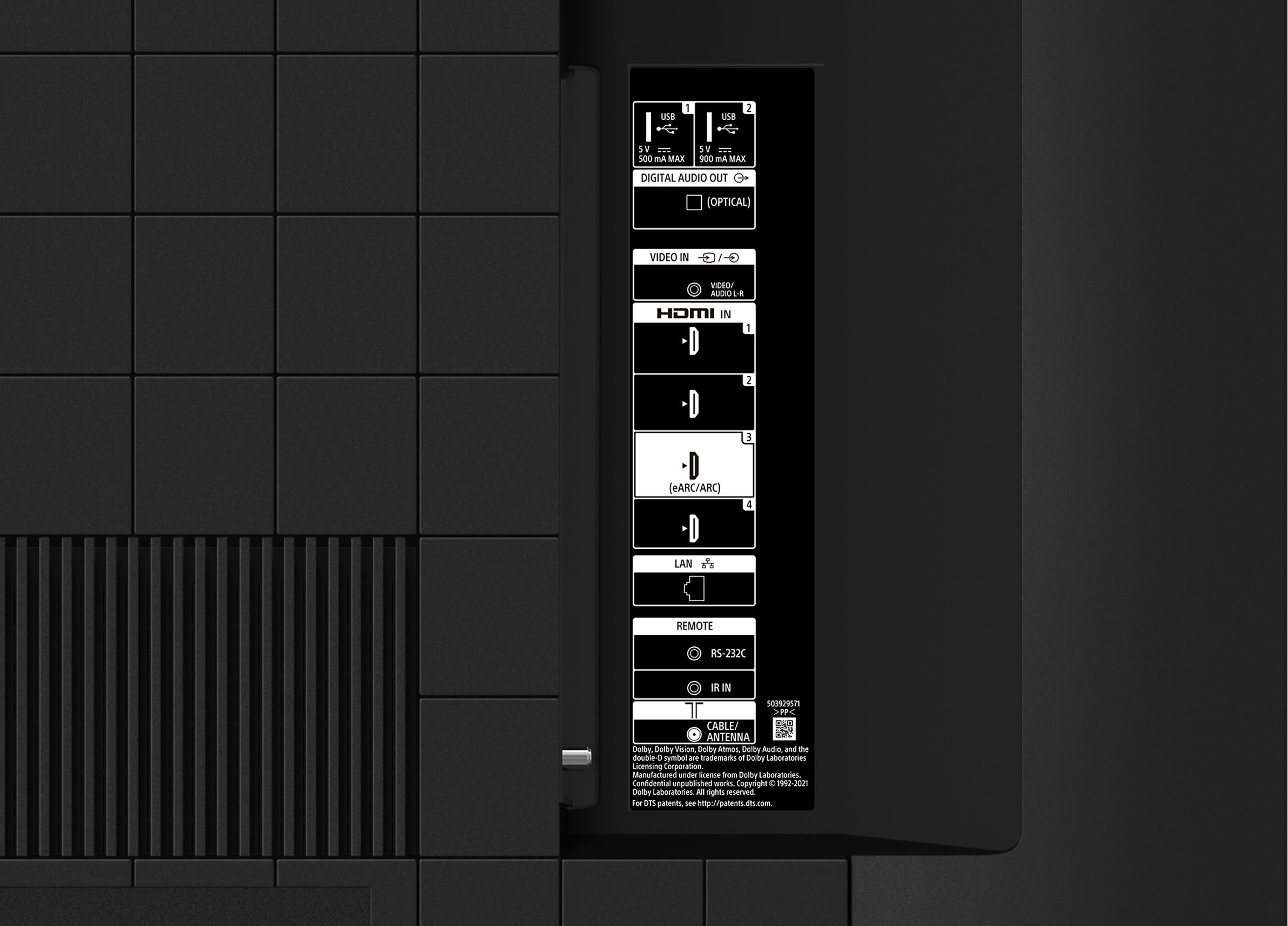
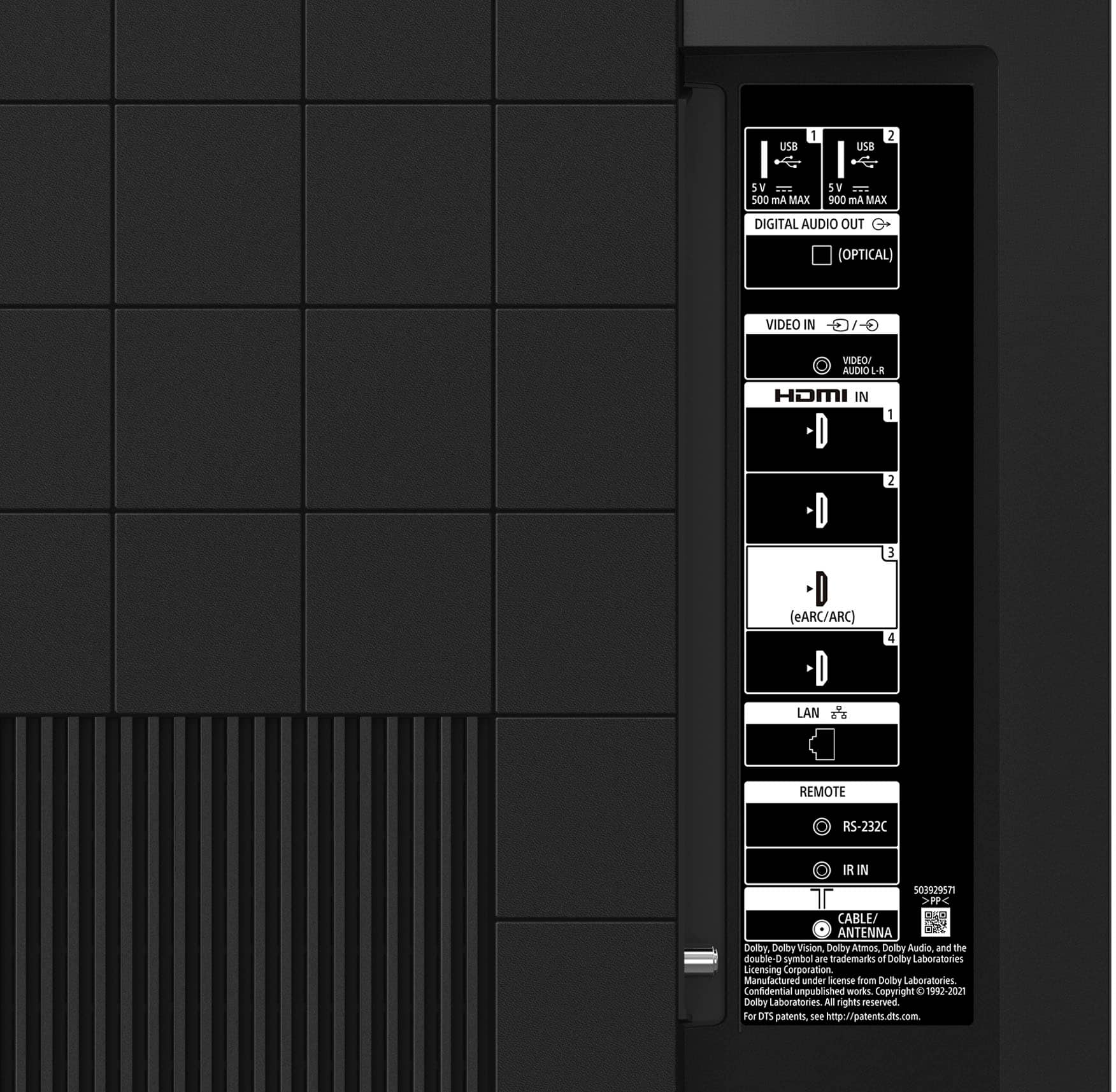
Q: QuestionHow do you change it to make HDMI 1 the default input so that's where it is when I turn on the TV. I use a fire stick and don't want to have to hit buttons to get there. I've had cheaper and more expensive TV's, it was easy to figure out on those.
Asked by Aaron.
- A:Answer Hi Aaron, Thank you for your inquiry! You can change the screen that is displayed when the TV is turned on to the TV broadcast channel or external input such as HDMI IN 1 that you were watching before turning off the TV by following these steps: 1. Press the (Quick Settings) button on the remote control. 2. Select [Power on behavior], and then select [Last used input]. The next time the TV is turned on, the TV broadcast channel or external input such as HDMI that you were watching before turning off the TV will be displayed. Our BRAVIA X80K has an intelligent TV processing technology powered by 4K HDR Processor X1 that delivers picture quality full of rich colors and detailed contrast. You will also enjoy the Google TV with Google Assistant which organizes your content all in one place. Hope this helps! Vincent
Answered by SonyListens

Q: QuestionCan you connect the JBL Bar 5.0 Multibeam Soundbar to the Sony 65 ClassX80K Series 4K UHD HDR Smart Google TV? Where can I find directions?
Asked by UCoach.
- A:Answer In tv settings, go to sound source and should lead you to set external audio.
Answered by JamesT
Q: QuestionIs there a built-in microphone for use with video conferencing?
Asked by Microphone.
- A:Answer No
Answered by Awel
Q: QuestionOn the Best Buy specifications for this unit, it state that it works with Alexia. Do you need to purchase a fire stick or built in?
Asked by JB51.
- A:Answer Hi JB51, Thank you for your inquiry! The KD65X80K works with Amazon Alexa. To use Alexa with this TV, you will need the following below: An Alexa-enabled device A mobile device running on either Amazon Fire OS 3.0 and higher, Android 5.0 and higher, or iOS 9.0 and higher. An Amazon account. A Google account. - Make sure to use the same Google account on your TV and on your mobile device. A home network with Wi-Fi capabilities (Dual-band Wi-Fi supports 802.11 a/b/g/n (2.4 and 5 GHz) networks. Once you have setup Alexa on the KD65X80K, you can use your voice to control the TV such as turn on or off, change channels, control volume, and more. For more details about this feature, please visit our Sony Support Site. Enjoy an intuitive smart TV experience with natural color and clear sound with the BRAVIA X80K LED TV. The powerful 4K HDR Processor X1 reduces digital noise and boosts details for lifelike picture quality. Google TV gives you access to all your favorite streaming apps, while Google Assistant easily searches for content and controls your smart home simply by using your voice. Hope this helps! - Kris
Answered by SonyListens

Q: QuestionDoes Best Buy deliver In Billings, Mt. And if Best Buy delivers to home , do they set up and connect?
Asked by famos.
- A:Answer Excellent delivery and setup. Exceptional
Answered by JohnM
Q: QuestionWould it be a good tv for outdoor use?
Asked by Anonymous.
- A:Answer Based on the brightness value and non reflective coating, believe there are better options for outdoor TV. But our room is fairly lit and it works great


Answered by AbyM
Most-viewed items
- Doorbuster$169.99Your price for this item is $169.99
- Black Friday Deal$999.99Your price for this item is $999.99
- Black Friday Deal$899.99Your price for this item is $899.99
- Black Friday Deal$349.99Your price for this item is $349.99
- Black Friday Deal$99.99Your price for this item is $99.99
- $279.99Your price for this item is $279.99$399.99The comparable value for this item is $399.99
- Black Friday Deal$1,399.99Your price for this item is $1,399.99
- Black Friday Deal$499.99Your price for this item is $499.99
- Black Friday Deal$329.99Your price for this item is $329.99
- $899.99Your price for this item is $899.99$2,499.99The comparable value for this item is $2,499.99
- $549.99Your price for this item is $549.99$1,299.99The comparable value for this item is $1,299.99
- Black Friday Deal$379.99Your price for this item is $379.99
- Black Friday Deal$299.99Your price for this item is $299.99
- Black Friday Deal$999.99Your price for this item is $999.99
- Black Friday Deal$189.99Your price for this item is $189.99
- $249.99Your price for this item is $249.99$379.99The comparable value for this item is $379.99
- Black Friday Deal$399.99Your price for this item is $399.99
- $89.99Your price for this item is $89.99$149.99The comparable value for this item is $149.99
- Black Friday Deal$449.99Your price for this item is $449.99
- Black Friday Deal$399.99Your price for this item is $399.99