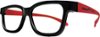
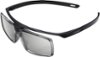
“What is 3d supposed to look like? Recently received TV and glasses. I put on a 3d movie, glasses say they are paired with TV, I put side by side in action menu. I'm not sure but are u supposed to be seeing two of everything, if so how can that not give u a headache. I have a passive 3d TV and it's nothing like this. I'm hoping I'm doing something wrong otherwise I'll be very upset. Any help out there would be appreciated”
Answer This Question
1-5 of 5 Answers
You need to put 2D-3D conversion on if it's not already on (I have to do it every time on my projector), and if it's a passive TV get passive 3D Glasses but if it supports Active Shutter then get these. The way 3D works (on Active Shutter glasses, like these) is that each eye sees a slightly different image, making it look 3D, but also both sides close and open really fast, in sync with the TV/Projector, to create the illusion that you are seeing 3D. And you are not seeing 2 images at the same time, so these don't give much headaches. (Also Passive 3D Glasses cost around $10 and you should get that because you have a Passive 3D TV)
Sorry, there was a problem. Please try again later.They are not sync'ed up. I have the same problem and have to make sure the latest software. Then it took 3-4 times trying to sync them up. Once I finally got them to sync they work great.
Sorry, there was a problem. Please try again later.A couple of possible solutions. One, the movie has a standard selection and a 3D selection. You have to have a 3D blue ray player and select the 3D viewing of your movie. Two, the glasses need to be turned on. Once on a light will blink in the center area about once every few seconds. Three, there were some menu setting on the TV that need to be adjusted. You have to read the detailed TV manual as the quick start manual does not address all of the 3D options. They work quite well once you have everything set up.
Sorry, there was a problem. Please try again later.If you have a 3D movie in, without the glasses on the movie should look really blurry. When you put the glasses on, everything gets clear. If you can see the 3D movie clearly without the glasses, the movie isn't in 3D, and if you are wearing the 3D glasses and it's still blurry, then the glasses aren't paired right.
Sorry, there was a problem. Please try again later.Hi Bernie, Please make sure that both the TV and the 3D glass are compatible. They must support either ACTIVE or PASSIVE 3D. This specific model is an ACTIVE 3D glass. Thanks, >Joffrey
Sorry, there was a problem. Please try again later.