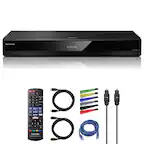
A:AnswerIf this occurs with multiple dvds then your player is defective. I am not aware of any setting that would cause this. I would try changing the audio setting to stereo or another basic setting if it currently is in surround sound or a similar setting. If that doesn't work take it back to Best Buy and ask them to check it or exchange it.
A:AnswerHi Cam, This Blu-ray player will only play region 1 DVDs and region A Blu-ray discs: https://docs.sony.com/release//specs/BDPS6700_mksp.pdf
Regards,
Vincent
A:AnswerHi MorseFan45, No. This player will only accept region code 1 DVDs and region code A Blu-ray discs: https://docs.sony.com/release//specs/BDPS6700_mksp.pdf
Regards,
Vincent
A:AnswerHi Mariah, please refer to pg.34 of the link below for possible troubleshooting steps to fix this issue. Thanks! ^Ron
https://www.sony.com/electronics/support/res/manuals/4579/42aa85036c579891f1d883848c9f88f1/45796691M.pdf
A:AnswerHi MamaT, yes, it is supplied with a remote control. Kindly refer to page 39 of this link:
https://www.sony.com/electronics/support/res/manuals/4579/42aa85036c579891f1d883848c9f88f1/45796691M.pdf
~Ralph
A:AnswerI have not experienced that problem. I view Netflix via this equipment, blue rays, DVDs without any issues. Perhaps you need to return it, if it still under warranty.
A:AnswerThere is only one HDMI port out on the back so, no. It would also be redundant to have a Roku and this Blu-ray because it does have most, if not all the programming of the Roku pre-installed.