A:AnswerThe battery indicator in the display window shows the battery condition. A “Low Battery Level” appears on the screen then “Low Battery” appears before the display screen goes blank.
A:AnswerYou can set the VOR (Voice Operated Recording) function to “ON,” to make the IC recorder start recording when the IC recorder detects sound, and pause when no sound is heard, eliminating recording during soundless periods. However the recorder is still powered "On" the entire time and uses battery power even in this setting. to save battery life this recorder also has the Auto Power Off setting that can be disabled in the off position or adjusted anywhere from 5 minutes to 60 minutes
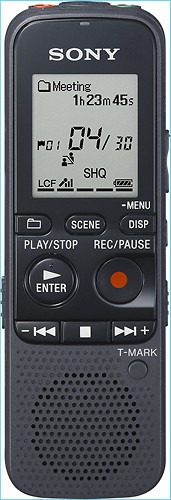
A:AnswerYes you can - there are five folders set up by default and you can delete or create more folders for different types and categories of recordings.
A:AnswerBetween 55 and 72 hours recording, 16 hours playback with the inbuilt speaker and 41 hours playback using headphones, using alkaline AAA batteries. Full details in the user guide, page 110:
http://www.docs.sony.com/release/ICDPX312.pdf
A:AnswerIf your car receiver has a 3.5mm stereo minijack input then you should be able to connect the recorder directly to it and play the output through the system
A:AnswerThe USB Foot pedal would connect to your PC. if your computer recognizes the USB footpedal then it is compatible with Dragon Naturaly Speaking as well as the the Sound Organizer Software included with the recorder.
A:AnswerA USB Foot pedal would connect to your PC. if your computer recognizes the USB foot pedal then it is compatible with Dragon Naturally Speaking as well as the the Sound Organizer Software included with the recorder. the recorder does not directly support a foot pedal.
A:Answeron a Macintosh screen using "Finder", folders and files can be displayed by opening “IC RECORDER” or “MEMORY CARD.” recorded files are saved in the MP3 format. use the included USB cord to connect to your Macintosh. the software provided with the recorder if for Windows Only.
A:AnswerThe SD memory requirements for this unit are located on page 40 of the operating instructions
Please visit the link below:
http://esupport.sony.com/US/perl/model-documents.pl?mdl=ICDPX312&LOC=3













