“Voice-operated recording How do you set the SONY digital voice recorder model ICD_BX800 for Voice-operated recording?”
Answer This Question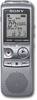
1-1 of 1 Answer
Press and hold FOLDER/MENU to enter the menu mode. The menu mode window will be displayed. Press L/R arrow to select to select VOR setting, then press play button to enter. Press L/R arrow to select ON, then press play button to enter. Press stop button to exit menu mode.
Sorry, there was a problem. Please try again later.