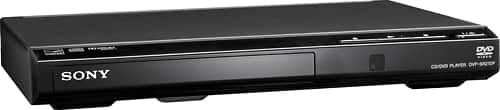
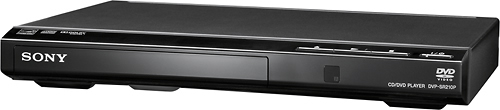
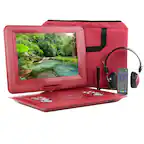
A:AnswerHi AL, No, this DVD player only plays Region 1 Canada, the United States and U.S. territories. For more information about this product, you may visit this link: https://docs.sony.com/release//Ref_4447474321.pdf Regards, Zac
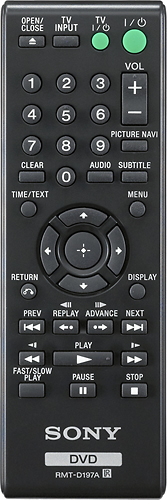
A:AnswerHi blackfire, Yes this player can play regular CD's for music.You can also just insert the disc and press play on the remote to begin playing. Here's the link for the manual: https://docs.sony.com/release//Ref_4447474321.pdf Thanks, Zac
A:AnswerThe player supports multiple formats, and we have played DVDs created using a burner on a PC. It is important to make sure that it is actually burned as a DVD not just a media disk that is meant to be read by a PC application. It indicates that it can read files from a memory stick, but I have not had any reason to try that yet.
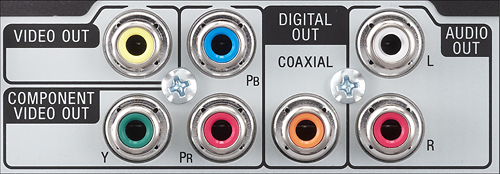
A:AnswerIt comes with the basic cable (not HDMI). It’s a short cable so if you need to place your Sony device a little further away from your TV like I was trying to do then you may want to buy a longer one.
A:AnswerHi cogie, No, it only supports NTSC color system. You may check on this link for more information (note about the discs):
https://docs.sony.com/release//DVPSR210P_ref.pdf
~Ralph
A:AnswerThis happened to me with the first one I bought. I discovered it immediately so I returned it. The second one worked well immediately but I did notice once that it froze up when going to the next level on a workout video. If it happens again I will return the unit and buy a different brand. It shouldn’t do this. You didn’t mention how long you had yours but if it’s still under your manufacturers warranty consider getting a replacement.
A:AnswerHi Cookie, No, the unit doesn't have internet capabilities. You may refer to this link for more information:
https://docs.sony.com/release//specs/DVPSR210P_mksp.pdf
~Ralph