

Labor Day Appliances SaleEnds 9/16. Limited quantities. No rainchecks.Shop now

Main Content

Questions & Answers

Page Showing 1-20 of 102 questions
  • QuestionDoes this device have wireless connectivity?

    • Answer Yes, this device has Wi-Fi for wireless connectivity.
    This question and answer was generated by AI based on customer and product data.

  • QuestionCan I play CDs and DVDs with this player?

    • Answer Yes, you can play CD, DVD, and Blu-ray collections with this universal player.
    This question and answer was generated by AI based on customer and product data.

  • QuestionAre any cables included with this Blu-ray player?

    • Answer Yes, an AC power cable is included with this Blu-ray player.
    This question and answer was generated by AI based on customer and product data.
  • QuestionWhat audio formats are compatible with this player?

    • Answer This player supports AAC, PCM audio, and 11.2MHz DSD.
    This question and answer was generated by AI based on customer and product data.

  • QuestionHow many HDMI outputs does this player have?

    • Answer This player has two HDMI outputs in total.
    This question and answer was generated by AI based on customer and product data.
  • QuestionDoes this player support Dolby Atmos?

    • Answer Yes, this player supports Dolby Atmos for immersive surround sound.
    This question and answer was generated by AI based on customer and product data.

  • QuestionDoes this player upscale content to a higher resolution?

    • Answer Yes, this player upscales content to the highest quality possible.
    This question and answer was generated by AI based on customer and product data.
  • QuestionJust bought the Sony UBPX 700U and check what the firmware version was. It came up as M48.R.0006 that is not listed on the Sony site only M43.R.0292 is. I'm told that refurbish units have the M48.R.0006 have this. Not sure what to believe if this refurbis

    Asked by George.

    • Answer I just purchased the x700U and I called Sony customer support regarding the current firmware. I was told that the M48.R.0006 is the most current software version as of June 2025. Customer support also said this current software version does not designate a refurbished item. Hope this helps

      Answered by ArmyVet

  • QuestionWhat's the difference between this and UBPX700/M?

    Asked by UncleCasey.

    • Answer Hi UncleCasey, That is an excellent question! The difference between the UBP-X700U and the UBP-X700/M is simply the date they became available in the market; otherwise, you can expect identical core performance and features from both models. The UBP-X700/M became available on 4/21/2021, and the UBP-X700U is the most recent version, becoming available on 6/16/2025. We hope this answers your question and thanks for considering Sony products! Best regards, Dominick

      Answered by SonyListens

  • QuestionDoes this unit show how far along in a movie you are? I.e. it there a visible counter showing elapsed time? I used to have a Blu-Ray player without one and could never tell how far into the movie I was, and more importantly, how much longer it had to run.

    Asked by Malik.

    • Answer Thank you for contacting Sony, Malik. We are happy to confirm that the UBP-X700/U Blu-ray player does provide a visible counter showing both the elapsed time and the remaining time of the movie! When a disc is playing, you can press the DISPLAY button on your remote control, and the player will bring up an on-screen display (OSD) showing key information. This ensures you always know how far into the movie you are and how much time you have left. We appreciate your interest in Sony products. Should you require any further assistance, please don't hesitate to reach out for support here: https://us.esupport.sony.com/support/s/support-contact?language=en_US&category=tv Best regards, Gus, Sony North America Customer Support

      Answered by SonyListens

  • QuestionWhich regions are preset for Blu-ray and DVD? Region free?

    Asked by ntgriz.

    • Answer Thank you for contacting Sony. The UBP-X700/U is preset to play Blu-ray Discs coded for Region A. Region A includes North America, South America, U.S. Territories, Japan, South Korea, Taiwan, and other areas of Southeast Asia. The player is preset for DVD Region 1, which covers the United States, Canada, and U.S. territories. The UBP-X700/U is NOT region-free for either Blu-ray or DVD playback. It will only play discs that match the region code printed on the back of the unit (Region A for Blu-ray, Region 1 for DVD). Ultra HD Blu-ray Discs are region-free by design, so the UBP-X700/U can play 4K UHD Blu-ray discs from any region. Sony does not manufacture or sell region-free or multi-region Blu-ray/DVD players. Any UBP-X700/U unit advertised as "region-free" has been modified by a third party, and such modifications are not supported or covered by Sony’s warranty. We appreciate your interest in Sony products. Should you require any further assistance, please don't hesitate to reach out for support here: https://us.esupport.sony.com/support/s/support-contact?language=en_US&category=tv Best regards, Gus, Sony North America Customer Support

      Answered by SonyListens

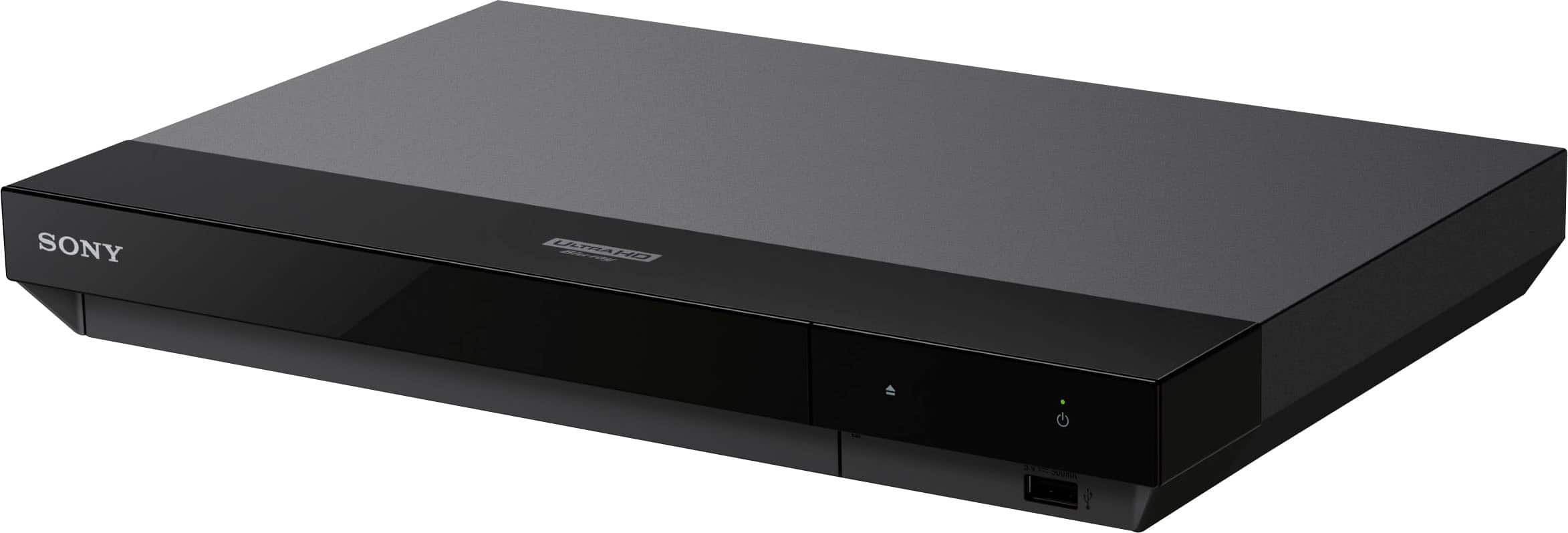
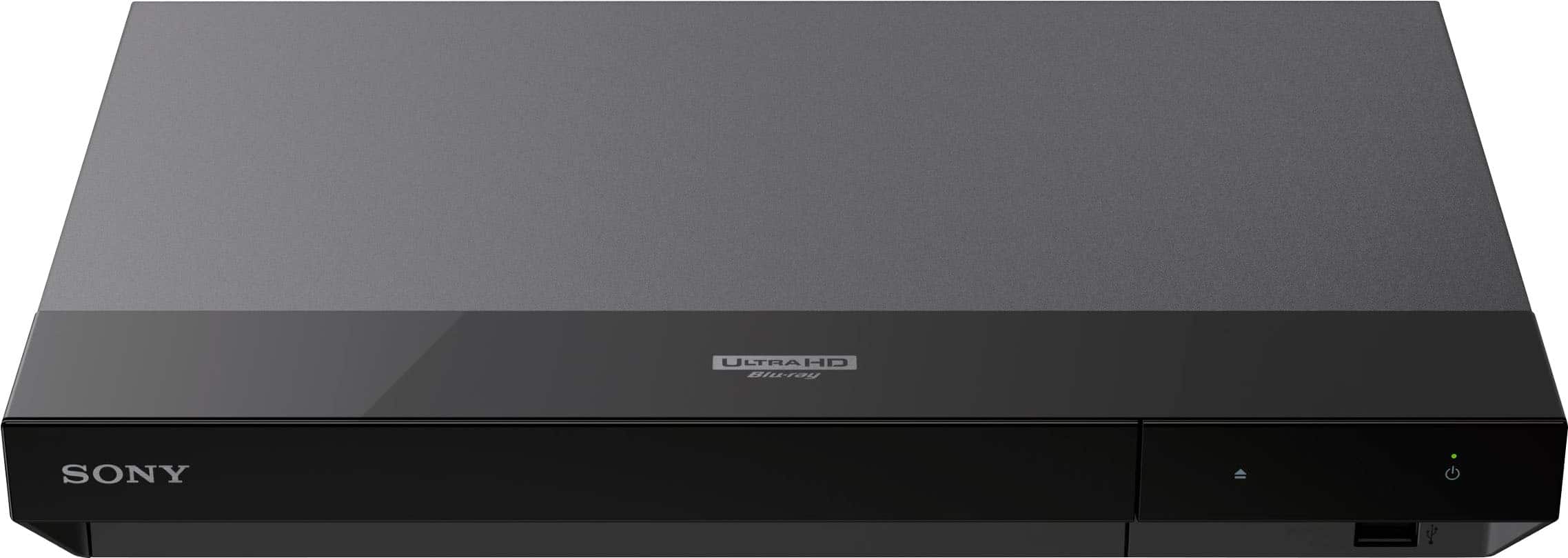
  • QuestionWith only a power and eject button, am I up the creek without a paddle if I lost the remote? It seems my TV does not control this via HDMI. Was it really too hard or prohibitively expensive to slap a play button on the face?

    Asked by Sibble.

    • Answer Hi Sibble, The Sony UBP-X700U Ultra HD Blu-ray Player is officially designed with only Power and Eject buttons on the unit itself, confirming that dedicated playback controls like Play or Pause are not physically on the face of the player. If the remote is lost, full operation of the player, including starting playback and accessing menus, requires the remote control (RMT-VB201U). The only manufacturer-provided alternative control method besides the remote is the BRAVIA Sync (HDMI-CEC) feature, which, when properly set up and connected to a compatible TV, is intended to allow the TV's remote to govern the basic functions and playback controls of the player. Thanks for considering Sony products. Best regards, Eliab

      Answered by SonyListens

  • QuestionDoes it support dolby vision?

    Asked by Lance.

    • Answer Yes, if the disc has that function. The settings do have to be changed for it to properly work, it is not on by default.

      Answered by AaronA

  • QuestionWhat would one use the audio out only HDMI for? Playing music CD's without the need to have the television on??

    Asked by allie.

    • Answer Hi Allie, That's a great question! The HDMI out (Audio only) port on the Sony - UBPX700U is designed to send audio directly to an audio device such as a soundbar, AV receiver, or other home theater systems that support HDMI IN connections. This allows you to get the best possible sound quality without having to route the signal through your TV. While you could technically play a music CD without the TV on, the main purpose of this output is to connect to an audio system so you can enjoy high-quality sound independently of the video signal. We hope this answers your question, and thank you for considering Sony products! Best regards, Dominick

      Answered by SonyListens

  • QuestionCan it play multi zones blue rays and does it come with 220 v

    Asked by RJ.

    • Answer Hi RJ, thanks for asking! The Sony UBP-X700U, as sold by Sony and authorized retailers, does NOT support multizone or region-free playback for standard Blu-ray or DVD discs. It can only play discs that match the region code printed on the back of the player, with the exception of Ultra HD 4K Blu-ray discs, which are universally region-free. For detailed information, please check: https://www.sony.com/electronics/support/articles/00029369 And the players work with: DC IN 12 V DC, 1.25 Thank you for your interest in Sony! Best regards, Gus Sony Social Media Team

      Answered by SonyListens

  • QuestionIs this a region-free blu-ray player?

    Asked by Wanda.

    • Answer Thank you for contacting Sony, Wanda. The UBP-X700U isn't region free for standard Blu-rays or DVDs and it is locked to Region A for North America. We appreciate your interest in Sony products. Should you require any further assistance, please don't hesitate to reach out for support here: https://us.esupport.sony.com/support/s/support-contact?language=en_US&category=bd Best regards, Gus, Sony North America Customer Support

      Answered by SonyListens

  • QuestionDoes the 4K UHD player also play regular blu-rays or just 4K Ultra?

    Asked by Mrtregs.

    • Answer Hi Mrtregs, Yes, the UBP-X700U is a universal player that plays regular Blu-ray discs, 3D Blu-rays, DVDs, SACDs, and CDs in addition to 4K Ultra HD discs. It also features 4K upscaling, which enhances the picture quality of your standard Blu-rays and DVDs to near-4K resolution. Thanks for choosing Sony. Best regards, Eliab

      Answered by SonyListens

  • QuestionMy Sony UBPX700U 2025 model on occasion keeps freezing up when using. Done it a few times while watching a movie then thinking it was a faulty disc. But then it seems to do it now while viewing a different movie. Never had issues with previous 4k player.

    Asked by ASTrazor64.

    • Answer Hello ASTrazor64, Thank you for considering Sony products! We are truly sorry to hear that your UBPX700U is freezing during your movies. We completely understand how frustrating it is to have your cinematic experience interrupted, especially when you’ve had a seamless experience with your previous 4K player. To get your player back to peak performance, we recommend following the steps below: Perform a Power Reset: Unplug the power cord of the Blu-ray Disc player from the electrical outlet. Wait: Let the player remain without power for one minute. Plug the power cord back into the electrical outlet. Turn on the Blu-ray Disc player and test a disc. Factory Reset: If the freezing persists, a factory reset can resolve deeper configuration issues. We have provided the specific steps for your model here: https://www.sony.com/electronics/support/articles/00089497 We are committed to resolving this issue for you. Should the problem continue, we recommend contacting our dedicated support team for further assistance. You'll find all the necessary contact options and resources at this link: https://www.sony.com/electronics/support Best regards, -Fred

      Answered by SonyListens

  • QuestionHi Sony Team, Most kindly asking, when will a firmware be updated, we are patiently awaiting a firmware update! The last one was issued back in 5/2022, so we would greatly appreciate contiued support, please.. Thank you

    Asked by 1701jim.

    • Answer Hello 1701jim, Thank you for considering Sony products. We sincerely apologize for the long interval since the last firmware update for the UBPX700U, which was released in May 2022. We understand your anticipation and appreciate your patience. At this moment, we do not have specific details regarding the timing of future firmware updates. We encourage you to regularly check the official Sony support website, where all new updates and announcements are promptly posted: https://www.sony.com/electronics/support?appid=us-direct-login. Please know that your feedback about the update frequency has been noted and shared with our team to help prioritize ongoing support. Thank you again for your understanding and loyalty. Best regards, -Fred

      Answered by SonyListens

  • QuestionDoes it support HDR ?

    Asked by Marcus.

    • Answer Thank you for contacting Sony, Mark. We are pleased to confirm that this player is designed to deliver a stunning visual experience by supporting HDR10 and Dolby Vision. This ensures that you will get striking highlights, deep blacks, and rich, vibrant colors from compatible 4K Ultra HD Blu-ray discs and 4K streaming services We appreciate your interest in Sony products. Should you require any further assistance, please don't hesitate to reach out for support here: https://us.esupport.sony.com/support/s/support-contact?language=en_US&category=bd Best regards, Gus, Sony North America Customer Support

      Answered by SonyListens