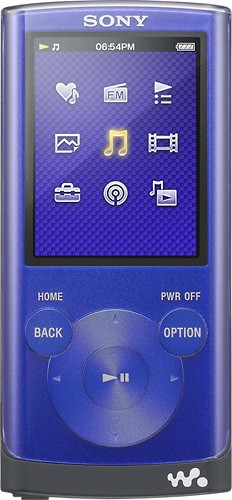
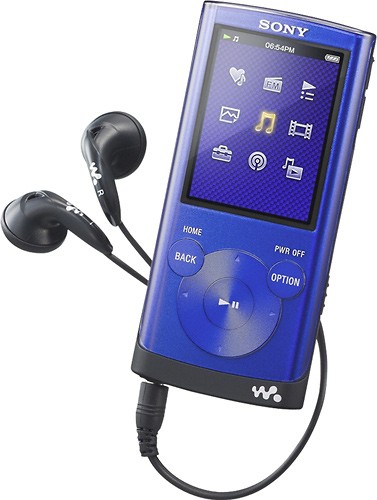
A:AnswerThe NWZE353 Walkman does not have speakers. However, the Walkman has Clear Stereo, Clear Bass AudioTechnologies and Digital Sound Enhancement Engine -- restore the clarity and depth of digitally compressed music.
A:AnswerThe NWZE353BLUE will play the majority of available downloaded audio books - see the following link for full audio file compatibility information:
http://esupport.sony.com/docs/portable/NWZE353-E354-E355/4192093111/eng/contents/11/01/01/01.html
A:AnswerExclusive Sony Clear Audio Technologies -- Clear Stereo, Clear Bass Audio Technologies and Digital Sound Enhancement Engine -- restore the clarity and depth of digitally compressed music and should shine through when connected to other devices.
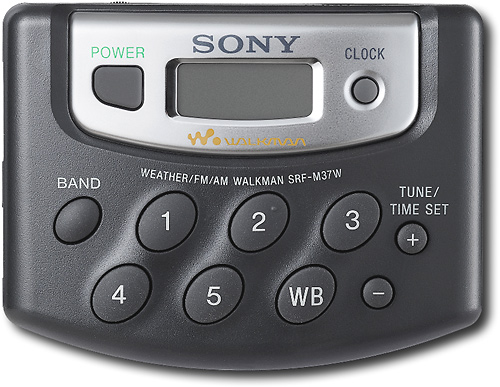
A:Answerour MP3 players have FM only, if the key feature you are looking for is AM Radio the SRF-M37W Portable Digital AM/FM Radio with Weather Band may suit your needs.
A:Answerconnection via USB to your computer is required to charge your walkman. If you wish for charging without connecting to a computer the ACU501AD ( Sold Separately) can be used to connect the USB charging cable to any 115V ac outlet
A:AnswerYou can transfer videos/photos/podcasts stored on your computer to the player using Content Transfer. You can transfer videos/photos/podcasts by drag-and-drop of the desired videos/photos/podcasts from Windows Explorer to Content Transfer.
A:AnswerNot directly. if you download music from rhapsody to your computer, those files downloaded can be transferred via Windows Media Player 11 to the Walkman.
A:AnswerThe Walkman® player itself is compatible with the Windows 7 operating system. File transfers can be done via the Windows Media® Player version 12 software or Windows Explorer interface. The software included with your player may need to be upgraded for compatibility. Upgrades will be available through the Drivers & Software link on this page when they become available.
IMPORTANT: The NWZ E344 E345 S544 S545 will require a firmware update for Windows 7 compatibility. This upgrade is available through the Drivers & Software link on this page.
The following software is currently not compatible with the Windows 7 operating system:
Media Manager for WALKMAN® software version 1.2
Content Transfer software version 1.2
MP3 Conversion Tool
A:AnswerThe number of songs varies with the songs bit rate and compression type. For MP3 files at 128kbps songs = 880. For MP3 files at 48kbps songs = 2350.
Please see the user guide for additional information.
http://esupport.sony.com/US/perl/model-documents.pl?mdl=NWZE353BLUE